
Introduction
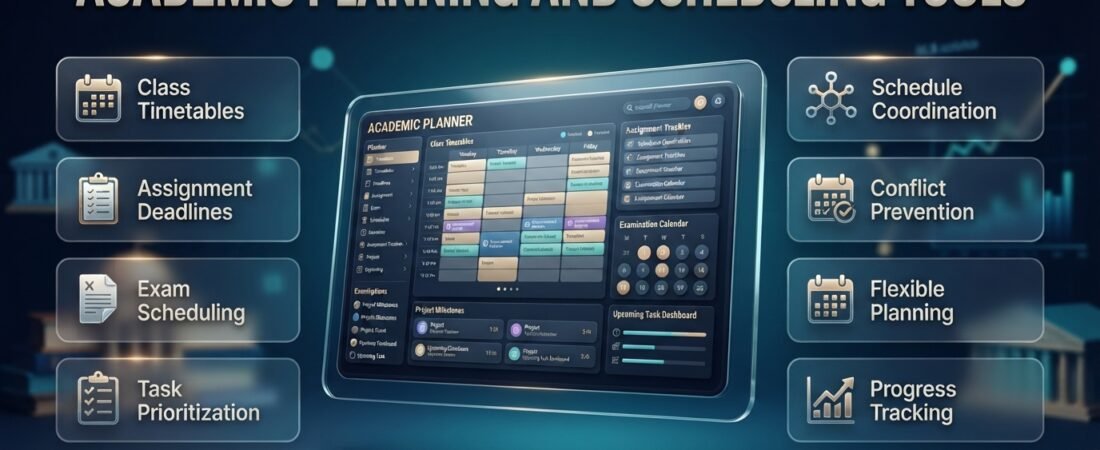
Academic Planning and Scheduling Tools | Academic life can become difficult to manage when classes, assignments, examinations, projects, and personal responsibilities all compete for your attention. A student may understand every subject but still struggle to meet deadlines because there is no clear plan. Teachers and school administrators face similar challenges when they must coordinate lessons, student support sessions, classroom availability, and changing academic priorities.
Academic planning and scheduling tools help bring these responsibilities into one organized system. Instead of relying on memory or switching between scattered notes, users can plan important dates, arrange activities, prioritize tasks, and review upcoming commitments. For schools, the right scheduling approach can also improve coordination between teachers, students, and academic support teams.
A well-organized system should do more than display dates. It should help users understand what needs to happen next, identify possible conflicts, and make adjustments before small scheduling problems become larger disruptions. If you want to explore a dedicated scheduling solution, visit RTI Scheduler to learn more about organizing academic planning and scheduling workflows.
This guide explains how academic planning tools work, which features matter most, how students and educators can use them effectively, and how to build a practical scheduling system that remains useful throughout the academic year.
What Are Academic Planning and Scheduling Tools?
Academic planning and scheduling tools are digital applications or structured systems used to organize educational activities, manage deadlines, allocate time, and coordinate academic responsibilities. They may include calendars, task managers, study planners, timetable builders, appointment schedulers, and specialized school scheduling platforms.
Although these tools share a common goal, they do not all perform the same job. A personal study planner helps a learner decide when to revise a difficult subject. An institutional scheduling platform may help administrators organize student intervention sessions, teacher availability, and classroom capacity.
The difference matters because choosing a tool without understanding its purpose can create unnecessary work instead of reducing it.
How Do Academic Planning Tools Work?
Most academic planning systems begin with a simple process: collect information, organize activities, assign dates or times, and review progress.
For example, a university student might enter an examination date, divide the preparation into smaller tasks, and reserve study sessions throughout the week. A teacher might plan lessons, schedule assessments, and coordinate meetings with students who need additional assistance.
A more advanced school system can use defined scheduling rules to help place students into suitable academic sessions. Depending on the platform, these rules may consider availability, course requirements, eligibility, or session capacity.
A practical academic planning workflow looks like this:
- Collect information: Record deadlines, course schedules, and relevant requirements.
- Organize activities: Group tasks by subject, purpose, or priority.
- Allocate time: Assign realistic dates and time slots.
- Check conflicts: Identify overlapping commitments and unavailable resources.
- Monitor progress: Review completed tasks and outstanding responsibilities.
- Adjust the plan: Update the schedule when priorities or circumstances change.
The system becomes more useful when these steps form a regular habit rather than a one-time planning exercise.
Who Needs Academic Planning and Scheduling Tools?
Different academic users benefit from different features.
- School students need help tracking homework, examinations, projects, and extracurricular activities.
- College students often manage multiple courses, independent study, laboratory work, and group assignments.
- University students may need semester planning, research milestones, examination preparation, and appointment management.
- Teachers use planning systems to coordinate lessons, assessment dates, and additional student support.
- Academic coordinators organize schedules across classes, teachers, departments, and available facilities.
- School administrators may need to manage flexible learning periods, intervention programs, enrichment sessions, and participation records.
A simple calendar may be enough for an individual learner. A school with hundreds of students and multiple scheduling requirements may need a dedicated system that supports more complicated workflows.
The best choice depends on the number of people involved, the frequency of schedule changes, and the consequences of a scheduling error.
Why Are Academic Planning and Scheduling Tools Important?
Academic planning tools make responsibilities visible. They help users move from remembering what needs to be done to following a structured plan for completing it.
This becomes especially important when several courses have deadlines during the same week. Without an overview, a student may spend too much time on one assignment and discover too late that another requires substantial preparation.
A shared schedule can reveal these pressure points early enough to make changes.
Better Time Management
Time management is not simply about working faster. It is about deciding how available time should be used.
A planning tool allows students to distinguish between fixed commitments, such as lectures, and flexible activities, such as independent revision. Once fixed commitments are recorded, the remaining time can be allocated according to workload and priorities.
For example, a student with three lectures on Monday may schedule a short review after class rather than leaving all revision until the weekend.
This approach encourages regular progress without requiring every hour to be planned in advance.
Fewer Missed Deadlines
A centralized calendar reduces dependence on memory. When assignment deadlines, examinations, registration periods, and presentations are recorded in one place, users can see what is approaching.
However, entering a deadline is only the first step. Major tasks should also have preparation milestones so that the work begins early enough.
A research paper due in two weeks might require separate dates for research, outlining, drafting, editing, and final submission. Each milestone provides a clear action instead of leaving the entire assignment until the final day.
Improved Academic Coordination
Schools often need to coordinate activities involving multiple teachers and student groups. Manual processes can become difficult when students need different support sessions or when room availability changes.
A structured scheduling process helps staff understand where students should be, which sessions are available, and whether assignments have been completed.
For schools operating intervention or flexible learning periods, clear scheduling can help reduce confusion and make better use of instructional time.
More Realistic Workloads
Planning tools also reveal when too much work has been assigned to a single day or week.
A student may discover that three major assignments are due within 48 hours. A coordinator may notice that several support sessions require the same room or teacher.
Identifying these situations early creates an opportunity to adjust preparation, redistribute tasks where possible, or explore alternative scheduling arrangements.
Reduced Administrative Work
When schedules are maintained in a consistent system, users spend less time searching through messages, checking separate documents, or confirming information repeatedly.
The benefit is particularly valuable when several people need access to the same accurate schedule.
Still, digital tools are not a substitute for clear procedures. Someone must maintain accurate information, communicate changes, and ensure that everyone understands how the system should be used.
What Types of Academic Planning and Scheduling Tools Are Available?
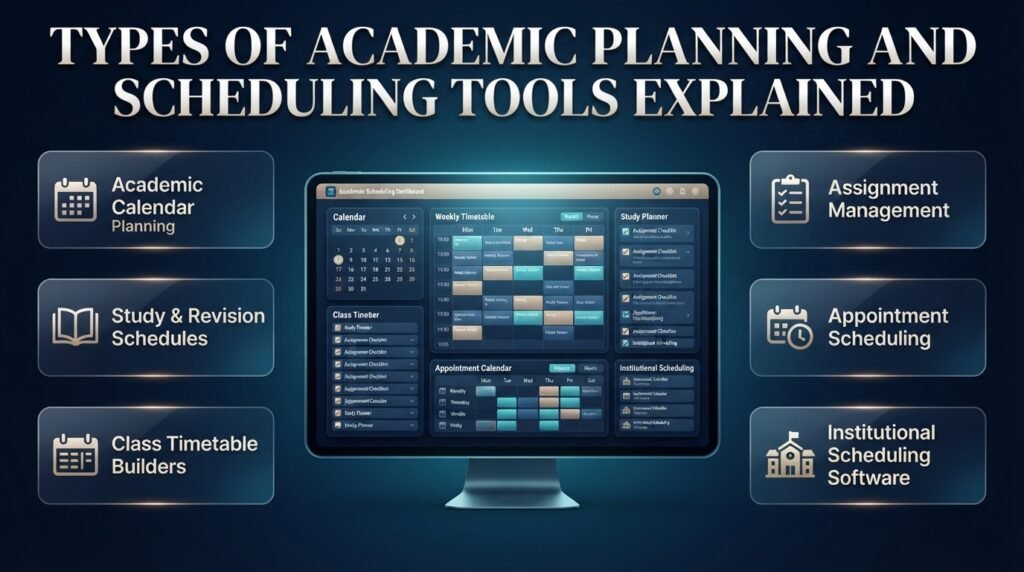
The term covers several categories of tools. Understanding the differences helps users avoid selecting a system that is either too limited or unnecessarily complicated.
1. Academic Calendar Planning Tools
An academic calendar organizes important dates across a semester or academic year.
Typical entries include:
- Semester start and end dates.
- Registration and enrollment deadlines.
- Examination periods.
- Assignment submission dates.
- School holidays and institutional events.
- Faculty meetings and required appointments.
The main benefit is long-term visibility. Users can identify busy periods before they arrive and distribute preparation across the available weeks.
For example, a student who sees two examinations scheduled during the same week can begin revising earlier instead of discovering the conflict at the last minute.
A useful calendar should be easy to update and should distinguish confirmed dates from tentative plans.
For a more focused discussion of organizing semester dates, see Academic Calendar Planning.
2. Study Planners and Revision Schedules
Study planners focus on learning activities. They help students decide what to study, how long to spend on each subject, and how to measure progress.
A useful study planner may include subjects, topics, planned sessions, practice activities, and review dates.
For example, a biology examination may require reviewing lecture notes, practicing diagrams, answering past questions, and identifying weak areas. A study planner makes these activities visible instead of treating revision as one large task.
These planners are particularly helpful when students need to balance several subjects with different levels of difficulty.
3. Class Timetable Builders
A timetable builder arranges recurring activities into a weekly or daily schedule.
Basic tools allow users to enter classes and meeting times. More advanced systems may check availability, identify overlaps, or help compare alternative schedules.
A personal timetable is useful for organizing an existing set of classes. Institutional timetable software has a more complex responsibility: finding workable arrangements for multiple students, teachers, courses, and rooms.
When evaluating a timetable builder, consider how easily schedules can be updated and whether it can identify the types of conflicts that matter in your environment.
4. Assignment and Task Management Tools
Task management systems help users track individual responsibilities and monitor completion.
Useful features include due dates, priority labels, subtasks, recurring activities, and progress indicators.
Instead of creating a single task called “complete research assignment,” a student can divide the work into smaller actions:
- Select a topic.
- Gather suitable material.
- Create an outline.
- Draft the main sections.
- Check the structure and references.
- Proofread and submit the final work.
This breakdown makes it easier to start and provides a clearer picture of the remaining workload.
5. Appointment Scheduling Tools
Appointment schedulers help teachers, advisors, tutors, and students coordinate meetings.
They can be useful for academic advising, tutoring appointments, consultation hours, and student support meetings.
Depending on the tool, users may manage available time slots, meeting duration, booking changes, and reminders.
The most important requirement is that the schedule accurately reflects availability. A booking system cannot prevent confusion if staff availability is not maintained.
6. Institutional Academic Scheduling Software
Institutional systems are designed for more complicated scheduling environments.
A school may need to coordinate multiple grade levels, teachers, rooms, student groups, and recurring academic sessions. Some schools also operate intervention, enrichment, advisory, or flexible learning periods.
In these settings, scheduling involves more than arranging events on a calendar. Administrators may need to consider student eligibility, session capacity, staff assignments, and changing support requirements.
Depending on the platform, useful features may include:
- Flexible session creation.
- Teacher and student scheduling controls.
- Room and resource allocation.
- Conflict detection.
- Enrollment management.
- Attendance records.
- Notifications and reporting.
A dedicated institutional tool can be worthwhile when spreadsheets and manual coordination become difficult to maintain. Smaller organizations should still evaluate whether their actual needs justify the additional complexity.
What Features Should You Look for in Academic Planning and Scheduling Tools?
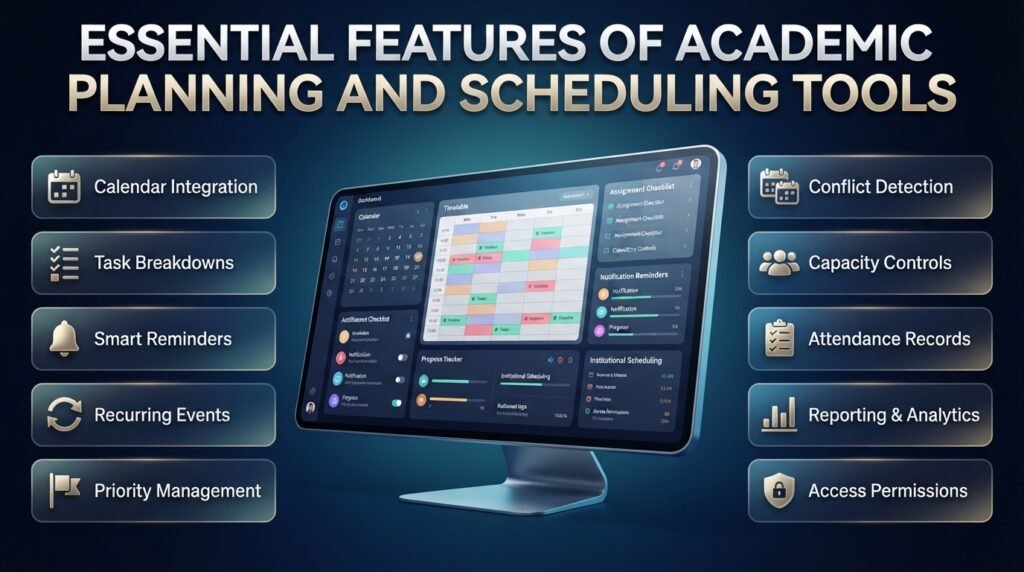
The right features depend on the problem being solved. Individual students generally need simple organization and reminders, while institutions may require rules, permissions, reporting, and multi-user coordination.
Start by identifying the most frequent scheduling difficulties rather than choosing a tool based on a long feature list.
Essential Features for Individual Students
Calendar integration: Important dates and recurring activities should be easy to view together.
Task breakdowns: Large assignments should be divisible into manageable steps.
Reminders: Notifications should provide enough warning to support preparation.
Recurring events: Regular lectures and study sessions should not require repeated manual entry.
Priority management: Users should be able to distinguish urgent work from lower-priority activities.
Flexible editing: Moving a study session or changing a deadline should be straightforward.
Accessible design: The planner should be easy to use on the devices available to the student.
Progress tracking: Users should be able to identify completed work and understand what remains.
A tool does not need every feature to be effective. If a student only needs a weekly timetable and assignment reminders, a simple solution may be the most practical option.
Advanced Features for Schools and Academic Teams
Institutional users often have additional requirements.
| Feature | Practical purpose |
|---|---|
| Conflict detection | Identifies overlapping schedules or unavailable resources |
| Flexible scheduling | Supports recurring and changing academic sessions |
| Capacity controls | Prevents sessions from exceeding available places |
| Availability management | Accounts for teacher, room, and session restrictions |
| Student placement rules | Helps assign eligible students to suitable sessions |
| Attendance records | Documents participation in scheduled activities |
| Notifications | Communicates schedule changes and upcoming responsibilities |
| Reporting | Helps administrators review scheduling activity |
| Data integration | Reduces duplicate entry when connecting existing systems |
| Access permissions | Limits information and editing rights to appropriate users |
Before adopting a system, confirm that its features work for your specific scheduling process. A tool that handles ordinary calendar events may not support complex student placement or institutional resource allocation.
How Important Is Ease of Use?
Ease of use has a direct effect on whether people maintain accurate schedules.
If entering a task takes too long, users may stop recording smaller activities. If changing a timetable requires several unnecessary steps, staff may continue relying on separate spreadsheets.
Look for clear navigation, understandable labels, practical views, and a manageable setup process.
Pro Tip: Test a potential tool with a realistic example before moving all your information into it. For an individual student, use a typical week with lectures, assignments, and an examination. For a school, test a scheduling scenario that includes limited capacity, staff availability, and a possible conflict.
The test should reveal whether the system simplifies the work or merely moves it into a different interface.
How to Create an Effective Academic Schedule Step by Step
A reliable schedule begins with accurate information and realistic time estimates. It should account for both fixed commitments and the independent work required to meet academic goals.
The following process works for individual students and can also help educators structure planning activities.
Step 1: Collect All Important Academic Dates
Start by gathering information from official academic announcements, course outlines, learning platforms, and instructors.
Record examination dates, assignment deadlines, registration periods, presentations, and other required activities.
Check important dates against official information before adding them to your schedule. A well-organized planner is still unreliable if the information entered into it is wrong.
Why it matters: A complete overview helps identify busy periods before they become urgent.
Common mistake: Recording final deadlines while overlooking preparation dates, registration requirements, or intermediate assessments.
Practical example: If a project is due on the final Friday of the month, add the submission date first and then work backward to establish research, drafting, and review milestones.
Step 2: Enter Your Fixed Commitments
Add activities that take place at specific times, including lectures, laboratories, work shifts, and required meetings.
These commitments determine how much flexible time remains.
A simple weekly overview might look like this:
| Day | Fixed commitment | Flexible academic work |
|---|---|---|
| Monday | Morning lectures | Review notes and organize tasks |
| Tuesday | Laboratory session | Complete laboratory follow-up |
| Wednesday | Classes and tutorial | Work on a major assignment |
| Thursday | Fewer scheduled classes | Longer study or revision block |
| Friday | Classes and group meeting | Review progress and prepare for next week |
This is an example, not a recommended timetable for every student. Travel, personal responsibilities, course demands, and individual energy levels should influence the final schedule.
Step 3: Estimate the Time Required for Each Task
A deadline shows when something must be completed, but it does not indicate how long the work will take.
Estimate the effort needed for each significant task before deciding when to schedule it.
For example, a written report might require two hours of research, one hour of outlining, three hours of drafting, and one hour of editing.
That is seven hours of planned work. The student can spread these sessions across several days instead of attempting the entire report in one sitting.
Estimates will sometimes be inaccurate. Their purpose is to make the workload visible and improve future planning.
Expert Tip: After completing an assignment, compare your original estimate with the actual time spent. Repeated patterns will help you plan more realistically.
Step 4: Prioritize by Importance, Urgency, and Effort
Not every task deserves the same level of attention.
Consider its deadline, consequences, difficulty, and the time required to finish it.
| Priority | Example | Appropriate response |
|---|---|---|
| High | Assignment due tomorrow | Complete essential work first |
| High | Difficult examination next week | Schedule revision immediately |
| Medium | Reading due in several days | Allocate a suitable study block |
| Flexible | Optional reading without a near deadline | Fit it into available time |
Do not focus exclusively on the nearest deadline. A major examination may require preparation over several days, even when a smaller assignment is due sooner.
Step 5: Turn Large Goals Into Smaller Tasks
Large projects often feel overwhelming because they combine several activities into one broad responsibility.
Divide the project into steps that can be completed and checked separately.
For a research assignment, the sequence might be topic selection, source collection, outlining, drafting, editing, and submission.
Give each step a realistic deadline and estimate how much time it needs.
This makes progress easier to track and allows you to identify delays before they threaten the final deadline.
Step 6: Schedule Focused Study Sessions
Place independent study sessions into the available spaces in your timetable.
Some students prefer short sessions of around 25 minutes followed by a brief break. Others work better in 45–60-minute blocks, particularly for writing or solving complex problems.
Choose a duration that supports concentration rather than following a fixed method regardless of the task.
Give each session a specific outcome. “Complete 15 practice questions and review mistakes” is more actionable than “study mathematics.”
Specific tasks make it easier to begin and evaluate progress.
Step 7: Allow Time for Breaks and Unexpected Changes
A realistic schedule includes meals, travel, sleep, personal responsibilities, and rest.
If every free minute is assigned to academic work, an unexpected task can disrupt the entire plan.
Reserve flexible periods for unfinished assignments, additional revision, or activities that take longer than expected.
Quick Tip: Keep at least one flexible study block during the week. Use it to catch up on important work rather than repeatedly pushing unfinished tasks into already busy days.
Step 8: Review and Adjust the Plan Weekly
Choose a consistent time to review the coming week.
Check completed tasks, changed deadlines, upcoming examinations, and any commitments that may create pressure.
If a task keeps moving to the next day, identify the reason. It may be too large, poorly defined, or scheduled at an unsuitable time.
Break it into smaller steps or allocate a more realistic period.
A good schedule is not a rigid promise that nothing will change. It is a practical system for responding to change while keeping important responsibilities visible.
How Can Students Use Academic Planning Tools to Improve Productivity?
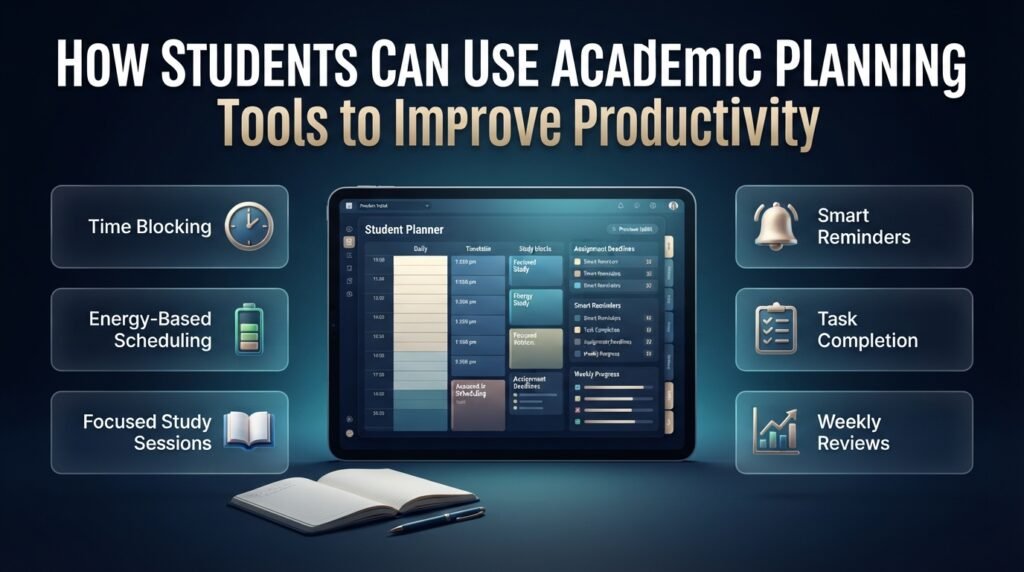
A planner becomes valuable when it changes how students approach their work. The goal is to make academic responsibilities easier to start, complete, and review.
Use Time Blocking Carefully
Time blocking means assigning specific periods to particular activities.
It can help protect study time instead of relying on the hope that free time will appear later.
However, filling every available hour can make a schedule difficult to maintain. Include breaks and leave room for unexpected responsibilities.
A balanced day might contain a lecture, two focused study sessions, an assignment task, and personal time. The appropriate amount of work depends on the student’s overall schedule.
Match Difficult Tasks to Your Energy Levels
Some students concentrate best in the morning, while others prefer working later in the day.
Notice when you are most alert and schedule demanding activities, such as writing or difficult problem-solving, during those periods when possible.
Use lower-energy periods for organizing notes, checking deadlines, or preparing materials.
If you consistently postpone a task scheduled late at night, try moving it to a more suitable time instead of repeatedly forcing the same unsuccessful routine.
Use Reminders Without Creating Notification Overload
Notifications are useful when they support action. Too many reminders, however, can become background noise.
Set reminders according to the preparation required.
A major research project may need an early reminder, a progress check, and a final submission reminder. A routine reading assignment may need only one.
Make notifications specific. “Finish the introduction” gives you a clear next step, whereas “Remember the project” provides little guidance.
Review Mistakes Instead of Only Tracking Completion
A completed-task list shows what you have done. It does not necessarily explain why your planning succeeds or fails.
At the end of each week, identify tasks that took longer than expected, sessions that were repeatedly missed, and commitments that caused unexpected delays.
Use this information to improve the next schedule.
If laboratory reports regularly require additional time, increase the estimate. If group meetings consistently interrupt study blocks, reserve a more suitable period.
The purpose is to improve the system, not to create a perfect record.
How Can Schools and Educators Improve Academic Scheduling?
School scheduling introduces challenges that individual students rarely face. Administrators may need to coordinate multiple student groups, teachers, classrooms, support sessions, and changing academic requirements.
A reliable process begins with clear rules and accurate information.
Define the Purpose of Each Scheduled Session
Before building a timetable, establish why each session exists and who should attend.
For example, a school may offer mathematics intervention, reading support, enrichment activities, advisory meetings, and supervised study periods.
Each type of session may have different eligibility requirements, capacity limits, staffing needs, and expected outcomes.
Defining these requirements before scheduling reduces confusion later.
Account for Teacher and Room Availability
A workable schedule must respect the people and facilities required to deliver each activity.
A classroom may be unavailable during a particular period, or a teacher may already have a class assigned at that time.
Administrators should document these constraints before finalizing the timetable.
Where the software supports it, automated conflict checks can help identify overlapping assignments and unavailable resources. However, staff should still review the resulting schedule for practical issues that the system may not understand.
Plan for Students Who Need Additional Support
Schools may use flexible periods to provide targeted academic intervention or enrichment.
The scheduling process should help eligible students access appropriate sessions without creating unnecessary conflicts with their regular classes.
Depending on the school’s procedures, staff may consider academic needs, course requirements, teacher recommendations, student choice, and available capacity.
A clear process also helps educators understand which students have been assigned to support activities and which still need a placement.
The purpose is to make the schedule support learning rather than becoming an administrative exercise.
Communicate Changes Clearly
Even a carefully prepared schedule may need to change because of staff absence, room availability, assessments, or other unexpected circumstances.
Schools should establish a consistent process for communicating updates.
Students and teachers need to know which schedule is current, what has changed, and where to find accurate information.
A centralized system can reduce confusion, but it should be supported by clear responsibilities for updating and communicating changes.
Monitor Participation and Scheduling Outcomes
Attendance and participation records can help schools determine whether scheduled sessions are actually reaching the intended students.
Administrators can review missed sessions, unfilled places, recurring conflicts, and patterns in participation.
These observations can inform future scheduling decisions.
For example, repeated absences during a particular session may indicate a timing conflict, a communication problem, or a need to review the session’s purpose.
Data should be interpreted in context. A scheduling report can identify a pattern, but educators may need additional information to understand its cause.
How to Choose the Best Academic Planning Tool for Your Needs
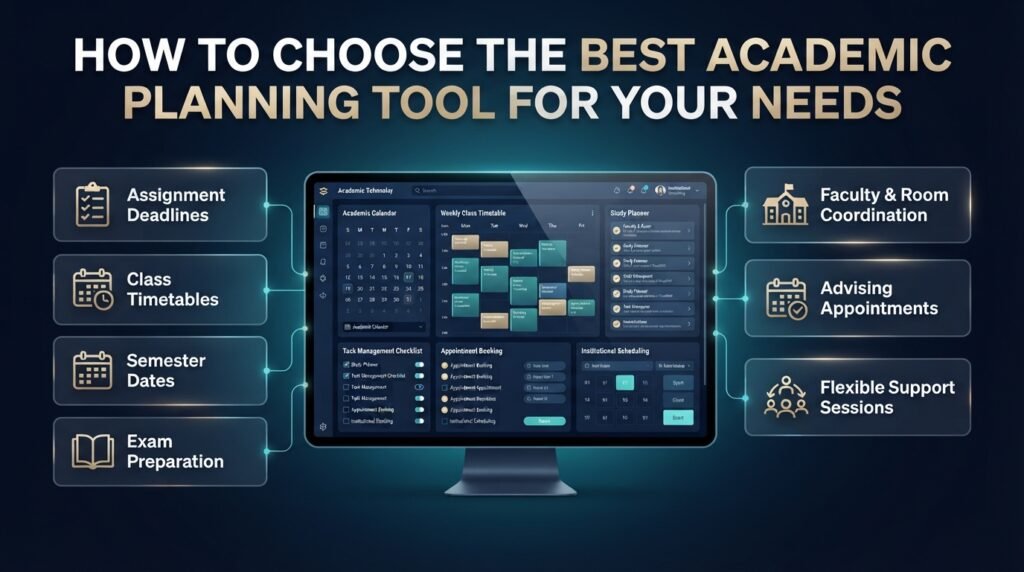
The best tool is the simplest reliable option that addresses your main scheduling challenges.
A student managing several courses may need a calendar and task manager. A school coordinating multiple intervention groups may require dedicated scheduling software.
Use your requirements to narrow the options.
| Main challenge | Tool to prioritize | Important considerations |
|---|---|---|
| Forgetting assignment deadlines | Task manager | Reminders and task breakdowns |
| Confusing class times | Timetable builder | Weekly views and easy updates |
| Missing important semester dates | Academic calendar | Clear date management |
| Preparing for examinations | Study planner | Focused sessions and progress tracking |
| Coordinating faculty and rooms | Institutional scheduling software | Availability and conflict checks |
| Managing advising appointments | Appointment scheduler | Booking controls and notifications |
| Coordinating flexible support sessions | Academic scheduling platform | Student placement, capacity, and session management |
Are Free Academic Planning Tools Enough?
Free calendars, task lists, and spreadsheets can meet many personal planning needs.
They are particularly useful when the schedule is relatively simple and the user is comfortable maintaining information manually.
Paid tools may be worthwhile when advanced automation, collaboration, reporting, or institutional scheduling features save enough time to justify the cost.
Consider the following questions before paying for additional features:
- Does the current system repeatedly fail to meet an important requirement?
- Will the new tool reduce manual work or prevent meaningful errors?
- Can users learn and maintain it without excessive effort?
- Are the costs of training, setup, and maintenance reasonable?
Do not upgrade simply because a tool offers more features. Upgrade when the additional capabilities solve a genuine problem.
Can a Spreadsheet Work as an Academic Planner?
A spreadsheet can be effective for personal schedules and small academic programs.
Useful columns include course, task, due date, estimated hours, priority, and completion status. Filters can help users find upcoming deadlines, while conditional formatting can highlight overdue tasks.
The limitations become more noticeable when several people edit the same file, schedules change frequently, or automated conflict detection is necessary.
A spreadsheet is a reasonable starting point when the workload is manageable. More specialized software becomes attractive when manual maintenance creates recurring problems.
Common Academic Planning Mistakes and How to Avoid Them
Even good software cannot compensate for unrealistic expectations or inconsistent planning habits.
Mistake 1: Scheduling Too Much Work
Students often underestimate task duration and assume every free period can be used productively.
This creates a timetable that looks impressive but becomes difficult to follow.
Estimate task duration, include breaks, and leave flexible time for unexpected work. Review estimates after completing assignments so future plans become more accurate.
Mistake 2: Recording Deadlines but Ignoring Preparation
A calendar containing only final deadlines offers limited help with large assignments.
Work backward from each important date and schedule the preparation stages separately. This creates an earlier starting point and makes delays easier to identify.
Mistake 3: Using Too Many Different Tools
Maintaining several calendars, task lists, and reminder systems can scatter information.
Choose one primary calendar and one main task list. Add another tool only when it solves a specific problem that your current system cannot handle.
Mistake 4: Ignoring Scheduling Conflicts
Overlapping classes, appointments, or assignments can disrupt an otherwise reasonable plan.
Review the complete schedule rather than considering each activity in isolation. Institutional users should check relevant room, teacher, and student constraints before publishing timetables.
Mistake 5: Treating the Schedule as Unchangeable
An unexpected assignment or personal responsibility may disrupt the plan.
When this happens, identify the most important unfinished work and reschedule it realistically. Avoid pushing every missed task into the next day without checking whether there is enough time.
Mistake 6: Forgetting to Review Progress
A planner gradually loses value when dates and priorities become outdated.
Set a weekly review to remove completed tasks, update changed deadlines, and identify upcoming pressure points.
Even a short review can prevent small scheduling problems from becoming larger ones.
Mistake 7: Choosing Software Before Defining the Problem
A long list of features can make a platform appear attractive, but features are valuable only when they support the required workflow.
Before selecting software, write down your three most important scheduling problems. Evaluate each option against those requirements and test it with a realistic example.
This approach keeps the decision focused on practical value.
Expert Recommendations for a Sustainable Academic Planning System
A strong planning system should remain useful during normal weeks and adapt to examination periods, major projects, and unexpected changes.
The following practices help make that possible.
Work Backward From Major Deadlines
Start with the final submission date and identify the work that must happen before it.
An essay due Friday might require research on Monday, outlining on Tuesday, drafting on Wednesday, and editing on Thursday.
The exact sequence will vary, but each stage should have a clear purpose and enough time to complete it.
Separate Fixed Commitments From Flexible Tasks
Fixed commitments include scheduled classes, examinations, and required meetings. Flexible tasks include many revision sessions, reading activities, and assignment milestones.
Record fixed commitments first, then arrange flexible work around them.
This distinction makes it easier to adapt when a class changes or a new responsibility appears.
Create a Minimum Viable Study Plan
During unusually busy weeks, your normal schedule may no longer be realistic.
Identify the most important deadlines, essential revision, and activities that cannot be postponed. Build a smaller plan around these priorities and return to your regular routine when the pressure decreases.
This approach supports meaningful progress without assuming every week offers the same amount of time.
Protect Academic Privacy
Digital planning tools may contain class information, personal appointments, student details, or records of academic support activities.
Review privacy settings, access permissions, backup options, and account security before entering sensitive information.
For institutional use, make sure that only appropriate users can view or modify restricted records.
Strong passwords and multifactor authentication, where available, can also reduce account security risks.
Evaluate the System by Its Results
A planning system should be judged by whether it makes academic work easier to manage.
Useful indicators include fewer missed deadlines, earlier preparation, fewer scheduling conflicts, and more reliable coordination.
For schools, additional measures may include participation in scheduled support sessions, unfilled session capacity, and the time staff spend maintaining schedules.
Review these indicators periodically and adjust the process when the results reveal a recurring problem.
What are the best academic planning and scheduling tools for students and teachers?
The best academic planning and scheduling tools depend on how you manage your academic responsibilities. Students generally need a simple way to organize classes, assignments, examination dates, and study sessions, while teachers and academic coordinators may require tools for managing lesson schedules, student appointments, and classroom availability. A useful tool should make these responsibilities easier to manage rather than adding another complicated process to your day.
When comparing options, consider whether the system allows you to maintain an academic calendar, set reminders, track progress, and update schedules without unnecessary effort. For schools that manage more complex scheduling activities, dedicated platforms such as RTI Scheduler may be worth exploring.
What to look for:
Calendar management for important academic dates and deadlines.
Flexible scheduling for classes, study sessions, and appointments.
Reminders that help prevent missed deadlines.
Easy editing when academic priorities or schedules change.
Features that match your actual needs without unnecessary complexity.
How can academic planning and scheduling tools improve time management and academic performance?
Academic planning and scheduling tools improve time management by helping students turn large academic responsibilities into smaller, manageable tasks. Instead of waiting until an examination or assignment deadline approaches, students can distribute their preparation across several days or weeks. This makes it easier to identify priorities, monitor progress, and recognize when a subject requires additional attention.
For example, a student preparing for three examinations can create separate revision sessions for each subject, schedule practice questions, and reserve time to review mistakes. This approach provides a clearer structure than relying on memory or studying whichever subject feels most urgent. Although planning tools cannot guarantee better grades, they can support more consistent preparation and reduce avoidable last-minute pressure.
Ways to improve results:
Divide large assignments into smaller tasks with individual deadlines.
Schedule revision sessions before examination week.
Prioritize difficult subjects and upcoming assessments.
Review completed work to identify areas needing improvement.
Adjust study sessions according to actual progress and available time.
What features should you look for in academic scheduling software?
Effective academic scheduling software should provide the features needed to organize activities accurately, identify potential conflicts, and manage changes efficiently. For individual students, calendars, reminders, task lists, and recurring events are often sufficient. Schools and educational institutions may require additional capabilities, including teacher availability management, room allocation, student placement, attendance tracking, and reporting.
Before choosing a platform, identify the problems your current planning process creates. For example, if students frequently receive conflicting schedules, prioritize conflict detection and centralized timetable management. If administrators spend too much time coordinating academic support sessions, look for flexible scheduling and student assignment features. Choosing software based on real requirements helps avoid paying for capabilities that provide little practical value.
Important features to evaluate:
Calendar and timetable management.
Automatic reminders and schedule notifications.
Conflict detection for overlapping activities.
Flexible scheduling and easy updates.
Student, teacher, or room allocation where required.
Reporting, data access controls, and privacy settings.
How can schools manage student intervention sessions and academic support schedules more efficiently?
Schools can manage academic intervention sessions more efficiently by establishing clear scheduling rules, identifying eligible students, checking teacher availability, and allocating suitable session times before publishing the timetable. When this process relies entirely on separate spreadsheets and manual messages, administrators may struggle to track changes, identify overlapping activities, or confirm whether students have been assigned to the appropriate sessions.
A structured scheduling system helps staff coordinate student support activities while keeping relevant information organized. For example, a school offering mathematics intervention and reading support can define session capacities, assign available teachers, and review student placements before finalizing the schedule. The process should also include a clear method for communicating changes and monitoring participation after sessions begin.
Best practices for schools:
Define the purpose and eligibility requirements for each session.
Record teacher availability and room capacity accurately.
Check for conflicts with regular classes and other commitments.
Communicate timetable changes clearly to students and staff.
Review attendance and scheduling issues to improve future arrangements.
How do you choose between a free academic planner and dedicated academic scheduling software?
A free academic planner is often suitable for students who need to manage assignments, study sessions, examinations, and weekly routines. Basic calendars, task lists, and spreadsheets can provide enough structure without creating additional costs. Dedicated academic scheduling software becomes more valuable when the scheduling process involves multiple users, frequent changes, limited resources, or complex rules that are difficult to manage manually.
The decision should depend on the time and effort your current system requires. A student with a straightforward timetable may gain little from an advanced platform, while a school coordinating numerous teachers, rooms, and student support sessions may benefit from centralized scheduling and conflict checks. Before upgrading, test whether the additional features solve a specific problem and justify the cost of setup, training, and ongoing maintenance.
How to make the right decision:
Choose a free planner when your requirements are simple and manageable.
Consider dedicated software when manual scheduling creates recurring errors.
Evaluate collaboration, automation, and reporting requirements.
Check ease of use, privacy controls, and available support.
Compare the overall time saved with the total cost of the system.
Conclusion
Academic planning and scheduling tools help students, teachers, and educational institutions manage their responsibilities with greater clarity and consistency. By organizing assignments, examinations, classes, study sessions, and academic support activities in one structured system, these tools make it easier to prioritize important tasks, identify scheduling conflicts, and respond to changing academic needs. Their real value comes from creating a practical plan that people can follow and update rather than simply maintaining a calendar.
Choosing the right solution starts with understanding your requirements. Students may only need a straightforward planner with reminders and progress tracking, while schools and academic teams may require more advanced scheduling capabilities, centralized timetables, and efficient student support coordination. Reviewing these needs before selecting a tool helps ensure that the system remains useful, manageable, and appropriate for its intended purpose.
Consistent use is just as important as the software itself. Review your schedule regularly, set realistic deadlines, leave room for unexpected changes, and use completed tasks to guide future planning decisions. If you want to explore a more organized approach to academic scheduling, visit RTI Scheduler and learn how structured scheduling can support better coordination. You can also explore academic calendar planning to understand how important dates, deadlines, and academic activities can be arranged more effectively.
Ultimately, the best academic planning and scheduling tools are the ones that simplify everyday decisions, support consistent routines, and help you use your time more intentionally. With the right approach and a system that fits your needs, academic planning becomes easier to maintain throughout the school year.