

Introduction
Educator Administrative Workflow App | Teaching is only one part of an educator’s professional responsibilities. Behind every successful classroom, teachers and educational professionals manage dozens of administrative activities, including lesson preparation, academic scheduling, attendance-related tasks, examination planning, assignment deadlines, school events, departmental communication, and student progress monitoring. When these responsibilities are managed through separate notebooks, spreadsheets, and disconnected applications, even experienced educators can struggle to maintain an organized routine.
An educator administrative workflow app provides a structured way to organize these responsibilities, manage important academic activities, and maintain better control over everyday educational operations. Instead of remembering every deadline or searching through multiple documents, educators can use digital planning methods to organize their work according to priorities, dates, and responsibilities.
The need for better administrative organization has become increasingly important as schools handle more complex academic schedules and teachers balance classroom instruction with additional institutional duties. A reliable workflow doesn’t remove the responsibilities of teaching. It makes those responsibilities easier to understand, organize, and manage.
For educators exploring practical academic organization, RTI Scheduler provides a starting point for discovering academic planning and scheduling resources.
This guide explains how educator administrative workflow apps work, which features matter most, how teachers and school administrators can use them, how to select suitable software, and how to build an effective administrative system without creating unnecessary complexity. It also explores practical scheduling examples, implementation strategies, common mistakes, and professional recommendations.
What Is an Educator Administrative Workflow App?
An educator administrative workflow app is a digital organizational solution designed to help teachers, academic coordinators, and educational professionals manage routine administrative responsibilities. It provides a structured approach to organizing tasks, academic schedules, important dates, deadlines, and related activities so that educators can maintain a clearer overview of their professional work.
The purpose is to reduce administrative confusion and make everyday responsibilities easier to manage. Depending on the software, an application may concentrate on task organization, academic calendars, timetable planning, reminders, or broader educational scheduling.
Understanding the Difference Between Teaching and Administrative Work
Teaching and administration are closely connected, but they involve different activities.
Teaching responsibilities focus on delivering instruction, explaining concepts, preparing learning materials, assessing understanding, and supporting students.
Administrative responsibilities support the organization behind those activities. They include preparing schedules, maintaining academic records, coordinating deadlines, organizing examinations, and managing institutional requirements.
Consider a teacher who teaches four different subjects. Preparing a lesson is an instructional responsibility. Organizing the weekly timetable, recording assessment deadlines, and coordinating examination dates are administrative responsibilities.
Both areas require attention, but combining everything into one unstructured list can make it difficult to identify priorities.
A workflow application helps educators separate these responsibilities while maintaining an organized overview.
Who Can Benefit From This Type of Application?
An educator administrative workflow app isn’t limited to classroom teachers. Different educational professionals can use structured workflows according to their responsibilities.
| Educational professional | Administrative requirements |
|---|---|
| Classroom teachers | Lesson preparation, classroom schedules, and deadlines |
| Subject teachers | Subject timetables and assessment planning |
| Academic coordinators | Semester schedules and departmental activities |
| School administrators | Institutional calendars and academic coordination |
| Department heads | Staff responsibilities and academic milestones |
| Examination coordinators | Examination dates and assessment arrangements |
| Teaching assistants | Assigned activities and recurring responsibilities |
The exact benefits depend on the available software features and the institution’s working procedures.
Why Is Administrative Workflow Management Important?
Administrative problems don’t always happen because educators are careless. Often, the difficulty comes from managing too much information across separate systems.
For example, a teacher might receive an examination date through a departmental notice, a meeting reminder through email, and an assignment deadline through a separate academic document. Each individual piece of information is manageable, but keeping everything synchronized becomes difficult.
A structured workflow helps by:
- Keeping important responsibilities organized.
- Making upcoming deadlines easier to identify.
- Separating academic and administrative activities.
- Improving the visibility of weekly responsibilities.
- Supporting consistent planning routines.
- Reducing unnecessary duplication.
- Making schedule adjustments easier to manage.
Expert Tip: Don’t measure an administrative application’s value by the number of features it offers. Measure it by how effectively it helps educators complete their actual responsibilities.
How Does an Educator Administrative Workflow App Work?
An educator administrative workflow app works by turning scattered responsibilities into organized activities with clear categories, dates, priorities, and review procedures. Educators identify their tasks, organize them according to their requirements, maintain schedules, and regularly review progress.
Although applications differ, the basic workflow usually follows a similar process.
1. Identifying Administrative Responsibilities
The first step is identifying everything that needs to be managed.
Teachers should consider their daily, weekly, monthly, and semester-based responsibilities.
Examples include:
- Preparing classroom materials.
- Organizing weekly lessons.
- Reviewing student assignments.
- Monitoring examination deadlines.
- Preparing academic reports.
- Attending departmental meetings.
- Coordinating school activities.
- Reviewing upcoming academic milestones.
This process helps educators understand the actual amount and variety of work involved.
2. Organizing Responsibilities Into Categories
After identifying responsibilities, educators should arrange them into meaningful categories.
For example, lesson preparation should be separated from examination coordination because these activities have different purposes and deadlines.
A practical categorization structure might include:
| Category | Activities |
|---|---|
| Teaching preparation | Lesson materials and classroom preparation |
| Academic scheduling | Subject periods and weekly timetables |
| Assessment administration | Tests, assignments, and examinations |
| Institutional administration | Reports and departmental documentation |
| School coordination | Events, meetings, and academic activities |
| Professional development | Training and development commitments |
A small number of useful categories is generally better than creating dozens of unnecessary sections.
3. Adding Deadlines and Important Dates
Once responsibilities are organized, educators can assign relevant dates and priorities.
A task without a clear deadline can easily remain incomplete because there is no obvious point at which it needs attention.
For example:
- Monday: Prepare weekly teaching materials.
- Tuesday: Review assignment submissions.
- Wednesday: Complete assessment records.
- Thursday: Attend a departmental meeting.
- Friday: Review next week’s academic responsibilities.
The schedule should reflect actual institutional requirements rather than an unrealistic ideal routine.
4. Monitoring Activities and Making Adjustments
Academic schedules can change because of school events, examination arrangements, holidays, or unexpected institutional requirements.
Educators should regularly review their workflows and update information when necessary.
A digital application can make this process easier when it supports flexible editing and schedule management.
However, educators should not assume that every application automatically synchronizes all school information. They should verify the specific functionality before depending on it.
5. Reviewing Completed and Upcoming Responsibilities
A useful workflow includes both forward planning and progress reviews.
At the end of the week, educators can examine which responsibilities have been completed, which tasks need additional attention, and whether upcoming deadlines require adjustments.
This creates a continuous planning cycle rather than a one-time organizational exercise.
A practical workflow:
Identify responsibilities → Categorize tasks → Assign dates → Organize schedules → Review progress → Update plans
Essential Features of an Educator Administrative Workflow App
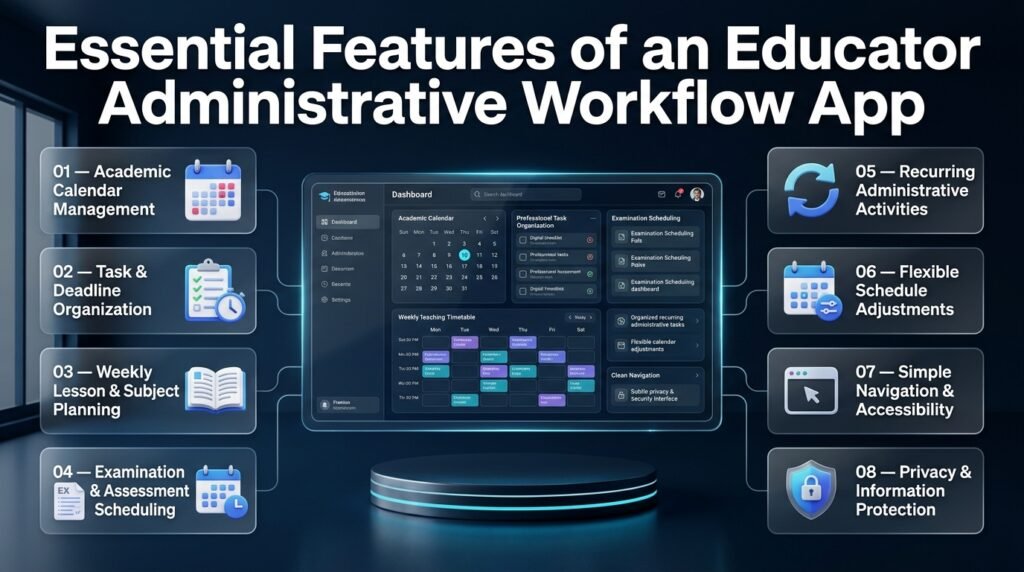
Choosing an application becomes easier when educators understand which features directly support their daily responsibilities.
Not every teacher requires a complicated platform. Some need a reliable calendar and task organizer, while others require more advanced academic scheduling capabilities.
1. Centralized Academic Calendar Management
An academic calendar is one of the most useful components of educational administration. It provides an organized overview of important dates throughout the academic year.
These dates may include:
- Semester opening and closing dates.
- Examination periods.
- School holidays.
- Academic events.
- Assignment submission periods.
- Departmental activities.
- Professional development sessions.
Without a centralized calendar, teachers may need to check several documents before understanding what is happening during a particular week.
A structured academic calendar helps make these dates easier to locate and review.
Educators can explore Academic Calendar Planning to understand how academic activities can be organized across a school year.
2. Task and Deadline Organization
Task management allows educators to separate large responsibilities into smaller activities.
For example, preparing an examination may involve several stages:
- Confirming the examination date.
- Reviewing the syllabus.
- Preparing assessment materials.
- Checking submission requirements.
- Completing the final arrangements.
When these activities are organized individually, educators can understand what needs to happen next instead of treating the entire examination process as one overwhelming responsibility.
Deadline management is particularly useful for teachers who handle multiple classes or subjects.
The Academic Deadline Management resource is relevant to organizing time-sensitive academic responsibilities.
3. Weekly Lesson and Subject Timetable Planning
Teachers need a clear understanding of their teaching periods and subject responsibilities.
A weekly timetable helps educators see which classes require preparation on particular days and where teaching activities fit into the broader academic schedule.
Important planning requirements include:
- Subject allocation.
- Class periods.
- Weekly teaching routines.
- Preparation time.
- Schedule adjustments.
- Classroom activity coordination.
A dedicated Weekly Lesson Period Planner can help educators explore structured weekly lesson organization.
Similarly, a Subject Timetable Maker is relevant when organizing teaching activities according to individual subjects.
4. Examination and Assessment Scheduling
Examination administration involves more than selecting a date.
Schools may need to coordinate assessment periods, subject requirements, candidate arrangements, preparation activities, and submission deadlines.
A structured examination workflow helps staff understand how these activities relate to each other.
For example, an examination date should be considered alongside the syllabus completion schedule and the time needed to prepare assessment materials.
The Exam Schedule Planning resource provides a relevant starting point for understanding organized examination planning.
5. Recurring Administrative Activities
Many educational responsibilities repeat according to established routines.
Examples include:
- Weekly lesson preparation.
- Regular assessment reviews.
- Monthly departmental meetings.
- Term-based academic planning.
- Routine administrative reporting.
An effective workflow should make recurring responsibilities easy to identify.
Educators should avoid recreating the same organizational structure every week when a consistent routine would be more practical.
6. Flexible Schedule Adjustments
A useful application should allow educators to update their planning information when circumstances change.
For example, a school may postpone an academic event because of an unexpected closure. Teachers then need to review related responsibilities and adjust their schedules.
Flexibility matters because an educational calendar is a working plan, not an unchangeable document.
7. Simple Navigation and Accessibility
Administrative software should be understandable to ordinary users.
Teachers shouldn’t need advanced technical knowledge to organize basic tasks or review a schedule.
Before selecting an application, evaluate:
- Whether the interface is easy to understand.
- Whether important information is easy to locate.
- Whether the software works on suitable devices.
- Whether its instructions are clear.
- Whether staff can use it without excessive training.
8. Privacy and Information Protection
Educational administration may involve confidential information about students, teachers, and institutional operations.
Before using an application, schools should review its privacy policy, data handling procedures, access controls, storage arrangements, and applicable security requirements.
A general planning tool should not automatically be treated as an approved student-record management system.
Important: Never upload confidential student records into an application unless the institution has approved its use for that information.
Educator Administrative Workflow App vs. Traditional Administrative Methods
Traditional administrative methods still have a place in education, but they can become difficult to maintain when teachers manage several classes, academic deadlines, and institutional responsibilities simultaneously.
A digital workflow provides a different approach by organizing information in a structured environment. The important question isn’t whether digital tools are always better than paper records. It’s whether the selected method makes everyday work easier and more reliable.
Comparing Digital and Traditional Workflow Methods
| Administrative area | Traditional approach | Digital workflow approach |
|---|---|---|
| Daily tasks | Paper notebooks | Organized digital task lists |
| Academic calendars | Printed calendars | Digital date-based planning |
| Lesson schedules | Separate timetable sheets | Structured timetable organization |
| Deadlines | Manual reminders | Digital deadline tracking |
| Schedule changes | Rewriting documents | Updating digital records |
| Progress reviews | Manual checking | Organized activity reviews |
| Information access | Physical documents | Access through supported devices |
| Long-term planning | Multiple records | Centralized planning structure |
Advantages of Digital Administrative Workflows
Better organization: Educators can arrange responsibilities into meaningful categories rather than maintaining unrelated lists.
Easier updates: Changes to schedules and deadlines can be recorded without repeatedly rewriting physical documents.
Improved visibility: A well-organized calendar makes upcoming academic responsibilities easier to identify.
Consistent planning: Recurring activities can follow a repeatable structure.
Reduced duplication: A suitable system can reduce the need to maintain several overlapping planning documents.
Limitations Educators Should Consider
Digital workflow applications also have limitations.
- Some applications require subscriptions or paid features.
- Internet access may be necessary for certain functions.
- Staff members may need time to learn the software.
- Poorly organized digital records can create the same confusion as paper records.
- Data privacy requirements must be considered.
- Some applications may not support the specific academic processes a school needs.
A digital system should therefore be selected according to practical requirements, not simply because it is modern.
When Is a Digital Workflow the Better Choice?
A digital workflow is particularly useful when educators regularly manage overlapping responsibilities, changing academic dates, and several teaching schedules.
For example, a teacher responsible for multiple subjects may need to review different lesson periods, assessment deadlines, and departmental activities throughout the week. Managing these activities through separate paper documents can become inconvenient.
A digital planning structure can provide a more consistent overview.
However, a teacher with only a few simple weekly responsibilities may not need a complex application. A basic calendar and task list may be sufficient.
How to Choose the Right Educator Administrative Workflow App
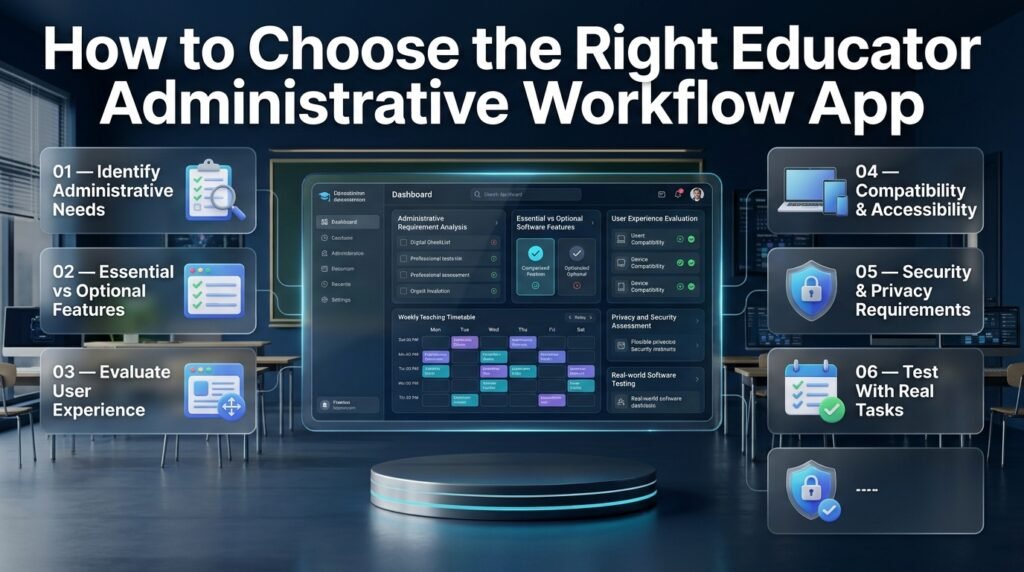
Selecting suitable software requires understanding what needs to improve in the existing administrative process.
An application should solve identifiable problems rather than introduce additional work. Educators should evaluate functionality, usability, flexibility, privacy, and long-term suitability before adopting a new system.
Step 1: Identify Your Most Time-Consuming Administrative Activities
Start by reviewing a normal working week.
Instead of immediately comparing software products, identify which responsibilities create the most difficulty.
Ask yourself:
- Do I frequently forget important deadlines?
- Is it difficult to organize weekly lesson periods?
- Do I maintain several separate academic calendars?
- Are examination dates difficult to coordinate?
- Do administrative activities interrupt lesson preparation?
- Is information difficult to locate when I need it?
Write down the three most important problems.
These should become your main software selection criteria.
Why this matters: An educator who struggles with timetable organization needs different functionality from someone who mainly needs to monitor administrative deadlines.
Step 2: Separate Essential Features From Optional Features
Not every available feature is necessary.
Create two groups: essential requirements and additional conveniences.
For example:
| Essential requirements | Optional requirements |
|---|---|
| Task organization | Advanced reporting |
| Academic date planning | Custom dashboards |
| Deadline management | Detailed analytics |
| Timetable organization | Additional integrations |
| Easy navigation | Advanced automation |
| Reliable information access | Specialized customization |
The exact selection depends on the educator’s responsibilities.
A simple application that handles essential activities reliably may be more useful than an advanced platform with numerous features that nobody uses.
Step 3: Evaluate the User Experience
An administrative workflow app should make routine activities easier.
Check whether users can quickly understand the main navigation, create tasks, review dates, and update schedules.
If a teacher needs several complicated steps to complete a simple administrative activity, the application may create unnecessary friction.
Look for:
- Clear navigation.
- Readable schedules.
- Simple task organization.
- Understandable terminology.
- Consistent layouts.
- Useful help documentation.
Step 4: Review Compatibility and Accessibility
Educational institutions often use different devices and operating systems.
Before adopting an application, verify whether it supports the devices and browsers available to teachers.
Also consider whether educators need offline access, shared access, or synchronization across devices.
These capabilities should never be assumed without checking the actual software specifications.
Step 5: Check Security and Institutional Requirements
Schools should establish who can access administrative information and what information can be stored.
Consider the following:
- Are user permissions available?
- Is access restricted appropriately?
- How is information stored?
- Does the provider explain its privacy practices?
- Can the institution control account access?
- Does the application meet relevant school policies?
This step is especially important when the workflow involves student information or confidential institutional records.
Step 6: Test the Application With Real Administrative Tasks
Before introducing software across an entire institution, test it with a small number of realistic responsibilities.
For example, use a sample weekly timetable, a few academic deadlines, and one upcoming school event.
Observe whether the application makes these activities easier to organize.
Ask participating educators what works, what creates confusion, and what features are missing.
Professional Advice: Don’t purchase or introduce software based entirely on its promotional description. Evaluate how it performs during ordinary school activities.
How to Build an Effective Administrative Workflow for Educators
A well-designed administrative workflow needs a consistent structure. Simply transferring existing paperwork into an application won’t automatically improve productivity.
Educators should establish a practical system that reflects their actual responsibilities and working schedules.
1. Start With a Complete Responsibility List
Create an inventory of administrative activities.
Include both regular and occasional responsibilities.
Daily activities may include checking schedules and preparing classroom materials. Weekly activities might involve assessment reviews and departmental planning. Semester-based activities may include examination coordination and academic reporting.
This inventory provides a foundation for the entire workflow.
2. Create Separate Planning Areas
Organize responsibilities into distinct planning areas.
A practical structure might look like this:
| Planning area | Main purpose |
|---|---|
| Daily operations | Immediate teaching and administrative activities |
| Weekly planning | Lesson schedules and recurring responsibilities |
| Academic calendar | Important institutional dates |
| Assessment planning | Tests, examinations, and submissions |
| School activities | Events, meetings, and coordination |
| Long-term planning | Semester and annual milestones |
This makes the system easier to navigate.
3. Establish a Daily Review Routine
A short daily review helps educators identify what needs attention.
At the beginning of the day, check:
- Today’s teaching responsibilities.
- Important administrative deadlines.
- Upcoming meetings.
- Any schedule changes.
- Tasks requiring immediate preparation.
At the end of the day, review completed activities and update anything that has changed.
This routine doesn’t need to take a long time. Consistency matters more than complexity.
4. Plan Weekly Responsibilities in Advance
Weekly planning provides a bridge between daily activities and longer academic goals.
Teachers should review their upcoming lessons, assessment responsibilities, meetings, and administrative tasks before the week becomes busy.
For example, a teacher may identify that two assessment activities and one departmental meeting are scheduled during the same week.
Recognizing this early allows the teacher to distribute preparation work more realistically.
5. Connect Academic Dates With Daily Tasks
Academic calendars and daily task lists should support each other.
For example, an examination date is a major academic event. Preparing the examination may involve several smaller tasks scheduled across the preceding weeks.
When these responsibilities are connected through a clear planning process, teachers can see both the final deadline and the work required to reach it.
6. Maintain a Realistic Priority System
Not every task should receive the same level of attention.
A practical priority system can distinguish:
- Urgent tasks that require immediate attention.
- Important tasks that need advance preparation.
- Routine activities that follow a regular schedule.
- Flexible activities that can be moved when necessary.
Avoid marking every responsibility as urgent. If everything has the highest priority, the system stops helping educators make decisions.
7. Review the Workflow at the End of Each Academic Week
Weekly reviews help identify problems before they become long-term habits.
Educators can examine:
- Which responsibilities were completed.
- Which deadlines were missed.
- Whether schedules were realistic.
- Which activities required more preparation time.
- Whether unnecessary tasks can be simplified.
The review should lead to practical adjustments, not additional paperwork.
How Educator Workflow Management Supports Different School Activities

An administrative workflow is most effective when it reflects the different activities that take place within an educational institution.
Academic scheduling, lesson planning, examination preparation, and school events may require different procedures. Understanding these differences helps educators organize each area without mixing unrelated responsibilities.
Managing Academic Years and Semester Milestones
Schools need to organize activities across longer academic periods.
An academic year may contain multiple semesters, assessment periods, holidays, events, and reporting deadlines.
Educators can use a long-term planning structure to identify major milestones before arranging individual weekly responsibilities.
A Semester Milestone Calendar is relevant to this type of planning because it focuses on organizing important academic stages.
Similarly, the School Year Event Calendar provides a relevant planning topic for coordinating activities throughout the academic year.
The advantage of long-term planning is that educators can recognize important dates before they become immediate concerns.
Organizing School Holidays and Breaks
School holidays affect teaching schedules, examination arrangements, lesson preparation, and institutional activities.
When holidays aren’t included in academic planning, educators may accidentally schedule responsibilities during periods when normal school activities are not taking place.
A structured holiday planning process should identify:
- Official school holiday periods.
- Term breaks.
- Public holidays relevant to the institution.
- Examination arrangements around holidays.
- Academic activities requiring advance preparation.
The Academic Holiday Calendar Builder is a related resource for understanding holiday calendar organization.
Managing Classroom Periods and Timetable Structures
Timetable management is important because teaching activities depend on available classroom periods and subject allocations.
A school timetable should provide a clear overview of when subjects are taught and how teaching responsibilities are distributed.
A Class Timetable Grid Builder is relevant when exploring structured timetable arrangements.
For example, a department head may need to review whether different subjects have been distributed appropriately throughout the week.
A well-organized timetable also makes it easier to identify potential conflicts before they affect classroom operations.
Coordinating Rotating School Schedules
Some schools use rotating schedules rather than following exactly the same daily timetable.
Examples include A/B day arrangements and multi-day school cycles.
These systems can become confusing when teachers and students rely on memory instead of a clear schedule.
A structured rotation plan should identify:
- The sequence of school days.
- Subject periods for each rotation.
- The beginning and ending of each cycle.
- Changes caused by holidays.
- Responsibilities affected by schedule adjustments.
The School Rotation Scheduling resource is particularly relevant to institutions exploring these scheduling requirements.
Supporting Examination and Assessment Administration
Examination administration requires careful coordination because different activities must take place in the correct order.
A school may need to prepare examination schedules, communicate important dates, organize assessment materials, and monitor submission requirements.
A good administrative workflow should distinguish between the examination itself and the preparation activities leading up to it.
For example:
| Stage | Administrative responsibility |
|---|---|
| Initial planning | Identify assessment requirements |
| Scheduling | Establish examination dates |
| Preparation | Organize materials |
| Coordination | Review relevant arrangements |
| Completion | Monitor required follow-up activities |
This structured approach reduces the likelihood of overlooking important preparation stages.
The Role of Teacher Workflow Apps in Everyday Educational Administration
Teachers need organizational systems that recognize the difference between classroom instruction and the administrative work surrounding it.
A teacher may have an established lesson plan but still struggle with managing preparation deadlines, meetings, academic events, and recurring responsibilities.
Teacher workflow applications address this organizational challenge by helping educators structure their professional routines.
Teacher Workflow Apps and Administrative Organization
Teacher workflow applications focus on arranging the activities educators complete throughout their working day.
These activities may include lesson preparation, timetable reviews, assessment coordination, and administrative planning.
The Teacher Workflow Apps resource is relevant for educators exploring different digital approaches to managing professional responsibilities.
When comparing solutions, teachers should consider whether the software supports their actual teaching environment and whether it makes everyday organization easier.
Teacher Workflow Management and Responsibility Tracking
Teacher workflow management involves understanding what needs to be completed, when it should happen, and which activities require priority.
For example, a teacher responsible for several classes may need to coordinate:
- Different lesson preparation schedules.
- Subject-related assessment activities.
- Departmental responsibilities.
- Weekly academic reviews.
- Upcoming institutional deadlines.
The Teacher Workflow Management App topic is closely related to building a more organized system for these responsibilities.
Organizing Daily Teacher Operations
Daily operations are different from long-term academic planning.
Teachers need a practical way to review their immediate responsibilities without repeatedly searching through monthly calendars or lengthy planning documents.
A daily workflow might involve checking the teaching schedule, reviewing priority tasks, preparing classroom materials, and identifying any changes to the day’s activities.
The Teacher Daily Operations App resource relates specifically to organizing these everyday operational requirements.
Quick Tip: Keep daily planning focused on immediate responsibilities. Use weekly and semester-based planning for activities that don’t need to be reviewed every morning.
How Administrative Workflow Apps Connect With Educational Productivity
Educational productivity isn’t simply about completing more tasks. It involves organizing academic responsibilities in a way that supports better use of time, clearer priorities, and more consistent educational activities.
An educator’s workflow can also influence students because teachers who maintain organized schedules can communicate academic expectations more clearly.
Connecting Teacher and Student Productivity
Teachers and students have different organizational needs.
Teachers may need to coordinate lessons, assessments, classroom schedules, and administrative responsibilities. Students may need to organize homework, revision sessions, examination preparation, and assignment deadlines.
These activities are connected through the academic timetable.
For example, a teacher’s assessment schedule influences when students need to prepare and submit their work.
An organized administrative process can therefore support a more predictable academic environment.
Educators interested in the broader relationship between digital organization and learning can explore Educational Productivity Apps.
Why Student Productivity Matters to Educators
Student productivity is relevant to administrative workflow management because academic responsibilities don’t exist independently.
A teacher may prepare an assessment schedule, but students also need enough time to understand requirements, complete assignments, and prepare for examinations.
When teachers organize these dates carefully, students receive clearer expectations.
The Student Productivity Apps resource explores the student-focused side of educational productivity.
The important distinction is that teacher administrative software and student productivity tools serve different purposes. They should complement one another rather than be treated as interchangeable solutions.
Measuring the Effectiveness of an Educator Administrative Workflow
Introducing a new application is only the beginning. Schools should evaluate whether the workflow is producing meaningful improvements.
A system that looks organized but doesn’t improve everyday administrative activities isn’t delivering its intended value.
1. Monitor Administrative Task Completion
Review whether educators are completing important responsibilities within their expected timeframes.
For example, compare how consistently academic reports, assessment preparations, and departmental tasks are completed.
The purpose isn’t to create unnecessary pressure on teachers. It’s to identify whether the administrative process is working effectively.
2. Review Scheduling Accuracy
Examine whether academic dates and timetables remain accurate.
Check for:
- Conflicting activities.
- Incorrect academic dates.
- Missing school events.
- Outdated timetable information.
- Responsibilities scheduled during holidays.
Accurate scheduling is essential because mistakes can affect several people at once.
3. Evaluate Ease of Information Access
Educators should be able to locate the information they need without searching through multiple disconnected documents.
Ask teachers whether they can quickly find upcoming deadlines, lesson schedules, and important academic dates.
If information remains difficult to locate, the workflow may need better categorization.
4. Collect Feedback From Teachers
Teachers who use the system regularly can identify practical problems that administrators might overlook.
Ask whether the application is easy to use, whether it supports their responsibilities, and whether any unnecessary steps can be removed.
5. Make Improvements Based on Actual Results
Use feedback and workflow reviews to improve the administrative structure.
Possible improvements include simplifying categories, adjusting planning routines, improving staff instructions, and removing duplicated processes.
Expert Tip: Evaluate the quality of the workflow, not just the quantity of completed tasks. An effective system should make responsibilities clearer without adding unnecessary administrative pressure.
Common Mistakes When Using an Educator Administrative Workflow App

Even suitable software can become ineffective when it is introduced without a clear organizational strategy.
Understanding common mistakes helps teachers and school administrators avoid unnecessary complexity.
1. Choosing Software Before Understanding the Problem
Why it happens: Educators become interested in a particular application because of its popularity or appearance.
Why it’s harmful: The software may not solve the administrative challenges that matter most.
How to avoid it: Identify the main workflow problems before comparing applications. Select functionality according to actual requirements.
2. Adding Every Responsibility to One Unstructured List
Why it happens: Users believe that placing everything in one location automatically creates organization.
Why it’s harmful: Teaching activities, academic deadlines, meetings, and long-term responsibilities become difficult to distinguish.
How to avoid it: Create a small number of clear categories and organize tasks according to their purpose.
3. Creating Unnecessary Administrative Steps
Why it happens: Users attempt to make the workflow extremely detailed.
Why it’s harmful: Teachers spend more time maintaining the system than completing their responsibilities.
How to avoid it: Keep the process simple. Only collect information that genuinely supports planning or administration.
4. Forgetting to Update Academic Dates
Why it happens: Educators enter dates at the beginning of a term and assume they won’t change.
Why it’s harmful: Old information can create scheduling conflicts and incorrect expectations.
How to avoid it: Review academic calendars whenever institutional dates are changed.
5. Depending Completely on Notifications
Why it happens: Users assume that automated reminders will prevent every missed deadline.
Why it’s harmful: Notifications may be overlooked, disabled, or incorrectly configured.
How to avoid it: Combine reminders with a regular review of upcoming responsibilities.
6. Ignoring Teacher Training
Why it happens: School management assumes that staff members will learn the software independently.
Why it’s harmful: Teachers may use inconsistent methods or avoid the system entirely.
How to avoid it: Provide short training sessions, simple instructions, and practical examples.
7. Ignoring Privacy Requirements
Why it happens: Convenience receives more attention than information protection.
Why it’s harmful: Sensitive educational information may be stored or shared improperly.
How to avoid it: Review privacy policies, institutional approval requirements, and user permissions before implementation.
8. Failing to Review Whether the System Is Useful
Why it happens: Once software has been introduced, schools assume the implementation is complete.
Why it’s harmful: Inefficient processes may continue without improvement.
How to avoid it: Collect feedback regularly and make adjustments based on real administrative requirements.
Professional Recommendations for Building a Sustainable Educator Workflow
A sustainable workflow should remain useful during busy examination periods, routine teaching weeks, and unexpected school changes.
Professional organization depends on consistent habits rather than complicated software configurations.
Keep the Planning Structure Consistent
Use the same main categories throughout the academic year.
Changing the structure unnecessarily can make information harder to locate and create confusion among staff members.
Separate Urgent Work From Long-Term Planning
Immediate responsibilities should not overwhelm important future activities.
For example, a teacher may need to complete tomorrow’s assessment materials while also preparing for an examination scheduled several weeks later.
Both responsibilities matter, but they require different planning approaches.
Avoid Maintaining Duplicate Records
When the same information appears in multiple places, educators must spend additional time checking whether every record is accurate.
Use a clear approach to determine where the official version of each schedule or deadline is maintained.
Allow Flexibility for Unexpected Changes
A realistic workflow should include room for unexpected events.
Teachers may need to adjust lesson preparation, administrative responsibilities, or meeting arrangements.
Avoid planning every available minute without allowing flexibility.
Review the Application Regularly
Software requirements can change as school responsibilities evolve.
Review whether the application remains suitable, whether staff can use it effectively, and whether its features continue to support institutional requirements.
Focus on Educational Priorities
Administrative organization should support teaching rather than become the main objective.
The purpose of an educator administrative workflow is to make professional responsibilities more manageable so educators can give appropriate attention to instruction, student support, and academic development.
How Can an Educator Administrative Workflow App Improve Teachers’ Daily Productivity?
An educator administrative workflow app improves daily productivity by helping teachers organize their professional responsibilities in one structured planning environment. Instead of managing lesson schedules, academic deadlines, assessment activities, and school-related tasks through separate documents, educators can follow a more consistent workflow.
The biggest advantage is better control over time and responsibilities. Teachers can identify priority activities, review upcoming deadlines, and organize their daily schedules without repeatedly searching for important information. This allows them to spend less time dealing with scattered administrative tasks and more time concentrating on lesson preparation and student development.
For example, a teacher managing multiple subjects may need to prepare weekly lessons, review assignments, attend departmental meetings, and complete assessment records. A structured administrative workflow helps divide these responsibilities into manageable activities.
Important productivity benefits include:
Better task management: Organize daily, weekly, and monthly responsibilities.
Improved time management: Identify important activities before deadlines approach.
Reduced administrative confusion: Keep academic information organized.
Consistent planning: Establish repeatable routines for recurring responsibilities.
More teaching focus: Reduce unnecessary time spent searching for schedules and information.
What Features Should Teachers Look for in an Educator Administrative Workflow App?
Teachers should look for an application that supports their actual administrative responsibilities rather than choosing software simply because it offers numerous features. The most useful solutions combine straightforward task organization, academic scheduling, deadline management, and an interface that educators can understand without extensive technical training.
Academic calendar management is particularly important because teachers need to coordinate school events, semester milestones, examination periods, and holidays. Timetable organization is equally valuable for educators managing multiple subjects or classroom periods.
Before selecting an application, teachers should also consider privacy, accessibility, flexibility, and whether the available features match their school’s working procedures.
Essential features worth prioritizing include:
Academic calendar management: Organize school dates, holidays, and important academic events.
Task and deadline tracking: Monitor assignments, administrative duties, and upcoming responsibilities.
Timetable planning: Arrange weekly lessons, subjects, and classroom periods.
Assessment scheduling: Organize examination dates and assessment activities.
Recurring task management: Maintain consistent routines for regular responsibilities.
Simple navigation: Access important information without complicated procedures.
Privacy and security: Protect confidential educational and institutional information.
The best application isn’t necessarily the one with the longest feature list. It’s the one that makes everyday educational administration easier and more manageable.
How Can Schools Use Administrative Workflow Apps to Manage Academic Schedules and Deadlines?
Schools can use administrative workflow applications to organize academic schedules, coordinate important dates, and maintain a clearer overview of institutional responsibilities. A structured planning system helps teachers and administrators understand when activities need to happen and how different academic responsibilities connect.
For example, an examination period may require several weeks of preparation. Teachers need to complete relevant lessons, prepare assessment materials, and communicate important dates. Administrators may also need to coordinate the academic calendar and ensure that activities don’t conflict with other school events.
A centralized planning approach makes these responsibilities easier to review and coordinate.
Practical ways schools can organize academic activities include:
Establishing an academic calendar at the beginning of the school year.
Organizing semester opening and closing dates.
Recording examination and assessment periods.
Maintaining weekly teaching timetables.
Tracking assignment and administrative deadlines.
Planning school events and holidays in advance.
Reviewing schedule changes regularly.
Schools should also establish clear procedures for updating academic information. A digital schedule is only useful when the information remains accurate and staff members know where to find the latest version.
Is an Educator Administrative Workflow App Suitable for Small Schools and Large Educational Institutions?
An educator administrative workflow app can be useful for both small schools and large educational institutions, but their requirements may differ considerably. Smaller schools often need straightforward tools for managing teacher responsibilities, academic dates, and classroom schedules. Larger institutions may require more structured systems that support multiple departments, staff responsibilities, and complex academic calendars.
For a small school, a simple application with calendar planning, task organization, and deadline tracking may provide sufficient functionality. It can help teachers maintain consistent routines without introducing complicated administrative procedures.
Larger schools, on the other hand, may need additional capabilities such as user permissions, collaboration, departmental coordination, and more advanced scheduling arrangements.
Consider these differences when selecting software:
Small schools: Prioritize affordability, simplicity, and essential planning features.
Medium-sized institutions: Look for flexible scheduling and coordination across departments.
Large educational institutions: Evaluate access permissions, scalability, reporting, and institutional requirements.
Multiple-campus schools: Consider whether the software supports different academic schedules and organizational structures.
Regardless of institutional size, schools should evaluate software according to their real administrative needs, available resources, and data protection policies.
How Can Educators Choose the Right Administrative Workflow App Without Increasing Their Workload?
Educators can choose the right administrative workflow app by identifying their biggest organizational challenges before comparing available applications. The purpose of adopting digital workflow software is to simplify responsibilities, not introduce another complicated system that teachers must constantly maintain.
Start by reviewing the activities that consume the most administrative time. For some educators, timetable organization may be the main challenge. Others may struggle with overlapping deadlines, academic calendar management, or recurring responsibilities.
Once these requirements are clear, compare applications according to their actual capabilities and ease of use.
Follow these practical selection steps:
Identify your requirements: List the administrative activities that need better organization.
Prioritize essential features: Focus on calendar management, task organization, scheduling, and deadline tracking.
Evaluate usability: Choose software with clear navigation and a manageable learning curve.
Check security: Review privacy policies and institutional data protection requirements.
Test practical workflows: Try organizing a weekly timetable and upcoming academic responsibilities.
Collect feedback: Ask teachers whether the application genuinely simplifies their work.
Avoid unnecessary complexity: Introduce additional features only when they provide practical value.
A good administrative workflow should become a natural part of an educator’s routine. When teachers can organize their responsibilities quickly and review important information without unnecessary effort, the software is serving its purpose.
Conclusion
An educator administrative workflow app can make a meaningful difference in how teachers and educational institutions manage their daily responsibilities. By bringing academic calendars, lesson schedules, classroom timetables, examination planning, administrative tasks, and important deadlines into a more organized system, it helps reduce repetitive work and makes everyday coordination easier.
The real value of an effective workflow app is not simply having more digital tools. It is creating a connected process in which educators can plan ahead, track responsibilities, manage schedule changes, and spend less time dealing with administrative confusion. Schools can also improve communication, maintain better academic coordination, and create more consistent routines for teachers and students.
When selecting a solution, educators should focus on practical features, ease of use, scheduling flexibility, reliable organization, and the ability to support their institution’s actual requirements. A well-planned digital workflow can help teachers stay organized without adding unnecessary complexity.
For educators and institutions looking to improve academic planning and daily coordination, RTI Scheduler offers a useful starting point for exploring scheduling and productivity solutions. Ultimately, the right administrative workflow app should support educators, simplify their responsibilities, and give them more time to focus on what matters most: effective teaching and student success.