
Introduction
Weekly Lesson Period Planner | A school week can become difficult to manage when teachers have multiple subjects to prepare, students need different amounts of learning time, and school activities interrupt the regular timetable. Without a clear plan, lessons may become rushed, revision can be overlooked, and teachers may struggle to complete the curriculum on schedule.
A weekly lesson period planner provides a practical way to organize classroom periods, distribute subjects across the week, prepare teaching materials, and monitor academic progress. It gives teachers a clear picture of what needs to be taught each day and helps school administrators coordinate lessons across multiple classes.
For schools looking to improve their academic organization, RTI Scheduler provides a relevant starting point for exploring academic scheduling and planning resources.
Whether you’re a primary school teacher, secondary school educator, academic coordinator, or school administrator, this guide explains how to build a useful weekly planner, allocate periods effectively, avoid scheduling conflicts, and connect daily teaching activities with broader academic goals.
You’ll also find a practical timetable example, subject allocation methods, planning checklists, and expert recommendations to help you create a schedule that works in real classroom conditions.
What Is a Weekly Lesson Period Planner?
A weekly lesson period planner is a structured schedule that organizes teaching periods, subjects, lesson topics, and classroom activities across the school week. It helps teachers decide what to teach during each period and ensures that available instructional time is used according to curriculum requirements.
Unlike a general timetable that lists only subject names, a detailed planner can include learning objectives, teaching resources, assessment activities, and lesson completion status.
For example, a mathematics teacher might schedule fractions for Monday, guided practice for Tuesday, problem-solving activities for Wednesday, and revision on Friday. This creates a connected learning sequence instead of treating every lesson as an unrelated activity.
A useful planner generally includes:
- Days and dates for scheduled lessons.
- Period numbers and start and end times.
- Subjects and specific lesson topics.
- Grade, class, and teacher information.
- Learning objectives and teaching resources.
- Revision, practice, and assessment periods.
- Notes about incomplete lessons or necessary adjustments.
The amount of detail depends on the purpose of the planner. An individual teacher may need a simple weekly grid, whereas a school administrator may require a coordinated schedule covering multiple teachers, classrooms, and grade levels.
The main purpose is to make teaching more predictable without making the schedule unnecessarily rigid. A good planner gives teachers direction while allowing reasonable adjustments when students need more explanation or an unexpected school activity changes the day.
Why Is a Weekly Lesson Period Planner Important for Teachers?
Teachers must balance lesson preparation, classroom instruction, assessment, student support, and administrative responsibilities. A weekly planner brings these activities into a manageable structure.
It Creates a Clear Teaching Routine
When teachers know what they will teach each day, they can prepare their lessons before entering the classroom. They do not have to spend valuable preparation time deciding which topic should come next.
A clear routine is particularly useful for teachers handling several subjects or working with different grade levels.
For instance, a teacher who knows that Thursday’s science lesson involves an experiment can prepare the materials, check equipment availability, and review safety procedures in advance.
It Helps Teachers Manage the Curriculum
Curriculum completion requires more than covering a list of chapter titles. Students need explanations, examples, practice, revision, and opportunities to demonstrate understanding.
A weekly planner divides larger curriculum goals into smaller teaching sessions. This makes it easier to identify whether a topic needs one period or several sessions.
If a difficult topic repeatedly takes longer than expected, teachers can adjust future allocations before the delay affects the entire term.
It Improves Time Management
Without a schedule, teachers may spend too long introducing a topic and leave insufficient time for student practice.
A planner encourages teachers to think about the time available for each lesson and how that time should be used.
For example, a 40-minute lesson could include five minutes of retrieval practice, 15 minutes of explanation, 15 minutes of guided activities, and five minutes of checking understanding. These are flexible allocations rather than mandatory timings.
It Supports Communication Between Teachers and Administrators
A shared planning structure helps academic coordinators understand which topics are scheduled and where additional support may be necessary.
It also makes it easier to coordinate assessments, shared classroom resources, and changes to the academic calendar.
Practical recommendation: Use the planner to guide teaching decisions, not simply to record subjects. The more clearly it connects periods with learning objectives, the more useful it becomes.
What Information Should a Weekly Lesson Period Planner Include?
The best planner contains the information teachers need to prepare and deliver lessons without making the layout difficult to read.
| Information | Why it matters |
|---|---|
| Day and date | Identifies when the lesson will occur |
| Period and timing | Shows the available instructional time |
| Subject | Identifies the curriculum area |
| Lesson topic | Specifies what students will study |
| Learning objective | Defines the expected learning outcome |
| Teacher or class | Clarifies teaching responsibility |
| Resources | Identifies materials needed beforehand |
| Assessment method | Explains how understanding will be checked |
| Progress status | Records whether the lesson was completed |
| Adjustment notes | Captures changes needed for future planning |
Not every field needs to appear in the main timetable. Some teachers prefer a compact weekly grid and keep lesson preparation details in a separate document.
This is often the better approach when a timetable needs to remain readable at a glance.
For example, the main grid might show “Science — Water Cycle,” while the lesson preparation notes contain the learning objective, required diagrams, discussion questions, and assessment activity.
Keep essential scheduling information visible and move detailed instructional notes into a supporting plan when necessary.
How to Create a Weekly Lesson Period Planner Step by Step
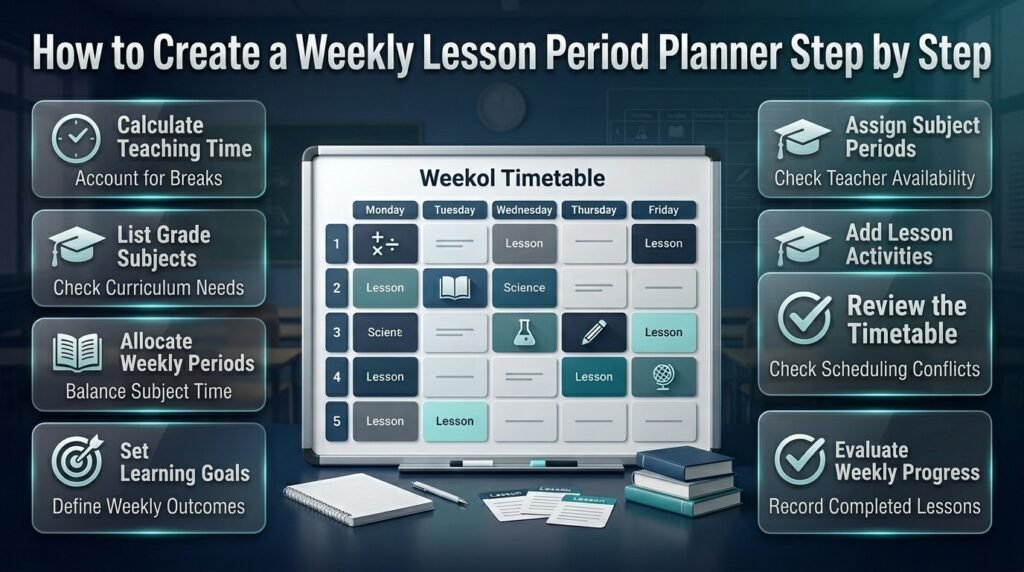
Building a reliable planner starts with understanding the school’s available time and curriculum requirements. The design comes afterward.
Step 1: Calculate the Available Teaching Time
Begin by recording the school day, including opening time, dismissal time, breaks, lunch, assemblies, and other fixed activities.
Do not assume that the entire school day is available for lessons.
Suppose a school operates for six hours and has 60 minutes of breaks and fixed non-teaching activities. The remaining five hours represent the potential instructional time, subject to any additional transitions or requirements.
Next, determine how many periods fit into that time.
If lessons last 40 minutes, five hours could theoretically accommodate seven complete periods with some time remaining. The actual timetable must also account for transitions and any school-specific restrictions.
Why this matters: Incorrect time calculations can produce a timetable that looks organized on paper but cannot be followed in practice.
Step 2: List the Subjects for Each Grade
Prepare a separate subject list for each grade or class.
A primary class might include English, mathematics, science, social studies, reading, creative activities, and physical education. A secondary class may include additional subjects or specialist courses.
Check the approved curriculum before assigning weekly periods. Subject requirements can differ by age group, educational authority, and school system.
Avoid copying a timetable from another school without confirming that its requirements match yours.
Step 3: Determine the Required Weekly Periods
Calculate how many periods each subject needs during the week.
A sample allocation might look like this:
| Subject | Example weekly periods |
|---|---|
| Mathematics | 6 |
| English | 6 |
| Science | 5 |
| Social Studies | 4 |
| Computer Studies | 2 |
| Physical Education | 2 |
| Creative Activities | 2 |
| Total | 27 |
These figures are illustrative and are not official curriculum recommendations.
If a class has 30 available periods, the remaining three periods might be used for reading, revision, assessment, or other required activities, depending on school policy.
Always confirm that the final total fits the actual timetable.
Step 4: Define the Learning Goals for the Week
Before assigning individual lesson topics, identify what students should learn by the end of the week.
For example, a mathematics goal might be to compare and simplify fractions. An English goal might be to write a paragraph with a clear topic sentence and supporting details.
Break each goal into achievable sessions.
A topic involving fractions could progress from explanation to worked examples, guided practice, independent exercises, and a short assessment.
This approach creates continuity between lessons and makes it easier to measure progress.
Step 5: Assign Subjects to Specific Periods
Place the required subjects into the available timetable slots.
Consider the nature of each subject, student concentration, teacher availability, and classroom facilities.
A laboratory lesson may require a specialist room. Physical education may depend on outdoor space. Some teachers may be responsible for several classes and cannot teach overlapping periods.
Schedule fixed commitments first, then place the remaining subjects into the available slots.
Step 6: Add Topics and Activities
Once the subject timetable is established, add specific topics to each period.
Instead of writing “English,” use a more informative entry such as “Reading Comprehension — Identifying the Main Idea.”
This gives the teacher a clear preparation target and makes the plan more useful when reviewing progress later.
Step 7: Review the Full Timetable
Check the completed schedule against the original requirements.
Confirm that:
- Every required subject has sufficient periods.
- No teacher is assigned to two classes simultaneously.
- Shared classrooms are not double-booked.
- Breaks and fixed activities are included.
- Practical lessons have access to necessary facilities.
- The total number of periods matches the school day.
Step 8: Evaluate the Planner at the End of the Week
At the end of the week, compare scheduled lessons with completed work.
Record which topics were completed, which need additional attention, and what caused any delays.
Use this information to improve the next week’s plan rather than automatically moving every unfinished lesson forward.
Weekly Lesson Period Planner Example for a Five-Day School Week
A sample timetable makes it easier to understand how subjects can be distributed throughout the week.
The following example uses six periods per day. Schools should modify it according to their own curriculum, teaching hours, and classroom requirements.
| Day | Period 1 | Period 2 | Period 3 | Period 4 | Period 5 | Period 6 |
|---|---|---|---|---|---|---|
| Monday | English | Mathematics | Science | Social Studies | Computer | Reading |
| Tuesday | Mathematics | English | Science | Creative Arts | Social Studies | Practice |
| Wednesday | English | Mathematics | Computer | Science | Physical Education | Reading |
| Thursday | Mathematics | English | Social Studies | Science | Creative Arts | Revision |
| Friday | English | Mathematics | Weekly Review | Science | Physical Education | Assessment |
This is a demonstration timetable, not a universal model. The actual allocation should be checked against official requirements and available instructional periods.
How to Turn the Timetable Into a Teaching Plan
The subject grid shows when each class occurs, but teachers also need to identify the intended learning outcomes.
For example:
Monday, Period 2: Introduce equivalent fractions using visual examples.
Tuesday, Period 1: Solve guided exercises involving equivalent fractions.
Wednesday, Period 2: Complete independent fraction problems and discuss common errors.
Friday, Period 3: Review the concept and identify students who need additional practice.
This sequence gives students repeated opportunities to understand and apply the same concept.
It also helps teachers decide whether the original teaching allocation was realistic.
How to Adapt the Example for Different Grades
Younger students may benefit from shorter activities, more frequent transitions, and varied learning experiences.
Older students may require longer sessions for experiments, extended writing, complex problem-solving, or examination preparation.
Do not make a timetable more complicated simply because students are older. Instead, consider the nature of the subject matter and the amount of focused work required.
The best schedule is one that supports the learning objectives without creating an unrealistic workload.
How to Allocate Weekly Periods Between Different Subjects
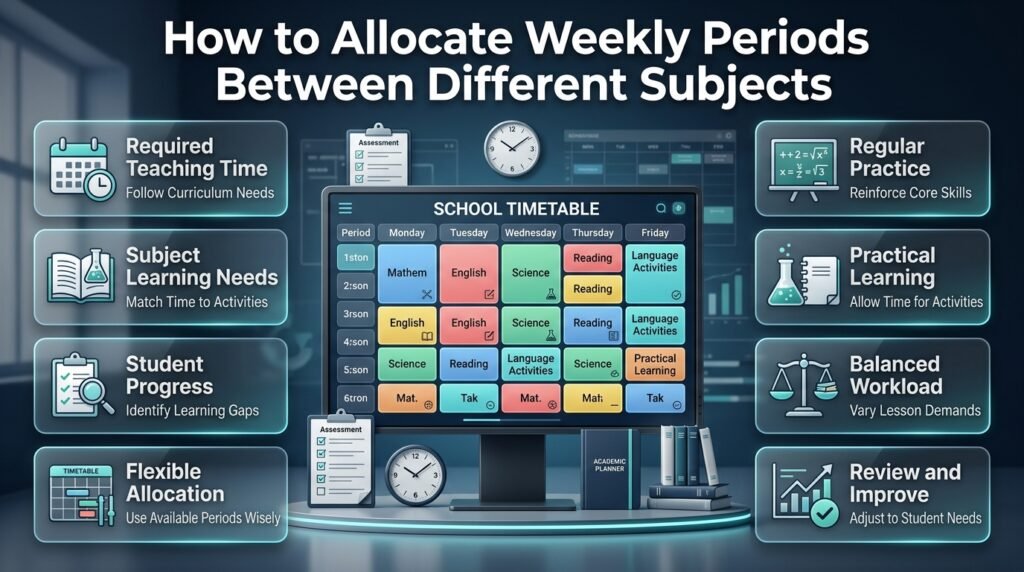
There is no single period allocation suitable for every school. The right distribution depends on curriculum requirements, available teaching time, student needs, and subject-specific activities.
Start With Required Instructional Time
Use the applicable curriculum or school policy to establish the minimum or expected teaching time for each subject.
Only after those requirements are clear should you decide how to distribute remaining flexible periods.
This prevents attractive but unsuitable timetable layouts from taking priority over actual educational needs.
Consider the Type of Learning Required
Some subjects involve frequent practice, while others may need longer sessions for discussion or practical work.
Mathematics may benefit from regular opportunities to solve problems. Science may require a combination of explanation, experimentation, and written reflection. Language learning may need a mix of reading, writing, listening, and speaking activities.
The objective is not to assign the same number of periods to every subject. It is to provide sufficient time for students to meet the expected learning outcomes.
Use Student Progress to Identify Priorities
Review classwork, quizzes, homework, and assessment results.
If students repeatedly struggle with a concept, determine whether they need another teaching period, a different explanation, or additional practice.
Do not assume that every difficulty can be solved by adding more periods. Sometimes the issue is the teaching method, the complexity of the material, or a gap in prerequisite knowledge.
Maintain a Balanced Workload
Avoid placing too many demanding lessons together when the timetable offers reasonable alternatives.
Balance intensive academic work with practical activities, reading, discussion, or other appropriate subjects.
However, do not use balance as a reason to ignore curriculum requirements or postpone important lessons.
How to Balance Difficult Subjects and Student Concentration
The order of subjects can influence how students experience the school day. A schedule with several demanding lessons in succession may create fatigue, while a carefully varied day can support engagement.
Place Concentration-Heavy Lessons Thoughtfully
Subjects that require extended reasoning may be scheduled during periods when the class is generally attentive.
Morning sessions may work well for some groups, but student energy varies by age, routine, and classroom conditions.
Observe when students participate most effectively and use those observations when adjusting the timetable.
Alternate Learning Methods
Where the curriculum allows, vary the type of classroom activity.
For example, a day might include mathematical problem-solving, reading, a practical science activity, and collaborative discussion.
This variation creates different opportunities for students to participate without removing necessary academic practice.
Avoid Treating Every Lesson as a Lecture
A lesson period can include explanation, discussion, independent work, demonstrations, questions, and assessment.
Planning these activities in advance helps teachers use instructional time more effectively.
For example, a 40-minute science lesson might begin with a short question about prior knowledge, continue with an explanation and demonstration, and finish with students describing what they observed.
💡 Pro Tip: Review the entire daily sequence instead of judging each subject independently. A reasonable lesson can become difficult when it follows several other intensive sessions without sufficient variation or breaks.
How to Prepare Lessons Before the Week Begins
A weekly planner is most effective when teachers use it to prepare their lessons ahead of time.
Instead of deciding what to do shortly before every class, review the upcoming schedule and identify the materials and activities required.
Prepare Teaching Resources
Collect textbooks, worksheets, presentation slides, reading passages, and practical materials before the week starts.
For lessons involving specialist equipment, confirm availability and preparation requirements.
This is especially important when multiple teachers use the same laboratory, computer room, or teaching resources.
Connect Activities to Learning Objectives
Choose activities that help students achieve the intended outcome.
If the objective is to explain a scientific process, a diagram, demonstration, or structured explanation may be appropriate. If the objective is to solve mathematical problems, students need sufficient time to practice.
Avoid including activities merely because they make a lesson appear more varied.
Prepare Assessment Questions
Plan how you will check whether students understand the material.
A short quiz, exit question, worked example, or verbal explanation can reveal misconceptions before the next lesson.
Use the results to decide whether to continue with the planned sequence or revisit a concept.
Keep Notes About Difficult Topics
After a lesson, record which explanations worked well and which parts caused confusion.
These notes can improve the next lesson and make future weekly planning more accurate.
For example, if students consistently struggle with a particular grammar rule, the following week’s planner might include additional examples or a targeted practice activity.
How to Manage Revision and Assessments in a Weekly Planner
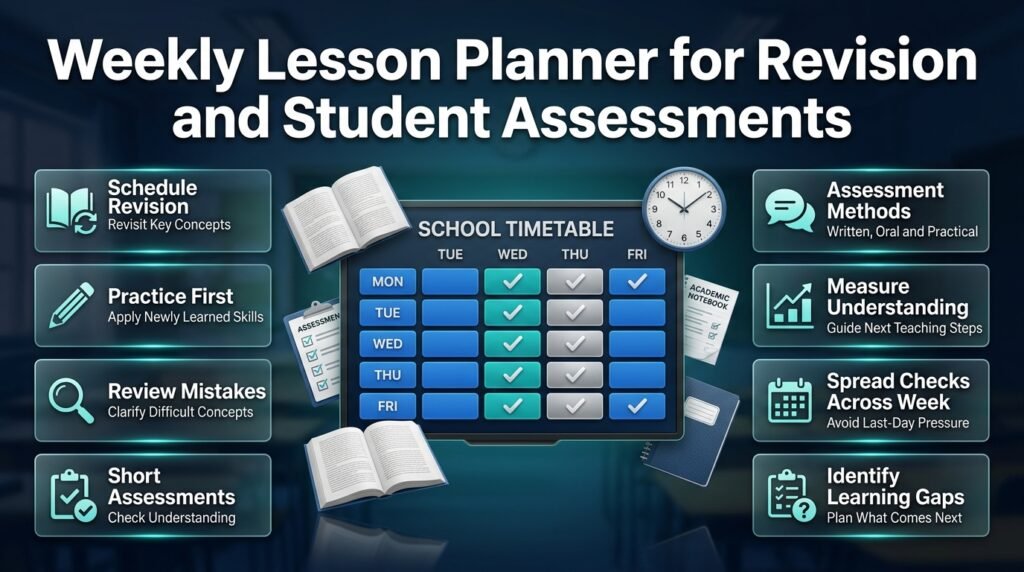
Revision and assessment should be part of the teaching sequence rather than activities added only when examinations approach.
A well-organized planner identifies when students will revisit important concepts and demonstrate their understanding.
Schedule Revision After Meaningful Practice
Students should have an opportunity to apply what they have learned before a revision session.
A review period can then focus on common errors, important principles, and questions that require further explanation.
For example, a mathematics revision session might use several problems that combine previously taught skills instead of repeating only the easiest examples.
Use Short Assessments to Check Understanding
Assessment does not always require a formal examination.
Teachers can use short written responses, practical demonstrations, oral questions, or independent exercises.
The important point is to gather evidence of learning and use it to inform the next teaching decision.
Avoid Overloading the Final Day
Friday may be convenient for review, but placing every unfinished lesson and assessment on the last day can create unnecessary pressure.
Distribute practice and checks for understanding across the week whenever practical.
Use the final session to identify learning gaps and decide what needs attention next.
Paper Planner vs. Digital Weekly Lesson Period Planner
Both paper and digital planners can be effective. The right choice depends on how many classes need to be managed and how often the schedule changes.
| Feature | Paper planner | Digital planner |
|---|---|---|
| Initial setup | Simple | Depends on the tool |
| Making changes | Requires manual editing | Often easier to update |
| Sharing | Copies or printed schedules | Digital sharing may be available |
| Conflict checking | Usually manual | Depends on supported features |
| Progress records | Handwritten notes | May support structured tracking |
| Accessibility | Available as a printed copy | Requires suitable device access |
| Best use | Simple individual schedules | Shared or complex scheduling |
When Is a Paper Planner the Better Option?
Paper works well for teachers who manage one class or prefer handwritten notes.
It is easy to keep beside a desk, and basic planning does not depend on software or internet access.
Its main limitation appears when schedules change frequently or several people need updated copies.
When Should Schools Consider Digital Planning?
Digital tools become more useful when administrators coordinate multiple teachers, classes, classrooms, and academic activities.
Depending on the software, they may support shared schedules, easier revisions, progress records, or conflict checking.
However, these capabilities should not be assumed. Check the actual functions of the tool before relying on it for school-wide scheduling.
For schools exploring digital organization, Academic Planning and Scheduling Tools can be a useful starting point for reviewing the broader academic planning process.
How School Administrators Can Coordinate Multiple Classes
Creating a schedule for one classroom is relatively straightforward. Managing an entire school requires coordination across teachers, grade levels, rooms, and specialist facilities.
Maintain One Authoritative Timetable
Keep a central version of the school’s timetable and establish a clear process for approving changes.
When a teacher or administrator modifies a period, update the relevant schedule and communicate the change to affected staff.
This reduces confusion caused by outdated printed copies or informal messages.
Check Teacher Availability
Review teaching assignments across all classes.
A teacher who handles several grades cannot be assigned to two lessons at the same time. The schedule should also account for other required duties and school responsibilities.
If the workload appears uneven, review the distribution before publishing the timetable.
Coordinate Shared Facilities
Laboratories, libraries, computer rooms, and sports spaces may be needed by several classes.
Reserve these facilities before finalizing individual schedules.
A classroom timetable can appear correct in isolation but fail when two groups are assigned to the same specialist room.
Create a Process for Covering Absences
Teacher absences can disrupt the normal schedule.
Schools should establish a practical process for identifying available cover, notifying staff, and deciding which lessons can be moved.
Avoid relying entirely on last-minute decisions. A clear procedure reduces disruption and helps protect important instructional time.
How to Connect Weekly Lesson Planning With the Academic Calendar
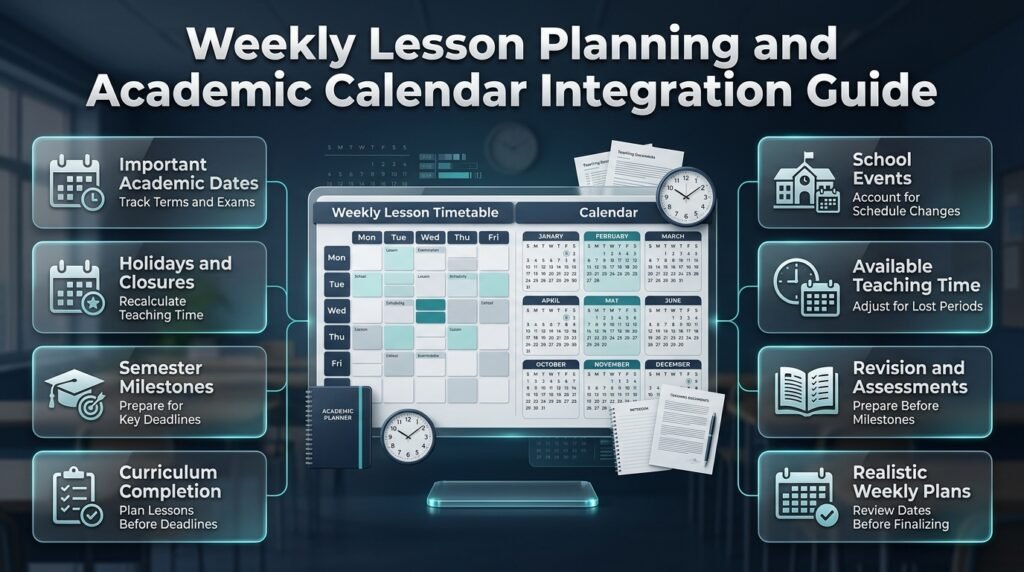
Weekly planning is only one part of school organization. Teachers also need to consider term dates, examinations, holidays, school events, and curriculum milestones.
A weekly schedule that ignores these commitments can create unrealistic targets and repeated timetable changes.
Use the Academic Calendar to Identify Important Dates
Start by identifying the first and last days of each term, examination periods, holidays, and major school events.
Then review how many actual teaching weeks remain.
For example, a topic scheduled for five lessons may need to be completed before a term assessment. The planner should provide sufficient teaching and practice time before that deadline.
Schools can use Academic Calendar Planning as a relevant resource when organizing the wider academic schedule.
Account for Holidays and School Closures
A week containing a public holiday or school closure may have fewer available teaching periods.
Do not assume that every week offers the same instructional time.
Review the affected subjects and decide whether lessons should be moved, combined where appropriate, or rescheduled for a later period.
An Academic Holiday Calendar Builder may be relevant when organizing holiday dates alongside the academic schedule.
Plan Around Semester Milestones
Major assessments, project deadlines, reporting dates, and curriculum completion targets influence weekly teaching priorities.
A Semester Milestone Calendar can help schools identify important deadlines and coordinate preparation.
Review upcoming milestones before finalizing each weekly plan. This makes it easier to distribute revision, assignments, and assessments across the term.
Include School Events
Assemblies, parent meetings, sports days, training sessions, and other activities can affect regular instruction.
A School Year Event Calendar can help schools organize these commitments within the wider yearly schedule.
The aim is to identify interruptions early so teachers can prepare a realistic sequence of lessons.
Common Mistakes to Avoid When Creating a Weekly Lesson Period Planner
A planner can look professional and still fail if it does not reflect real classroom conditions.
1. Assigning More Lessons Than the Week Can Accommodate
Why it happens: Teachers want to finish the syllabus quickly or include every possible activity.
Why it is harmful: The timetable becomes unrealistic, and unfinished lessons accumulate.
How to avoid it: Calculate the available instructional periods first and compare the total with subject requirements before publishing the schedule.
2. Ignoring Breaks and Transitions
Why it happens: The planner focuses only on academic subjects.
Why it is harmful: Teachers may not have enough time to move between rooms or prepare materials.
How to avoid it: Include official breaks, transitions, and fixed activities when calculating available time.
3. Using Vague Lesson Descriptions
Why it happens: Writing only subject names is faster.
Why it is harmful: Teachers may arrive without a clear plan for the topic or activity.
How to avoid it: Include specific lesson topics and concise objectives in the weekly plan.
4. Giving All Subjects Equal Time Without Checking Requirements
Why it happens: Equal allocation appears fair.
Why it is harmful: Subjects may receive insufficient time to meet curriculum expectations.
How to avoid it: Follow approved subject requirements and adjust flexible periods according to learning needs.
5. Forgetting Shared Resources
Why it happens: Teachers create their own schedules without checking the school’s wider timetable.
Why it is harmful: Laboratories, computer rooms, or specialist teachers may be double-booked.
How to avoid it: Validate all relevant classes, staff assignments, and shared facilities together.
6. Making the Planner Too Complicated
Why it happens: The creator tries to include every instructional detail in one table.
Why it is harmful: Important information becomes difficult to find quickly.
How to avoid it: Keep the main timetable concise and store detailed lesson preparation notes separately.
7. Never Reviewing Actual Progress
Why it happens: The planner is treated as a fixed document after publication.
Why it is harmful: Recurring delays and unsuitable allocations remain unresolved.
How to avoid it: Review the completed week and adjust the next schedule based on actual classroom experience.
8. Changing the Schedule Without Informing Staff
Why it happens: A change appears small or urgent.
Why it is harmful: Teachers may continue using outdated schedules, creating new conflicts.
How to avoid it: Update the authoritative timetable and notify everyone affected by the change.
Expert Advice for Building a More Effective Weekly Planner
The strongest planners are practical, easy to maintain, and closely connected to student learning.
Plan backward from the intended outcome. Decide what students should understand by the end of the week and divide that goal into manageable teaching sessions.
Keep fixed and flexible activities separate. Identify lessons, facilities, and commitments that cannot easily be moved. Use remaining flexible periods carefully.
Track actual lesson duration. If a topic regularly takes longer than expected, examine the content, student understanding, and teaching approach before changing the schedule.
Use a simple progress system. Mark lessons as completed, partially completed, or requiring additional work. This provides a useful record without creating excessive administration.
Avoid filling every available period. Where school policy permits, preserve appropriate flexibility for revision, catch-up work, and unexpected disruptions.
Review workload across the whole week. A schedule should consider both the number of periods and the type of preparation each lesson requires.
Make changes based on evidence. Use classroom observations, assessment results, and curriculum progress rather than making repeated timetable adjustments without a clear reason.
Keep the layout consistent. Use the same subject names, period numbering, and status labels throughout the planner. Consistency makes the schedule easier to understand and maintain.
For further academic scheduling resources and planning ideas, visit RTI Scheduler.
Weekly Lesson Period Planner Checklist
Before using your new planner, review the following checklist.
- All required subjects are included.
- Weekly subject allocations follow the applicable curriculum.
- The total number of periods matches the available instructional time.
- Breaks and fixed school activities are accounted for.
- Lesson topics are clear and specific.
- Learning objectives are defined where needed.
- Teachers and classrooms are available at the assigned times.
- Practical lessons have the necessary equipment or facilities.
- Revision and assessment opportunities are scheduled.
- Upcoming holidays, examinations, and school events have been considered.
- Staff know where to find the current timetable.
- A weekly review process is in place.
Completing this checklist before publication can prevent many common scheduling problems.
.
How Do You Create an Effective Weekly Lesson Period Planner for a School?
Creating an effective weekly lesson period planner starts with understanding the school’s curriculum, available teaching periods, and learning objectives. Teachers should list all required subjects, determine how many periods each subject needs, and distribute them across the week. The schedule should also account for breaks, classroom availability, teacher assignments, revision sessions, and assessments.
A well-organized planner goes beyond listing subjects. It identifies the specific lesson topic for each period, helping teachers prepare resources in advance and maintain a clear direction throughout the week. Reviewing the plan every Friday makes it easier to identify unfinished lessons and adjust the following week’s schedule.
Practical steps to follow:
Calculate the actual instructional periods available each week.
Allocate time according to curriculum requirements and subject needs.
Add lesson topics and learning objectives to the timetable.
Check for teacher, classroom, and equipment conflicts.
Review completed lessons and update the next week’s plan.
What Is the Best Weekly Lesson Period Planner Format for Teachers?
The best format is one that allows teachers to see their entire teaching week quickly without making the schedule difficult to understand. A weekly grid with weekdays arranged across the top and lesson periods listed vertically is a practical choice for most classrooms. Each cell can contain the subject name, lesson topic, and a short note about the planned activity.
Teachers who need more detailed preparation can maintain a separate lesson planning sheet containing learning objectives, teaching resources, homework, and assessment methods. This keeps the timetable readable while preserving the information needed for effective instruction.
Features worth including:
Day, date, period number, and lesson timing.
Subject name and specific teaching topic.
Learning objectives and required materials.
Assessment or revision activities.
A progress indicator for completed or unfinished lessons.
A paper planner works well for simple classroom schedules, while a spreadsheet or suitable digital scheduling tool may be more convenient when multiple teachers and classes need coordinated updates.
How Many Periods Should Each Subject Have in a Weekly School Timetable?
The number of periods assigned to each subject depends on the school’s curriculum, grade level, total instructional hours, and learning objectives. There is no single allocation that works for every school. Mathematics, languages, science, and other subjects may have different time requirements based on the applicable curriculum and the type of learning students must demonstrate.
Teachers should begin with official subject requirements instead of dividing available periods equally. They should then consider whether students need additional practice, practical activities, revision, or assessment time. Any changes must remain consistent with school policy and required instructional hours.
Important planning considerations:
Follow the approved curriculum and school regulations.
Calculate the total number of periods available each week.
Consider the time needed for practical work and independent practice.
Review student progress to identify topics requiring further attention.
Avoid allocating more periods than the timetable can realistically accommodate.
For example, a school with 30 weekly teaching periods might allocate six periods to mathematics and six to English, provided those allocations fit its curriculum requirements. The remaining periods would be distributed among other required subjects and activities.
How Can a Weekly Lesson Period Planner Help Teachers Complete the Syllabus on Time?
A weekly lesson period planner helps teachers break the syllabus into manageable teaching sessions and monitor progress throughout the academic term. Instead of trying to cover large sections of content at the last minute, teachers can assign topics to specific periods, schedule practice activities, and identify important milestones before examinations.
The planner also makes delays easier to recognize. If a topic repeatedly takes longer than expected, teachers can determine whether students need additional instruction, the lesson requires a different approach, or the original schedule needs adjustment. This makes curriculum management more proactive and reduces the risk of leaving important material until the end of the term.
Ways to stay on schedule:
Divide each chapter into realistic lesson-sized topics.
Set weekly learning targets before assigning periods.
Track completed, partially completed, and postponed lessons.
Schedule revision before major assessments.
Review progress weekly and adjust upcoming lessons when necessary.
The goal is not simply to finish every chapter quickly. Teachers should ensure students have enough time to understand, practice, and apply what they learn.
Is a Digital Weekly Lesson Period Planner Better Than a Paper Planner?
A digital weekly lesson period planner can be particularly useful for schools that manage multiple classes, teachers, and shared classrooms. Digital tools often make it easier to update schedules, distribute changes, and maintain consistent records. Depending on the software, they may also support calendar integration, progress tracking, or scheduling conflict checks.
A paper planner remains a practical option for teachers who manage a single classroom or prefer a printed schedule. It is straightforward to use and does not require a device. However, frequent changes can make printed copies outdated, especially when several staff members rely on the same timetable.
Choose the format according to your needs:
Paper planner: Suitable for individual teachers and straightforward weekly schedules.
Spreadsheet: Useful for editable timetables and basic record keeping.
Digital scheduling software: Worth considering for schools with multiple classes, shared resources, and frequent timetable changes.
Before selecting a digital solution, check whether it supports your school’s actual scheduling requirements. The most effective planner is the one staff can maintain consistently and use to make better teaching decisions.
Conclusion
A well-structured weekly lesson period planner helps teachers manage classroom time, organize subject periods, and maintain a consistent teaching routine throughout the school week. Instead of making last-minute timetable adjustments, teachers can use a clear weekly plan to distribute lessons, prepare learning activities, track syllabus progress, and identify scheduling conflicts before they affect classroom instruction.
The most effective planner is one that matches the school’s timetable, students’ learning needs, subject requirements, and available teaching resources. Whether you prefer a printable timetable or a digital planning tool, keeping lesson periods organized makes it easier to balance academic priorities and daily responsibilities.
For better results, review your weekly schedule regularly, allow flexibility for unexpected changes, and coordinate lesson plans with the academic calendar. You can also explore academic planning and scheduling tools to simplify routine planning and improve coordination across the school year.
Ultimately, a weekly lesson period planner is more than a timetable. It is a practical planning system that helps teachers use classroom time wisely, stay prepared, and create a more organized learning environment for students. Start with a simple weekly structure, update it as needed, and build a planning routine that supports consistent teaching and better classroom management.