
Introduction
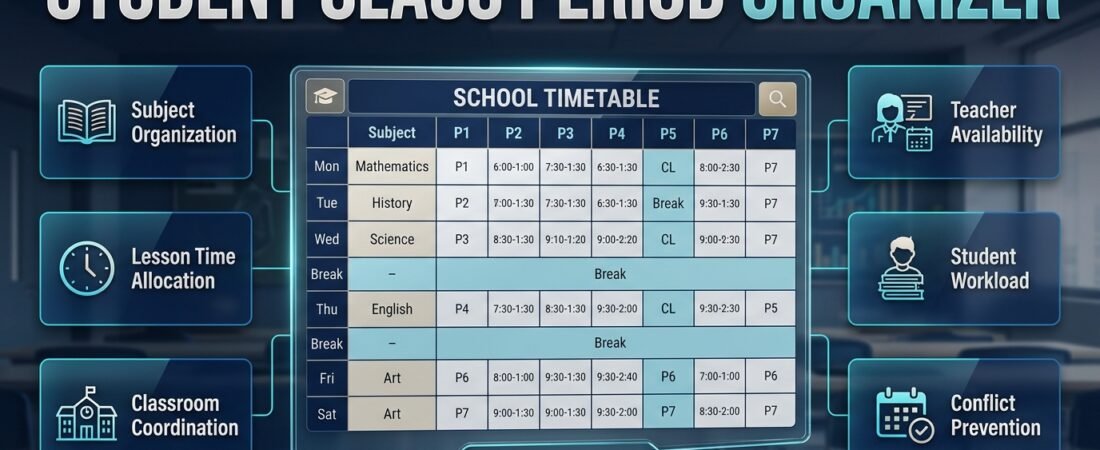
Student Class Period Organizer | A school day can quickly become confusing when students have several subjects, teachers change classrooms, and important lessons compete for limited time. Students may forget which notebook to bring, teachers may struggle to coordinate lesson periods, and administrators may discover timetable conflicts after the schedule has already been distributed. These problems often begin with a simple issue: there is no clear system for organizing class periods.
A student class period organizer provides a practical solution by arranging subjects, lesson times, classroom details, breaks, and academic activities in a structured schedule. Instead of relying on memory or checking different documents throughout the day, students and teachers can use one reliable timetable to understand what happens next.
For schools looking to improve their scheduling process, RTI Scheduler provides a relevant starting point for exploring academic organization and timetable planning.
A useful class period organizer is not simply a table filled with subject names. It should reflect the school’s curriculum, teachers’ availability, classroom requirements, student workload, and daily operating hours. It should also be easy to understand, simple to update, and practical enough for everyday use.
In this guide, you’ll learn how to create a student class period organizer, choose the right format, distribute subjects throughout the week, avoid common scheduling mistakes, and connect daily timetables with broader academic planning. You’ll also discover practical examples and professional recommendations for making school schedules more accurate, accessible, and manageable.
What Is a Student Class Period Organizer?
A student class period organizer is a planning tool that displays the subjects and activities students follow during a school day or week. It identifies when lessons begin and end, which subjects are scheduled, and any additional information students need, such as classroom numbers, teacher names, breaks, and special activities.
The organizer may take the form of a printed timetable, a spreadsheet, a digital calendar, or a school scheduling application. Its main purpose is to make academic time easier to understand and manage.
For example, a student might attend mathematics during the first period, English during the second, science after the morning break, and computer studies later in the day. A class period organizer displays this sequence clearly so the student can prepare for each lesson.
How Does a Class Period Organizer Work?
The process starts with the school’s available teaching hours and curriculum requirements. Subjects are then assigned to appropriate periods while accounting for teacher availability, classroom capacity, breaks, and any fixed school activities.
A basic organizer usually includes:
- Days of the week and period numbers.
- Start and finish times for each lesson.
- Subject names and, where necessary, teacher names.
- Classroom or laboratory assignments.
- Morning and lunch breaks.
- Assemblies, sports, and other scheduled activities.
- Relevant reminders or timetable changes.
More advanced digital systems may also support recurring schedules, shared access, printable timetables, and schedule revisions.
The appropriate level of detail depends on the intended user. An individual student may need only a simple weekly schedule, while a school administrator may need to coordinate several classes, teachers, and specialist rooms.
Who Benefits From a Student Class Period Organizer?
Students can use an organizer to prepare their books, follow lesson transitions, and manage their daily routine. Teachers can check teaching assignments, prepare lesson materials, and review the distribution of subjects across the week.
School administrators benefit from a broader view of teaching periods, classroom availability, and potential scheduling conflicts. Parents may also find a shared timetable useful when helping children prepare for school.
The greatest advantage is consistency. When everyone follows the same accurate schedule, fewer decisions have to be made at the last minute.
Why Is a Student Class Period Organizer Important?
A reliable organizer supports more than punctuality. It helps students prepare for lessons, allows teachers to manage instructional time, and gives administrators a clearer view of how school resources are being used.
Without a structured timetable, even a well-equipped school can experience unnecessary confusion. Students may arrive without the correct materials, teachers may lose time resolving room changes, and administrators may struggle to coordinate activities.
It Helps Students Manage Their Time
Students often balance several subjects, assignments, tests, and extracurricular responsibilities. A class period organizer makes their daily commitments visible and predictable.
When students know what comes next, they can prepare the appropriate notebook or materials before the next lesson begins. They can also identify suitable times for reviewing notes and planning homework after school.
This routine encourages independence. Instead of waiting for repeated reminders, students gradually learn to manage their own academic responsibilities.
It Reduces Classroom Confusion
Students who move between classrooms need accurate information about lesson times and locations. A timetable that includes room numbers and teacher names can reduce uncertainty, particularly in larger schools.
Clear scheduling is also helpful for new students who are still learning the school’s routine. Consistent subject labels and recognizable period numbers make it easier to understand the daily sequence.
It Helps Teachers Prepare Lessons
Teachers may need different books, worksheets, equipment, or digital resources for different classes. A reliable organizer makes it easier to prepare these materials in advance.
For example, a science teacher may need laboratory equipment for one period and a written assessment for another. Knowing the schedule beforehand helps the teacher prepare the appropriate resources and avoid unnecessary interruptions.
It Supports Better School Administration
Administrators must consider several connected requirements, including subject allocations, teacher workloads, room availability, and school-wide activities.
An organized timetable makes these relationships easier to review. If a change becomes necessary, staff can identify which classes, teachers, or rooms might be affected before making a revision.
This is particularly important when several classes share specialist facilities or teachers.
Essential Features of an Effective Student Class Period Organizer
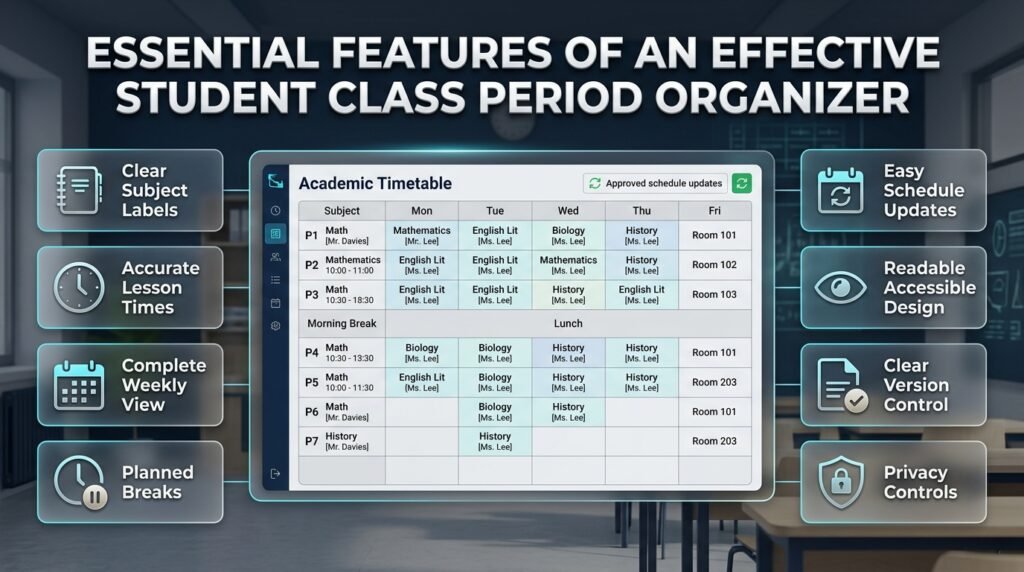
A useful organizer should make important information easy to find without overwhelming students with unnecessary details. The best features depend on whether the timetable is intended for an individual student, a classroom, or an entire school.
Clear Subject and Period Labels
Every period should have a recognizable subject name and a clear time. Add a teacher or classroom label when that information helps the user follow the schedule.
Avoid unclear abbreviations unless they are familiar to everyone using the organizer. If abbreviations are necessary, explain them in a small legend.
Accurate Lesson Times
Every period needs a defined start and finish time. Accurate timing helps students move between classes and allows teachers to plan lessons realistically.
For instance, if a lesson begins at 9:00 a.m. and ends at 9:40 a.m., the next period should reflect the school’s actual transition arrangements. If students need time to reach another building, the timetable should account for that requirement.
A Complete Weekly View
A daily timetable explains what happens today, while a weekly organizer shows how subjects are distributed across several school days.
The weekly view is especially valuable for identifying repeated subjects, practical sessions, free periods, and uneven lesson distribution.
It also helps teachers and administrators verify that each subject receives its required number of periods.
Breaks and Non-Teaching Activities
Morning breaks, lunch periods, assemblies, and other fixed activities should appear in the organizer.
Leaving these activities out can make a timetable appear efficient while creating unrealistic transitions. Students need time to eat, rest, move between classrooms, and prepare for subsequent lessons.
Simple Updates and Version Control
School schedules may change because of teacher absences, examinations, school events, or classroom availability.
An effective organizer should make it easy to communicate approved changes. Digital tools may support centralized updates, while paper-based systems can distribute clearly dated replacement copies.
Users should always know which version of the timetable is current.
Readable and Accessible Design
The schedule should use clear typography, sufficient contrast, and a predictable layout. Color coding can help distinguish subjects, but the actual subject names must remain visible.
The organizer should also work when printed in black and white, viewed on a small screen, or used by students who have difficulty distinguishing certain colors.
Appropriate Privacy Controls
Class schedules may contain names, room assignments, and other school-related details. Share only the information each audience needs.
A student may need access to a personal timetable, whereas an administrator may require a broader scheduling view. Digital tools should provide appropriate access controls when sensitive information is involved.
How to Create a Student Class Period Organizer Step by Step
Creating a dependable organizer requires more than filling empty timetable boxes. Start with the school’s actual requirements, then build and check the schedule before sharing it.
Step 1: Gather the Scheduling Requirements
Begin by confirming the school’s opening and closing times, teaching days, number of periods, break arrangements, and subjects offered to each class.
Also identify fixed commitments that cannot easily be moved, such as examinations, assemblies, specialist lessons, and scheduled activities.
Prepare a checklist containing:
- Total teaching hours available each day.
- Required weekly periods for every subject.
- Teacher availability and teaching assignments.
- Classroom and laboratory requirements.
- Morning and lunch break times.
- Fixed events and non-teaching periods.
- Any special requirements for individual classes.
Why it matters: Incomplete information can lead to repeated revisions after the timetable has been published.
Professional advice: Confirm fixed requirements first. Building around known constraints is usually easier than trying to repair several conflicts later.
Step 2: List Every Subject and Its Weekly Requirements
Create a subject list for each class and record how many periods each subject requires during the week.
For example:
| Subject | Weekly periods |
|---|---|
| Mathematics | 5 |
| English | 5 |
| Science | 4 |
| Social studies | 3 |
| Computer studies | 2 |
| Physical education | 2 |
| Art | 1 |
These numbers are illustrative rather than universal curriculum requirements. The correct distribution depends on the school’s approved curriculum.
Add the periods together and compare the total with the number of available teaching slots. This calculation helps identify whether the proposed schedule is realistic before assigning individual lessons.
Step 3: Calculate the Available Teaching Periods
Multiply the number of teaching periods per day by the number of teaching days in the week.
For example, a class with six teaching periods each day over five days has 30 weekly teaching slots.
If an assembly or another fixed activity occupies a slot, subtract it from the time available for regular subjects when it has been included in the original total.
This simple check prevents the organizer from assigning more lessons than the school week can accommodate.
Step 4: Place Subjects in Suitable Periods
Start assigning subjects once the available periods and weekly requirements are clear.
Consider the type of lesson, curriculum priorities, teacher availability, and classroom requirements. Practical subjects may need specialist rooms, while some lessons may require longer uninterrupted sessions.
Avoid making assumptions that every school or student follows the same learning pattern. Use the institution’s actual needs to determine the most appropriate arrangement.
Expert tip: Review the whole day rather than filling each available period independently. A schedule may fit mathematically but still create difficult transitions or an unreasonable concentration of demanding lessons.
Step 5: Coordinate Teachers and Rooms
A timetable must work for students, teachers, and classrooms simultaneously.
Check that teachers are not assigned to two classes at the same time. Confirm that laboratories, computer rooms, and other specialist facilities are available for their scheduled lessons.
For example, if two classes require the same laboratory during the third period, one lesson must be moved or another suitable room must be arranged.
Performing this check before publication reduces disruption later.
Step 6: Add Breaks and Transition Time
Insert morning breaks, lunch, assemblies, and other fixed activities in their correct positions.
If students need extra time to move between buildings, account for that requirement. Practical lessons may also require preparation or cleanup time.
A schedule that uses every minute for instruction may look efficient, but it can be difficult to follow if real-world transitions are ignored.
Step 7: Check for Timetable Conflicts
Review the completed organizer from several perspectives.
- Does each subject receive the correct number of periods?
- Are teachers available for their assigned lessons?
- Are any rooms double-booked?
- Are breaks and fixed activities included?
- Do students have the correct subject sequence?
- Are specialist lessons assigned to suitable facilities?
- Does the schedule fit the school’s operating hours?
Resolve identified problems before distributing the timetable.
Step 8: Publish and Explain the Schedule
Share the approved timetable in a format that students and teachers can access.
Explain any abbreviations, room labels, or color coding. If changes are made, identify the affected classes and the date the revision takes effect.
A timetable is only useful when people understand it and trust that the information is current.
Step 9: Review the Organizer After Implementation
After the schedule has been used for a reasonable period, collect feedback from students and teachers.
Ask whether lesson transitions are realistic, whether room assignments are clear, and whether any recurring conflicts have emerged.
Use the feedback to improve the organizer rather than changing periods casually without checking the wider effects.
Student Class Period Organizer Example for a Typical School Day
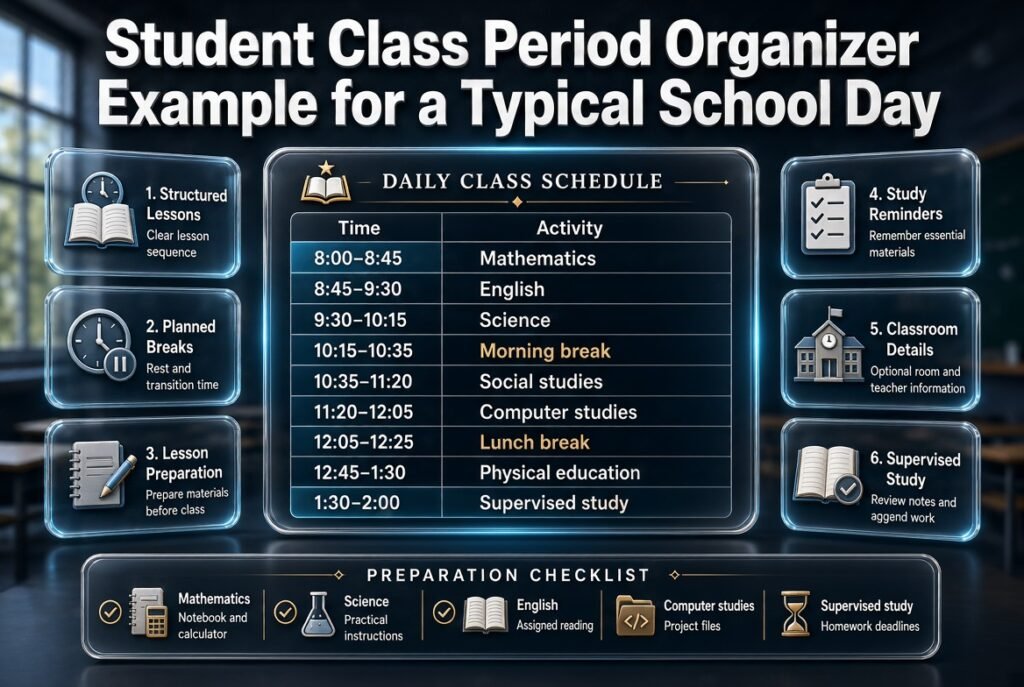
A sample timetable makes it easier to understand how subjects, breaks, and study activities fit together.
Consider the following illustrative schedule for a secondary school class.
| Time | Activity | Purpose |
|---|---|---|
| 8:00–8:45 | Mathematics | Core subject |
| 8:45–9:30 | English | Reading and writing |
| 9:30–10:15 | Science | Theory or practical preparation |
| 10:15–10:35 | Morning break | Rest and transition |
| 10:35–11:20 | Social studies | Humanities |
| 11:20–12:05 | Computer studies | Technology learning |
| 12:05–12:45 | Lunch break | Meal and rest |
| 12:45–1:30 | Physical education | Movement and activity |
| 1:30–2:00 | Supervised study | Review and classwork |
This example demonstrates organization rather than prescribing a universal school timetable. Schools should adjust lesson durations and operating hours to their official requirements.
What Makes This Example Useful?
The timetable separates teaching periods from breaks and provides a predictable sequence for students.
It also gives students a clear opportunity to prepare materials for the next lesson. If room numbers or teacher names are important, they can be added without changing the basic layout.
The final supervised study period can be used for activities approved by the school, such as reviewing notes or completing assigned work.
How Can Students Personalize Their Organizer?
Students can add a short preparation checklist alongside the main timetable.
For example:
- Mathematics: bring the required notebook and calculator.
- Science: review practical instructions.
- English: complete the assigned reading.
- Computer studies: prepare project files.
- Supervised study: check homework deadlines.
Keep reminders brief so that the timetable remains easy to scan. A detailed homework planner can handle longer instructions and assignment tracking separately.
Paper Organizer vs. Digital Class Period Organizer
Both paper and digital organizers can work well. The best choice depends on how frequently schedules change, how many people need access, and which features the school requires.
| Feature | Paper timetable | Digital organizer |
|---|---|---|
| Setup | Usually simple | Depends on the tool |
| Cost | Often low | May be free or paid |
| Updates | Manual replacement | May support faster revisions |
| Sharing | Printed copies | May support shared access |
| Notifications | Usually unavailable | Available in some tools |
| Internet dependency | None for ordinary use | Depends on the platform |
| Best use | Stable schedules | Frequently updated schedules |
When Is a Paper Organizer the Better Choice?
A paper timetable is suitable when the schedule is stable, students need a quick reference, or access to digital devices is limited.
It can be placed in a notebook, displayed in a classroom, or kept near a study desk. Students can check their next subject without opening an application.
The main limitation is that updates must be communicated manually. Old copies may remain in circulation, so schools should clearly mark outdated schedules and replace them when necessary.
When Should You Use a Digital Organizer?
A digital organizer may be more suitable when several classes, teachers, or rooms need to be coordinated.
Depending on the platform, it may support reusable templates, shared calendars, editable timetables, reminders, and printable reports.
However, digital tools differ in their capabilities. Check whether the chosen system actually supports the features your school needs rather than assuming every application includes them.
Can Schools Use Both Methods?
Yes. A school can maintain a digital master timetable and distribute printed copies to students.
When a change occurs, administrators update the approved version and distribute revised schedules through the school’s normal communication channels.
This hybrid approach combines centralized planning with the convenience of printed timetables. It also gives students a backup if their device is unavailable.
How to Balance Subjects Across the School Week
A good organizer must do more than fit subjects into available periods. It should also reflect curriculum requirements, practical constraints, and the school’s approach to distributing learning activities.
Avoid Unnecessary Subject Clustering
When possible, review whether several demanding lessons have been placed consecutively without a clear reason.
A schedule may benefit from a sensible mix of theoretical work, discussion, practical activity, and independent study. However, there is no universal rule that every type of lesson must alternate throughout the day.
Use the school’s educational priorities and the needs of the students to guide decisions.
Schedule Practical Lessons Around Their Requirements
Science laboratories, computer rooms, art spaces, and sports facilities may have limited availability.
Consider these constraints before assigning the remaining periods. Otherwise, an apparently balanced timetable may create conflicts over equipment or specialist rooms.
For longer practical sessions, check whether the school’s timetable structure permits consecutive periods when necessary.
Use Consistent Patterns Where Appropriate
Predictable patterns can help students remember their schedules. For example, a subject may occur at the same time on certain days when this fits the curriculum and staffing arrangements.
Consistency should not become a rigid rule that prevents the school from meeting legitimate requirements. Use repeated patterns where they improve clarity and remain practical.
Check Weekly Subject Distribution
Count the number of times each subject appears and compare the result with its required weekly allocation.
Then examine how those periods are distributed. If all lessons for a subject occur too close together, consider whether another arrangement would better meet the school’s teaching objectives.
The aim is to satisfy the curriculum while creating a timetable that teachers and students can realistically follow.
Common Student Class Period Organizer Mistakes
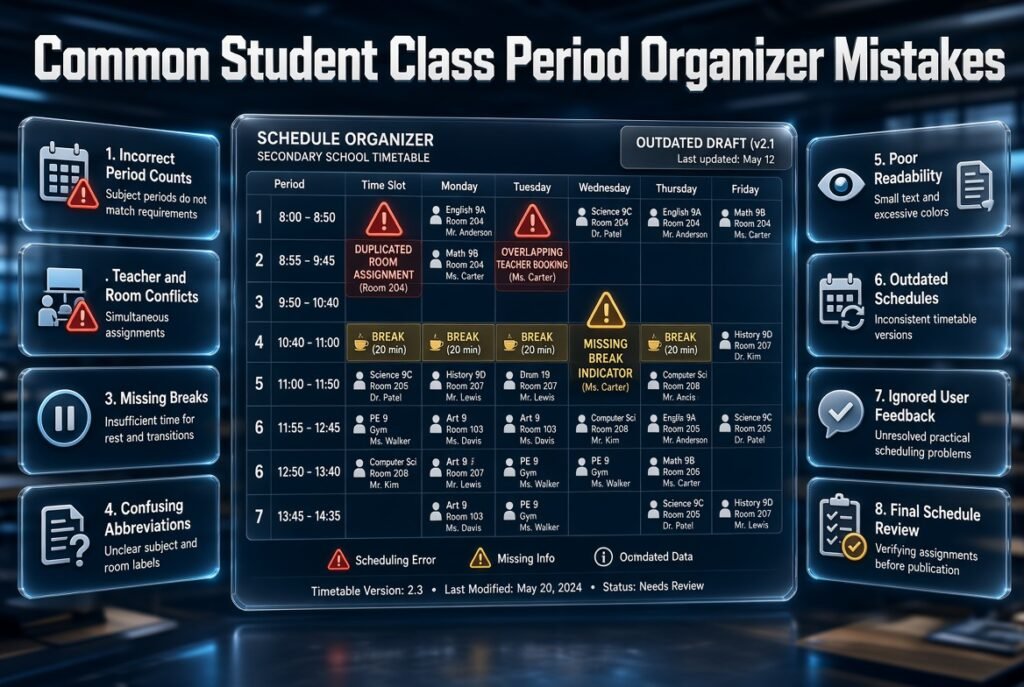
Even a well-designed timetable can become difficult to use when basic planning mistakes are overlooked. Understanding these problems before publication can save time and reduce confusion.
Assigning the Wrong Number of Periods
Why it happens: The planner fills available spaces without checking the weekly requirements for each subject.
Why it causes problems: Some subjects receive insufficient time, while others occupy more periods than intended.
How to avoid it: Prepare a subject requirement list before scheduling. After assigning lessons, count the periods and compare the results with the original plan.
Forgetting Teacher or Room Conflicts
Why it happens: The schedule is reviewed from the perspective of one class rather than the whole school.
Why it causes problems: A teacher or specialist room may be assigned to multiple lessons simultaneously.
How to avoid it: Review the timetable by class, teacher, and room. Confirm that every assignment is possible before publication.
Leaving Breaks Out of the Schedule
Why it happens: The planner tries to maximize formal teaching time.
Why it causes problems: Students may not have enough time to eat, rest, move between classrooms, or prepare for the next lesson.
How to avoid it: Include fixed breaks and realistic transition requirements before assigning the remaining periods.
Using Confusing Abbreviations
Why it happens: The timetable creator tries to fit too much information into a small space.
Why it causes problems: Students may misunderstand subject names, room codes, or special activities.
How to avoid it: Use recognizable labels and explain unavoidable abbreviations in a small legend.
Making the Layout Difficult to Read
Why it happens: Too many colors, decorative elements, and small text are added.
Why it causes problems: Students cannot quickly identify the next lesson or its location.
How to avoid it: Prioritize readable text, clear time labels, and sufficient contrast. Use colors only to support the information.
Failing to Update Changes
Why it happens: A revision is made in one document but not reflected in other copies.
Why it causes problems: Students and teachers may follow outdated schedules.
How to avoid it: Maintain one approved version, mark its effective date, and use a consistent process to communicate changes.
Ignoring Feedback From Actual Users
Why it happens: The timetable is treated as an administrative document rather than something students and teachers use every day.
Why it causes problems: Confusing transitions and recurring scheduling difficulties may continue unnoticed.
How to avoid it: Ask users about practical problems after implementation. Correct verified issues through the appropriate scheduling process.
Expert Tips for Making a Class Period Organizer More Useful
A strong organizer should make the next action obvious. The following recommendations focus on reliability, clarity, and everyday use.
Keep Essential Information Visible
Place the day, period time, subject, and room where users can find them immediately.
Additional information, such as homework instructions, can sit in a separate section. This prevents the timetable from becoming overcrowded.
Maintain One Authoritative Schedule
For school-wide planning, keep a single approved master timetable.
Printed copies, classroom displays, and shared digital versions should reflect that schedule. This makes it easier to identify the correct version and reduces inconsistent information.
Prepare for Schedule Exceptions
Examinations, school events, teacher absences, and special activities can affect normal lessons.
Establish a procedure for approving revisions, updating the master timetable, and informing the people affected. This prevents last-minute decisions from creating additional conflicts.
Review Schedules at the Appropriate Level
Students should check their daily lessons, teachers may review their weekly teaching assignments, and administrators should monitor school-wide requirements.
Different users need different levels of detail. Avoid making a personal student organizer unnecessarily complicated with administrative information that the student does not need.
Use Color Carefully
A consistent color for each subject may help students recognize lessons quickly on a weekly grid.
However, always include the subject name. Essential information should remain understandable for users who have difficulty distinguishing colors or who print their timetables without color.
Keep a Backup Copy
Maintain an accessible backup of the approved timetable. A digital system might use a securely stored export, while a paper-based school can keep a master copy ready for reproduction.
A backup helps restore access if a device fails or the original printed schedule is lost.
How a Student Class Period Organizer Supports Better Study Habits
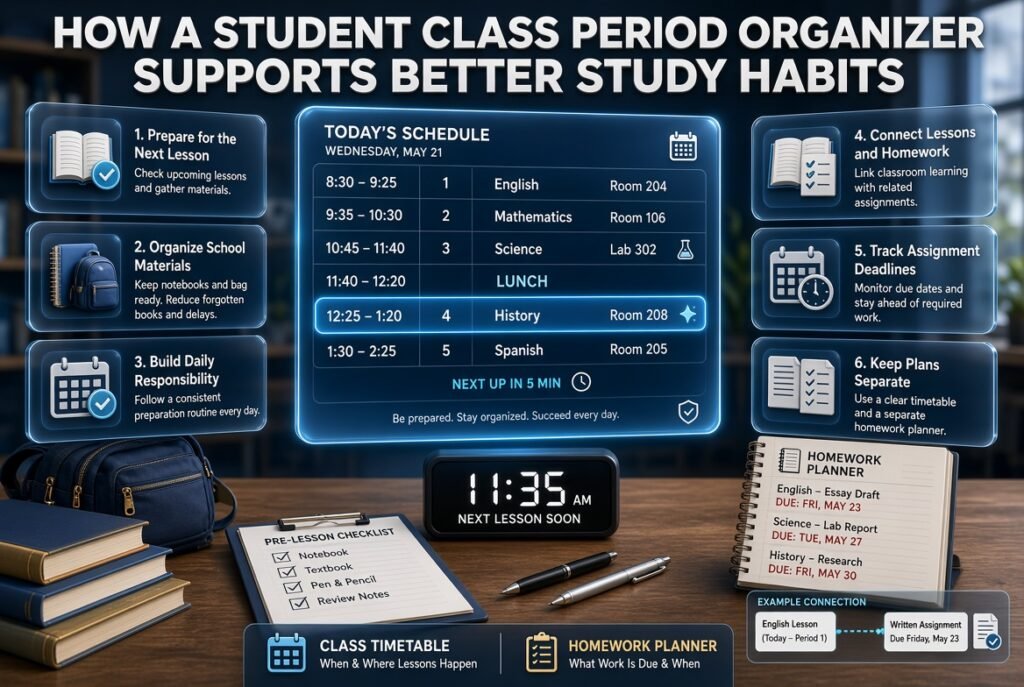
A timetable becomes more valuable when students use it to guide their preparation rather than simply checking where they should be next.
Prepare for the Next Lesson
Before leaving a classroom, students can check the next period and organize the necessary materials.
This small habit reduces forgotten books and unnecessary delays. It also gives students a clearer sense of responsibility for their daily preparation.
Connect Lessons With Homework
The class timetable shows when lessons occur, while a homework planner records assignments and deadlines.
Students can connect the two by adding a brief reminder beside a subject or maintaining a separate assignment list. Keeping these functions distinct prevents the main timetable from becoming difficult to read.
For example, a student may have English during the second period and a written assignment due on Friday. The timetable identifies the lesson, while the homework planner tracks the deadline and work required.
Plan Revision Around Upcoming Tests
Students can use their schedules to identify suitable study time outside their normal lessons.
Instead of leaving revision until the evening before an examination, they can divide the work into smaller sessions across several days.
The organizer should support this routine without replacing the school’s homework instructions or a more detailed revision plan.
Build a Consistent Daily Routine
Checking the timetable before school and reviewing the following day’s lessons in the evening can improve preparation.
Students can quickly confirm which books they need, whether a practical lesson requires special equipment, and whether an assessment is approaching.
The routine should remain simple enough to maintain every day.
Connecting Class Period Organization With Academic Planning
A daily timetable works best when it fits into the school’s wider academic planning process.
The class period organizer manages immediate lesson times, while academic calendars help determine teaching days, holidays, examinations, and longer-term milestones. Connecting these planning activities reduces the risk of creating a daily schedule that ignores important school commitments.
Coordinate With the Academic Calendar
Review term dates, school holidays, examination periods, and major events before establishing a timetable for an extended period.
The Academic Calendar Planning resource is relevant when aligning school schedules with the broader academic year.
Schools that need to account for non-teaching days can also explore the Academic Holiday Calendar Builder, which relates to organizing holiday dates and school calendar information.
Account for Semester Milestones
Major assessments, project deadlines, curriculum checkpoints, and reporting dates may influence how teachers plan lessons throughout a term.
A Semester Milestone Calendar can support the process of keeping longer-term academic commitments visible.
The aim is not to place every administrative deadline inside the daily timetable. Instead, make sure the timetable can operate within the school’s actual calendar.
Include School Events
Sports days, assemblies, celebrations, and other school activities may require changes to regular lessons.
A School Year Event Calendar is a related resource for considering events that could affect the normal teaching routine.
Reviewing these commitments in advance helps administrators communicate changes before they disrupt classroom schedules.
Connect Weekly Lesson Planning With Daily Periods
Weekly lesson planning and class period organization perform different but complementary roles.
A weekly lesson plan identifies learning objectives, teaching activities, and lesson preparation. The class period organizer determines when each lesson takes place.
The Weekly Lesson Period Planner is relevant when teachers need to coordinate lessons across the school week.
For arranging subjects into a structured schedule, the Subject Timetable Maker is another closely related resource.
Schools and teachers looking for a wider set of scheduling approaches can also review Academic Planning and Scheduling Tools.
For broader academic scheduling information, RTI Scheduler provides the main website resource.
How to Choose the Right Student Class Period Organizer
Before selecting an organizer, identify the main problem you need to solve. A student who wants to remember daily subjects has different requirements from an administrator coordinating teachers and rooms across an entire school.
Match the Format to Your Needs
| Main requirement | Suitable starting point |
|---|---|
| Remember daily subjects | Simple daily timetable |
| Organize lessons across five days | Weekly timetable |
| Track assignments and tests | Timetable plus study planner |
| Coordinate several teachers | Shared scheduling system |
| Manage classroom availability | Organizer with room assignments |
| Plan around holidays and events | Timetable connected to an academic calendar |
| Communicate schedule changes | System with a clear update process |
Evaluate Ease of Use
Choose an organizer that users can understand without lengthy instructions.
Look for clear labels, readable schedules, simple navigation, and a practical way to correct mistakes. If students need to search through several screens to find their next lesson, the system may be unnecessarily complicated.
Check Editing and Sharing Features
If several people need the same information, check whether the organizer supports shared access, controlled editing, and reliable updates.
A school-wide timetable generally requires more coordination than a personal student planner. Make sure the chosen format can handle the number of classes and users involved.
Consider Cost and Technical Requirements
A printed timetable or spreadsheet may be sufficient for a small class. A larger school may benefit from a dedicated scheduling application.
Compare the features you genuinely need with the cost and time involved. Avoid paying for unnecessary functions, but do not overlook essential requirements such as reliable updates or room conflict checks.
Test Before Introducing It to Everyone
Prepare a sample timetable and ask a small group of students or teachers to review it.
Check whether they can identify the next subject, understand the times, locate the correct classroom, and recognize any schedule changes.
Testing helps reveal confusing labels and practical problems before the organizer becomes part of the school’s daily routine.
What Is the Best Student Class Period Organizer for Managing Daily School Schedules?
The best student class period organizer is one that makes daily lessons easy to understand, keeps subject timings accurate, and helps students prepare for their next class without confusion. The right option depends on whether you’re organizing a personal study routine, managing one classroom, or coordinating schedules across an entire school. A simple printed timetable may work well for students with a fixed schedule, while a digital organizer can be more practical when several classes, teachers, and rooms need to be coordinated.
When choosing an organizer, focus on usability rather than the number of features it offers. Students should be able to identify their next subject quickly, while teachers and administrators should be able to review lesson allocations and detect scheduling conflicts.
Important features to look for:
Clear subject timings: Display the start and finish time of every class period.
Weekly scheduling: Make it easy to check subjects across all school days.
Teacher and room details: Include this information when students need it to move between classes.
Easy timetable updates: Ensure schedule changes can be communicated without confusion.
Printable or digital access: Choose a format that students can use consistently.
A well-designed organizer should simplify the school day rather than introduce another complicated system to manage.
How Can I Create a Student Class Period Organizer That Prevents Timetable Conflicts?
Creating a conflict-free student class period organizer starts with collecting accurate information before assigning subjects to periods. You need to know the required weekly lessons for each subject, the teachers responsible for those lessons, the available classrooms, and the school’s daily operating hours. If you begin filling timetable spaces without checking these requirements, you may accidentally assign one teacher to two classes at the same time or schedule multiple lessons in a room that is already occupied.
Start by calculating the total number of available teaching periods for each class. Next, distribute subjects according to curriculum requirements and check whether specialist lessons need particular facilities. Before publishing the timetable, review it from the perspective of every class, teacher, and classroom.
Practical steps to prevent scheduling conflicts:
Check teacher availability: Make sure each teacher has only one assigned class at a time.
Verify room assignments: Confirm that laboratories, computer rooms, and other specialist spaces are available.
Count weekly subject periods: Compare the final schedule with the school’s required lesson allocation.
Include breaks and activities: Account for assemblies, lunch periods, and other fixed commitments.
Review every change: Recheck connected classes and rooms whenever an approved timetable revision is made.
The most reliable approach is to treat conflict checking as a necessary part of timetable creation, not as a task to complete after students have already received their schedules.
How Many Class Periods Should Students Have Each Day for an Effective Learning Routine?
The appropriate number of class periods depends on students’ age, curriculum requirements, lesson duration, school hours, and the time needed for breaks and classroom transitions. There is no universal number that works for every school. One institution may use several shorter lessons, while another may organize the day around fewer, longer teaching periods. Both approaches can be workable when they meet educational requirements and provide a realistic daily routine.
When planning a student class period organizer, calculate the available teaching time first. Then determine how many periods fit within the school day without removing required breaks or creating rushed transitions. The goal is to make the timetable manageable for students and teachers while ensuring that every subject receives its required instructional time.
Factors to consider when deciding the number of periods:
Students’ age group: Younger learners may have different scheduling needs from secondary school students.
Lesson duration: Longer lessons may suit some activities, while others work well in shorter sessions.
Curriculum requirements: Each subject must receive the required amount of teaching time.
Break arrangements: Include suitable time for meals, rest, and movement between classes.
Practical lessons: Laboratory work, physical education, and similar activities may require special scheduling arrangements.
Rather than choosing a number simply because another school uses it, design the timetable around your institution’s requirements and review whether the daily routine works in practice.
Is a Digital Student Class Period Organizer Better Than a Traditional Paper Timetable?
A digital student class period organizer can be especially useful when schedules change frequently or several teachers and classes need access to the same information. Depending on the software, it may support faster editing, shared schedules, printable reports, reminders, and centralized timetable management. These features can reduce the effort involved in communicating changes and maintaining multiple copies of a school timetable.
A paper timetable, however, remains a practical option for students who want a quick reference without opening a device. It is inexpensive, easy to display in a classroom, and does not depend on an internet connection. Its main limitation is that updates must be distributed manually, which can lead to confusion if old copies remain in use.
Which option should you choose?
Choose paper when the timetable is stable and students need a simple printed reference.
Choose digital when multiple classes, teachers, or rooms require coordinated scheduling.
Use both when administrators need centralized updates but students benefit from printed copies.
Check accessibility so that students can access the schedule in a suitable format.
Review privacy settings if the digital system contains personal or restricted school information.
The best solution is the one your school can maintain accurately. A simple, regularly updated timetable is more valuable than a sophisticated system that people struggle to use.
How Can a Student Class Period Organizer Improve Time Management and Academic Performance?
A student class period organizer can support better time management by making daily lessons predictable and helping students prepare for upcoming activities. When students know which subject comes next, they can bring the correct books, organize their materials, and avoid wasting time searching for information. A consistent timetable also helps them recognize opportunities for revision, homework preparation, and planning around examinations.
However, a timetable alone does not guarantee improved academic performance. Its value comes from how students use it. Checking the schedule before school, preparing materials in advance, and reviewing upcoming assignments can turn a timetable into a useful daily routine. Teachers can support this process by providing clear lesson schedules and communicating changes promptly.
Ways students can use an organizer more effectively:
Prepare the night before: Check the next day’s subjects and pack the required materials.
Review the next lesson: Use transitions between periods to confirm what is needed.
Track assignments separately: Record homework instructions and deadlines in a dedicated planner.
Plan revision sessions: Use available time outside lessons to prepare for tests and assessments.
Build consistent habits: Review the timetable each morning and check the following day’s schedule before finishing schoolwork.
The main benefit is greater organization. When students understand their daily commitments and prepare for them consistently, they can approach schoolwork with more confidence and spend less time dealing with avoidable confusion.
Conclusion
A well-designed student class period organizer is more than a daily timetable. It helps students understand their academic priorities, prepare for upcoming lessons, manage study time, and develop a consistent routine that supports better learning. When class periods, assignments, revision sessions, and breaks are organized clearly, students can approach their school day with greater confidence and fewer last-minute surprises.
The most effective organizer is one that matches a student’s actual school schedule, learning needs, and personal responsibilities. Some students may prefer a simple paper timetable, while others benefit from a digital planner that makes schedule changes easier to manage. Regardless of the format, the goal remains the same: create a realistic plan that is easy to follow and flexible enough to accommodate unexpected changes.
To get the best results, students should review their timetable regularly, give appropriate attention to challenging subjects, and reserve time for homework and revision. Teachers and parents can also encourage students to use their organizers consistently instead of treating them as documents they create once and forget.
Keep these key principles in mind:
- Organize class periods according to the official school timetable.
- Allocate study time based on subject difficulty, workload, and upcoming assessments.
- Include short breaks and realistic time for homework and revision.
- Update the organizer whenever class schedules or academic priorities change.
- Review progress weekly and adjust the plan when something is not working.
Ultimately, a student class period organizer works best when it becomes part of a student’s everyday routine. By combining clear scheduling with consistent habits, students can use their time more effectively, stay prepared for lessons, and build stronger academic organization skills throughout the school year.