
Introduction
Exam Session Calendar Builder | Organizing an examination session can become complicated when several subjects, student groups, departments, rooms, and deadlines need to be coordinated within a limited period. A date that works for one class might create a conflict for another. A room may be unavailable, an examination paper may not be ready, or students may discover that several demanding assessments have been scheduled too close together.
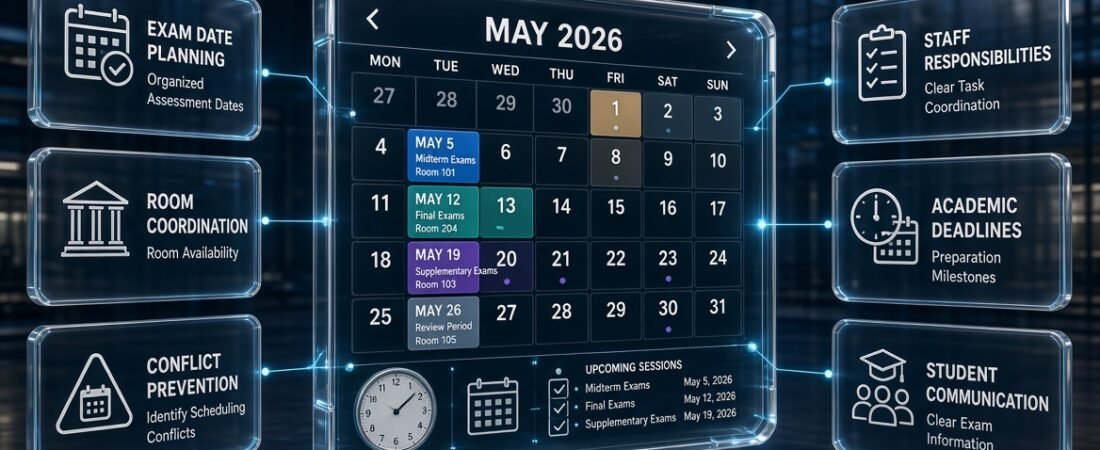
An exam session calendar builder helps schools, colleges, universities, and academic administrators organize examination periods in a clear, structured calendar. Instead of managing important dates across separate documents and messages, institutions can establish a central planning view that connects examination sessions with preparation deadlines, room arrangements, academic milestones, and other essential activities. For more useful academic planning resources, visit RTI Scheduler.
A well-organized calendar does more than display dates. It helps administrators understand the complete examination period, identify potential scheduling problems, coordinate staff responsibilities, and communicate approved arrangements to students. It can also support better decisions about when examinations should take place and how they fit into the wider academic year.
The best approach depends on the institution’s requirements. A small school may need a simple editable calendar, while a university may require detailed coordination between faculties, student groups, examination rooms, and invigilation teams.
In this guide, you’ll learn how an exam session calendar builder works, which features matter most, how to create an effective examination calendar step by step, and how to avoid common planning mistakes. You’ll also find practical examples, expert recommendations, and useful ways to connect examination planning with other academic scheduling activities.
What Is an Exam Session Calendar Builder?
An exam session calendar builder is a planning tool or structured system used to organize examination periods, assessment dates, and related academic activities. It helps institutions arrange when examinations will occur, which student groups are involved, and what administrative tasks must be completed before and after each session.
Unlike a simple list of exam dates, an examination session calendar provides a broader view of the planning process. It can show the beginning and end of an examination period, important assessment milestones, paper submission deadlines, room preparation dates, and result-processing activities.
The exact capabilities depend on the tool. A basic calendar builder may provide editable dates and a visual layout, while a more advanced scheduling solution may offer collaboration, reminders, resource management, or automated conflict checks.
How Does an Exam Session Calendar Builder Work?
The process begins with collecting accurate information about the examination period. Administrators identify the relevant courses, student groups, assessment requirements, approved dates, and resource limitations.
They then arrange the examinations within the available window, review potential conflicts, add supporting milestones, and prepare the calendar for approval.
A typical workflow looks like this:
Collect requirements → Define the examination window → Arrange sessions → Check conflicts → Obtain approval → Publish and maintain the calendar
Each stage supports the next. If the initial information is incomplete, even a well-designed calendar can produce an unreliable schedule.
For example, an administrator may initially schedule a science examination for Wednesday. Later, the department reveals that the required laboratory is unavailable that day. Collecting room requirements before final scheduling can prevent this type of avoidable change.
How Is an Exam Session Calendar Different From an Exam Timetable?
An exam session calendar and an examination timetable serve related but different purposes. The calendar provides an overview of the examination period and its milestones, while the timetable communicates the specific arrangements for individual examinations.
| Feature | Exam Session Calendar | Exam Timetable |
|---|---|---|
| Main purpose | Organizes the overall examination period | Lists individual examination arrangements |
| Time coverage | Several days, weeks, or a complete session | Specific dates and time slots |
| Main information | Exam periods, milestones, deadlines, and coordination | Subjects, times, venues, and student groups |
| Primary users | Academic administrators and examination coordinators | Students, teachers, invigilators, and departments |
| Wider academic planning | Connects with semester dates and holidays | Usually focuses on individual assessments |
| Typical use | Planning and monitoring the session | Communicating examination details |
Both are important. A session calendar helps administrators manage the overall process, while the detailed timetable tells students when and where they need to attend each examination.
For instance, a college may reserve two weeks for final examinations in its session calendar. Its detailed timetable then assigns mathematics, science, and English examinations to particular dates and times within those two weeks.
Why Is an Exam Session Calendar Builder Important?
Examination planning involves many connected responsibilities. Without a consistent planning system, information can become scattered across spreadsheets, emails, printed notices, and departmental documents.
A centralized calendar makes the examination period easier to understand and manage.
1. It Helps Reduce Scheduling Conflicts
One of the biggest examination planning challenges is ensuring that assessments do not overlap in ways that create problems for students, staff, or facilities.
For example, two departments may schedule examinations at the same time for a group of students who take both subjects. Alternatively, two examinations may require the same laboratory or examination hall.
An exam session calendar provides a broader view of the schedule, making it easier to identify potential conflicts before the timetable is published.
However, a calendar does not automatically detect every problem. Administrators must check student enrollment, room capacity, staff availability, examination durations, and any applicable scheduling restrictions.
2. It Supports Better Student Preparation
Students need enough time to prepare for assessments, particularly when several subjects require substantial revision.
A clear calendar helps them understand how examinations are distributed across the session. They can identify demanding weeks, plan revision periods, and organize their study routines around confirmed dates.
For example, if mathematics and science examinations occur within a short period, students can prepare for both subjects in advance rather than discovering the workload at the last minute.
Administrators should consider the overall examination sequence for each student group instead of evaluating every subject independently.
3. It Improves Coordination Between Departments
Different departments may have different examination requirements. One may need specialist equipment, another may require a large hall, and another may depend on an external examiner.
A shared calendar helps departments understand the proposed examination window and communicate their requirements before dates are finalized.
This reduces the likelihood of conflicting requests and makes it easier for the examination office to coordinate resources.
4. It Keeps Important Deadlines Visible
Examinations depend on preparation tasks that must be completed on time.
These tasks may include preparing question papers, approving assessment materials, confirming student lists, arranging invigilators, and checking examination rooms.
When such milestones appear alongside examination dates, administrators can monitor progress instead of relying on memory or separate reminders.
5. It Makes Schedule Changes Easier to Manage
Examination dates may need to change because of institutional closures, unavailable facilities, weather disruptions, or approved academic decisions.
A central calendar gives administrators a clear starting point for updating the schedule. It also makes it easier to identify affected student groups and communicate revised arrangements.
A reliable process should include approval for significant changes, a record of revisions, and a clear method of distributing the updated timetable.
6. It Supports Long-Term Academic Planning
Examination sessions do not exist independently of the academic year. Teaching periods, semester deadlines, holidays, coursework submissions, and school events can all affect the available examination window.
Connecting these dates helps institutions avoid unnecessary disruption and plan their academic activities more realistically.
The RTI Scheduler homepage provides a starting point for exploring academic scheduling resources that can complement examination planning.
Who Can Benefit From an Exam Session Calendar Builder?
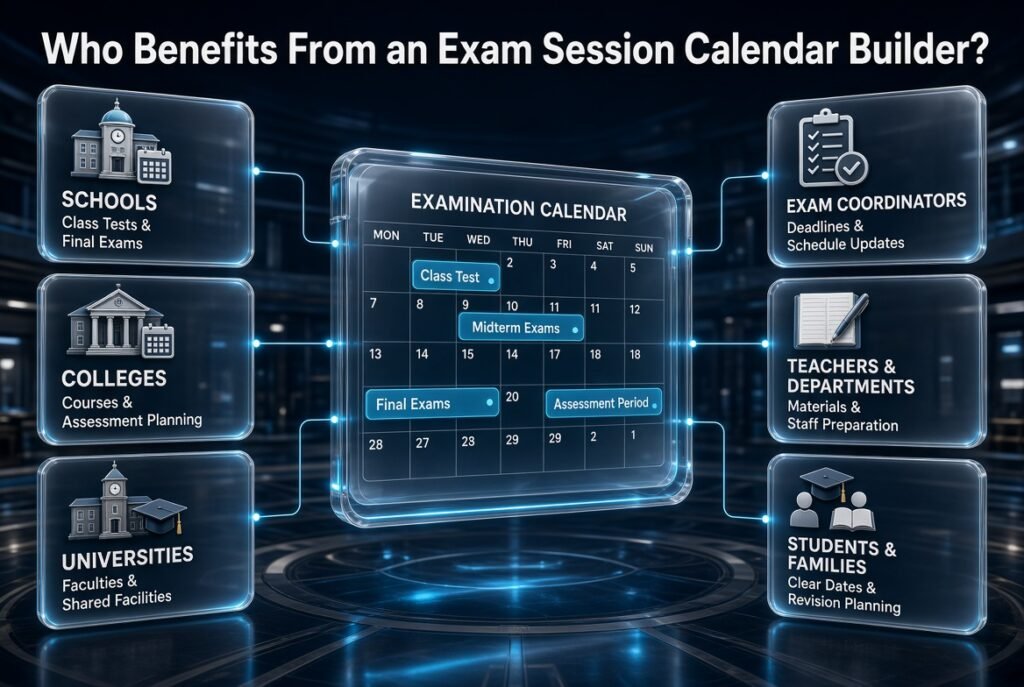
An exam session calendar builder can support different educational environments. The information required depends on the institution’s size, assessment structure, and scheduling complexity.
Schools
Schools can use an examination calendar to organize class tests, midterm examinations, final exams, practical assessments, and grade-level testing periods.
A primary school may require a straightforward calendar for a small number of assessments. A secondary school may need to coordinate several year groups, multiple subjects, different classrooms, and teacher responsibilities.
The calendar should reflect the school’s actual assessment structure rather than include unnecessary administrative details.
Colleges
Colleges often manage multiple courses, sections, and academic programs. Their examination calendars may need to account for different course durations, practical assessments, and shared facilities.
A common planning view helps departments coordinate their dates while retaining responsibility for the detailed requirements of their own examinations.
Universities
Universities often face more complex scheduling challenges because examinations may involve multiple faculties, campuses, student groups, and specialist facilities.
Their planning requirements may include room capacity, accessible examination arrangements, external examiners, invigilation, and examinations with different durations.
A session calendar provides the overall framework, while detailed scheduling systems can manage individual room and time assignments.
Examination Coordinators
Examination coordinators bring together information from academic departments, administrative staff, facilities teams, and other stakeholders.
A calendar helps them monitor deadlines, review the examination sequence, track approved changes, and maintain a consistent source of information.
Teachers and Department Heads
Teachers and department heads need to know when assessments will take place and when supporting materials must be submitted.
A calendar can make responsibilities more visible and help departments prepare question papers, marking arrangements, and classroom adjustments in advance.
Students and Families
Students benefit from a clear, approved examination schedule that helps them organize revision and understand important dates.
Families may also use the published calendar to plan study routines and other commitments around examination periods.
Student-facing information should remain clear and easy to understand. Internal administrative notes should be kept separate when they are not relevant to students.
Essential Features of an Exam Session Calendar Builder
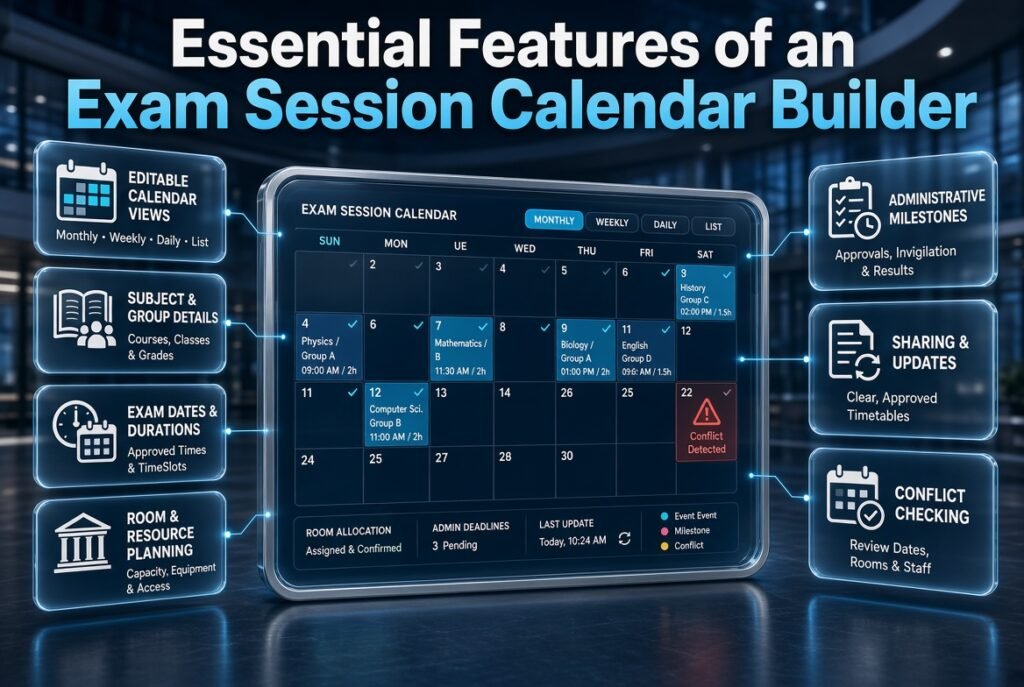
The right features depend on whether an institution needs basic date planning or detailed examination coordination. Before choosing a tool or designing a template, identify the information users need to enter, review, update, and share.
Editable Calendar Views
An effective calendar should make it easy to understand the examination period at different levels.
Useful views include:
- Monthly view: Shows the overall examination window and major milestones.
- Weekly view: Helps identify clusters of examinations and administrative deadlines.
- Daily view: Supports detailed review of examinations taking place on the same day.
- List view: Makes it easier to scan subjects, dates, student groups, and locations.
Not every tool provides all these options. Choose a layout that suits the number of assessments and the people who will use it.
A crowded monthly view may be useful for administrators but difficult for students to read. In that case, maintain a broad planning calendar and publish a simpler examination timetable separately.
Subject and Student Group Information
Each examination entry should identify the relevant subject, course, class, grade, semester, or student group.
Where necessary, include a course code or assessment identifier to distinguish examinations with similar names.
For example, two entries labelled only “Mathematics Examination” may be confusing if they belong to different year groups. Adding the course or class identifier makes the schedule easier to review.
Examination Dates and Durations
Each confirmed examination should have an approved date, start time, expected duration, and end time where appropriate.
These details help administrators check whether the assessment fits within the available examination window and whether students have conflicting commitments.
If a date or time remains provisional, label it clearly. Tentative arrangements should not be mistaken for the final timetable.
Room and Resource Details
Examinations may require standard classrooms, large halls, computer laboratories, science laboratories, or specialist equipment.
The calendar should record room information when it is relevant to the planning process. Administrators must also verify capacity, accessibility, equipment, and setup requirements.
A room that accommodates a large group for a written examination may not be suitable for a practical assessment requiring individual equipment or additional space.
Administrative Milestones
A calendar becomes more useful when it includes the work required before and after the examinations.
Important milestones may include:
- Submission of question papers.
- Review and approval of assessment materials.
- Confirmation of student eligibility.
- Invigilator assignment.
- Room and equipment checks.
- Publication of the final timetable.
- Completion of marking.
- Result processing and publication.
Each milestone should have a clear deadline and, where appropriate, a person or role responsible for completing it.
Sharing and Update Management
Different users need different information. Administrators may require detailed operational notes, while students need the confirmed dates, times, venues, and instructions.
Choose a system that supports the institution’s sharing requirements. If automatic notifications or collaborative editing are unavailable, establish a consistent manual process for publishing updates.
Maintain one authoritative version of the approved calendar and clearly mark outdated versions as superseded.
Conflict Checking
Some scheduling tools offer automated conflict detection for overlapping examinations, room bookings, or staff assignments.
These features can be helpful, but they are not a substitute for accurate information and human review.
For example, a tool cannot reliably identify a student conflict if the relevant enrollment data has not been entered.
Expert tip: Use automated checks as an additional safeguard. Always review the final schedule from the perspective of students, departments, facilities, and administrators.
How to Create an Exam Session Calendar Step by Step
Building a reliable calendar starts with accurate information and a clear planning process. The following steps can be used by schools, colleges, universities, and other educational organizations.
Step 1: Define the Examination Session
First, decide exactly which examination period the calendar will cover.
It might include midterm examinations, semester finals, practical assessments, resit examinations, or several types of assessment within the same period.
Record the proposed start and end dates, the relevant academic term, and the student groups involved.
Why it matters: A clearly defined scope prevents assessments from being omitted or assigned to the wrong examination period.
Professional advice: Confirm the examination window with the appropriate academic authority before arranging individual dates.
Example: A college might propose a two-week final examination period in November. The dates should remain clearly labelled as tentative until they have received the required approval.
Step 2: Collect Examination Requirements
Gather the information needed to schedule each assessment before assigning final time slots.
Depending on the institution, this may include:
- Subject and course names.
- Course codes and student groups.
- Expected number of candidates.
- Examination duration.
- Assessment format.
- Required rooms and equipment.
- Staff availability.
- Restricted dates or scheduling preferences.
- Approved accommodations and alternative arrangements.
Obtain this information from reliable institutional sources rather than relying on assumptions or informal messages.
Why it matters: Incomplete requirements often lead to changes after departments have already started preparing for the examination period.
Common mistake: Recording a subject and date without checking candidate numbers, duration, or resource requirements.
Step 3: Review the Academic Calendar
Compare the proposed examination window with the official academic calendar.
Check teaching periods, semester boundaries, holidays, institutional closures, major events, and other applicable restrictions.
The Academic Calendar Planning resource is relevant when coordinating examination dates with the wider academic year.
If a holiday overlaps with a proposed examination, confirm the institution’s policy before changing the date. Different institutions may have different operating arrangements.
Why it matters: A schedule that ignores the official academic calendar can create avoidable cancellations and confusion.
Step 4: Identify Restricted Examinations
Some examinations have fewer scheduling options than others.
These may require specialist laboratories, external examiners, specific equipment, or a large venue available only on particular days.
Schedule these examinations first, then arrange more flexible assessments around them.
Professional advice: Prioritize assessments according to their restrictions and dependencies rather than simply scheduling them in the order departments submit their requests.
Example: If a practical examination can take place only when a specialist laboratory is available, confirm that slot before scheduling a flexible written paper.
Step 5: Assign Dates and Time Slots
Once the examination window and restrictions are understood, allocate suitable dates and times.
Review the schedule to confirm that:
- Each examination falls within the approved session.
- Students do not have prohibited overlapping assessments.
- Examination durations fit the available time.
- Required breaks and intervals are respected.
- Rooms and staff are available.
- Institutional scheduling rules are followed.
Review each student group’s complete examination sequence. An individual subject may appear correctly scheduled while the overall workload remains unreasonable.
Step 6: Allocate Rooms and Resources
Assign appropriate rooms, laboratories, equipment, and other necessary resources.
Check the expected number of candidates, seating requirements, accessibility, equipment availability, and the time needed to prepare each room.
If a venue hosts multiple examinations on the same day, allow sufficient time for setup and clearing between sessions.
Common mistake: Assuming a room can accommodate back-to-back examinations simply because the clock times do not overlap.
A venue may need to be rearranged, inspected, or equipped before the next assessment begins.
Step 7: Add Preparation Deadlines
Include the administrative activities required to deliver each examination successfully.
For example, question papers may need to be submitted before approval, invigilators may need confirmation before publication, and student lists may need to be checked before examination day.
Use clear milestone names that describe a specific action. “Prepare for examinations” is vague, while “submit approved examination papers to the examination office” provides a clear responsibility.
Step 8: Review the Calendar for Conflicts
Before publication, conduct a structured review of the proposed schedule.
Check student group overlaps, room availability, staff assignments, examination durations, restricted dates, and relevant institutional rules.
Review the calendar from several perspectives:
- Student perspective: Is the sequence manageable, and are prohibited conflicts avoided?
- Department perspective: Can each subject meet its assessment requirements?
- Administration perspective: Are approvals, deadlines, and responsibilities covered?
- Facilities perspective: Are rooms and equipment available?
- Communication perspective: Can users understand the published information?
Record unresolved issues and assign responsibility for addressing them. A calendar should not be published merely because every date has been filled.
Step 9: Obtain Approval and Publish the Calendar
Send the reviewed calendar to the designated academic authority or examination committee.
After approval, publish it through the institution’s established communication channels. Identify the publication date and make it clear that the schedule is the official version.
Students should be able to find the subject, examination date, start time, duration, venue, and relevant instructions without searching through several documents.
Keep confidential administrative information separate from the student-facing calendar.
Step 10: Monitor Changes and Maintain the Schedule
Continue monitoring the examination period after publication.
If an approved change occurs, update the authoritative calendar, identify affected groups, and communicate the revised details promptly.
Where appropriate, record the original arrangement, the revised arrangement, and the reason for the change.
Assign responsibility for maintaining the calendar to a designated person or team. Without clear ownership, different departments may publish conflicting versions.
Practical Example: Building a Calendar for a School Examination Session
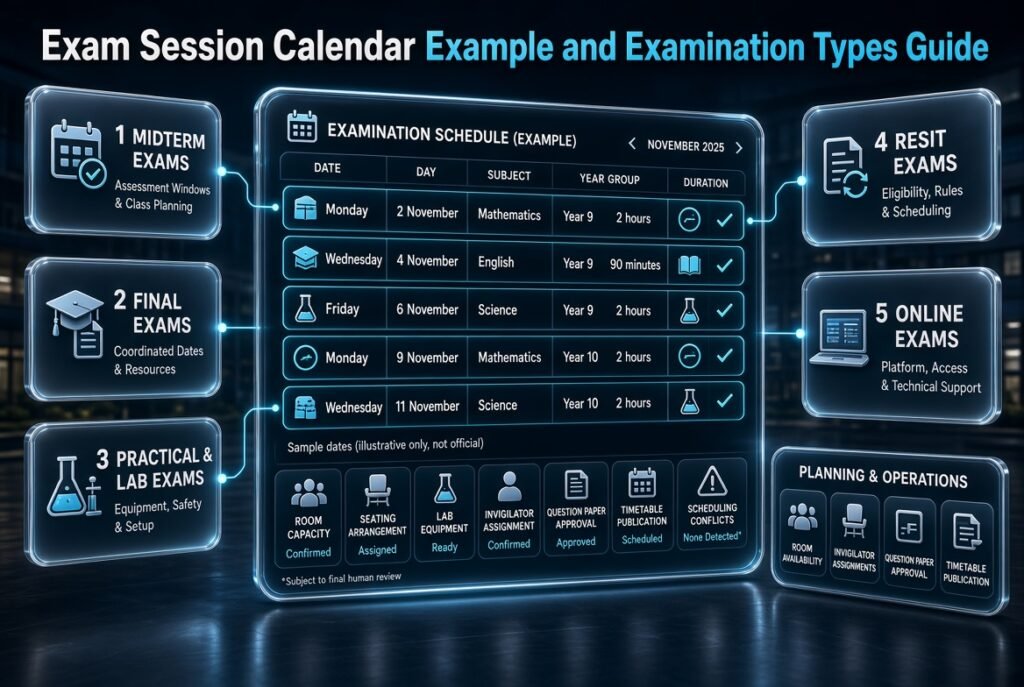
Consider a secondary school preparing final examinations for three subjects: Mathematics, Science, and English.
The school has a two-week examination window and several year groups. Mathematics requires two hours, Science requires two hours, and English requires 90 minutes.
The examination coordinator begins by confirming the proposed dates, checking school closures, collecting candidate numbers, and identifying any specialist room requirements.
A preliminary calendar might look like this:
| Date | Examination | Student Group | Duration | Planning Requirement |
|---|---|---|---|---|
| Monday, 2 November | Mathematics | Year 9 | 2 hours | Confirm room capacity |
| Wednesday, 4 November | English | Year 9 | 90 minutes | Check seating |
| Friday, 6 November | Science | Year 9 | 2 hours | Verify equipment |
| Monday, 9 November | Mathematics | Year 10 | 2 hours | Confirm invigilator |
| Wednesday, 11 November | Science | Year 10 | 2 hours | Check laboratory needs |
This is an illustrative example, not a confirmed examination timetable.
The coordinator then checks whether students have overlapping examinations, whether rooms are available, and whether staff assignments are practical.
Next, the calendar includes question-paper approval, room inspections, publication of the final timetable, and result-processing milestones.
Once the necessary checks are complete, the approved calendar is published. Students receive a clear timetable, while administrators retain the broader calendar for monitoring responsibilities and deadlines.
This example demonstrates why an examination calendar should connect dates with the people, resources, and tasks needed to deliver the session.
How to Organize Different Types of Examination Sessions
Different examinations have different scheduling requirements. A useful calendar should reflect those differences instead of treating every assessment as identical.
Midterm Examinations
Midterm assessments usually take place while teaching continues during the academic term.
The calendar should identify the assessment window, affected classes, and any changes to normal lessons. Administrators should coordinate with teachers to avoid unnecessary disruption to teaching activities.
Final Examinations
Final examinations may involve several departments and a larger number of students.
These sessions benefit from early planning, careful resource allocation, clear approval procedures, and adequate preparation time. Result-processing deadlines may also need to be included.
Practical and Laboratory Examinations
Practical assessments may require specialist equipment, smaller groups, additional setup time, or specific safety arrangements.
Identify these requirements before confirming the examination date. A practical examination should not be treated like a standard written paper if its venue and equipment needs are different.
Resit and Supplementary Examinations
Resit examinations may involve fewer students but still require careful coordination.
Administrators should confirm candidate eligibility, applicable assessment rules, and the arrangements for communicating dates and locations. Do not assume that the main examination timetable automatically covers every resit requirement.
Online Examinations
Online examinations may reduce the need for physical rooms but introduce other scheduling considerations.
These can include platform availability, technical support, time-zone differences, access arrangements, and contingency procedures for technical disruptions.
Communicate the required technology and approved arrangements in advance. A calendar should identify important dates, while the institution’s examination instructions should explain the technical requirements in sufficient detail.
Exam Session Calendar Builder vs. Spreadsheet vs. Dedicated Software
Institutions can build examination calendars using different methods. The best choice depends on scheduling complexity, the number of users, and the level of coordination required.
| Method | Advantages | Limitations | Best Suited To |
|---|---|---|---|
| Paper calendar | Simple and easy to display | Difficult to update consistently | Small, straightforward planning tasks |
| Spreadsheet | Flexible and customizable | Manual checks may miss conflicts | Small schools or departments |
| Digital calendar | Convenient sharing and date management, depending on the platform | May lack specialist scheduling functions | Teams needing a shared overview |
| Dedicated scheduling software | May support complex rules, resource allocation, and conflict checks | Can require training, setup, and budget | Institutions with complex requirements |
When Is a Spreadsheet Enough?
A spreadsheet may be sufficient when the institution has a limited number of examinations, straightforward room requirements, and a clear process for managing updates.
It can also be useful for preparing an initial draft before dates are transferred to a shared calendar.
However, spreadsheets can become difficult to maintain as the number of student groups, facilities, and restrictions grows. Manual edits, duplicate files, and inconsistent information can create avoidable errors.
When Should an Institution Consider Dedicated Software?
Specialized software may be worth considering when several departments need to coordinate large numbers of examinations or when room, staffing, and enrollment constraints become difficult to manage manually.
Before choosing a tool, verify its actual capabilities. Not every calendar builder offers automated conflict detection, reminders, permission controls, or integrations.
The Academic Planning and Scheduling Tools resource can help readers consider examination planning within the wider context of academic scheduling.
Common Mistakes to Avoid When Building an Exam Session Calendar
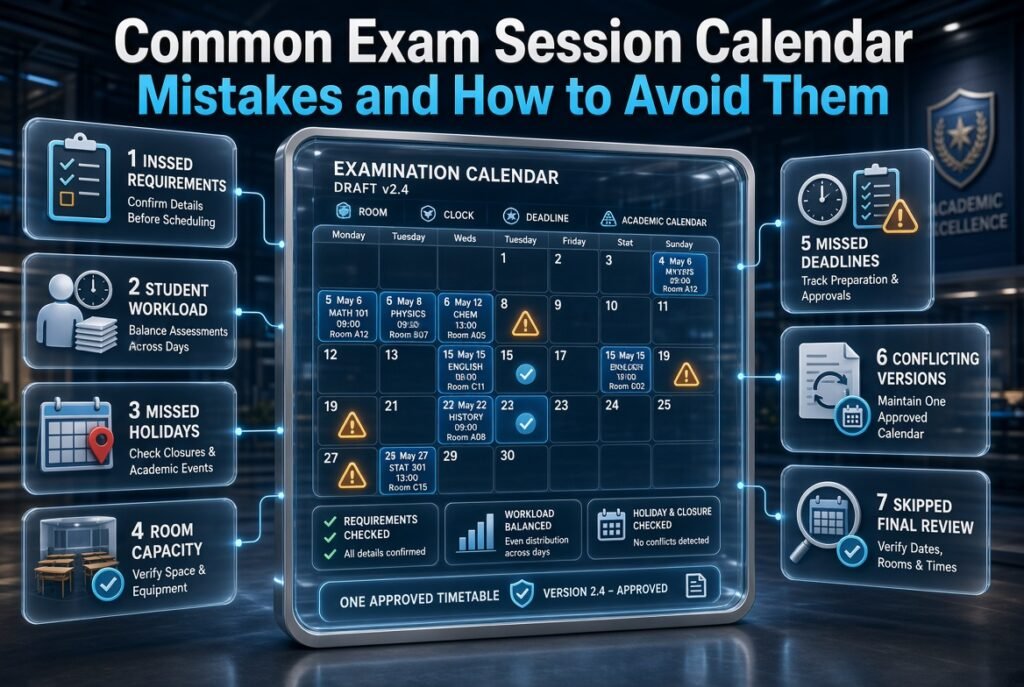
Even a well-designed calendar can fail if the information is incomplete or the update process is unreliable.
Mistake 1: Scheduling Before Collecting Complete Requirements
Why it happens: Administrators may feel pressure to publish dates quickly.
Why it causes problems: Missing candidate numbers, examination durations, or room requirements can force major changes later.
How to avoid it: Use a standard checklist and confirm essential details with every relevant department before assigning final slots.
Mistake 2: Ignoring Student Workload
Why it happens: Departments may schedule their own examinations independently.
Why it causes problems: Students can face several demanding assessments in a short period, even when no formal time conflict exists.
How to avoid it: Review the full examination sequence for each student group and distribute assessments more evenly where scheduling flexibility allows.
Mistake 3: Overlooking Holidays and Academic Events
Why it happens: Examination planning may be handled separately from the wider academic calendar.
Why it causes problems: Dates may conflict with closures, institutional events, or unavailable facilities.
How to avoid it: Check the official academic calendar and coordinate holiday arrangements through the Academic Holiday Calendar Builder where relevant.
Mistake 4: Assigning Rooms Without Checking Capacity
Why it happens: Administrators may focus on room availability rather than suitability.
Why it causes problems: A venue may lack sufficient seating, equipment, accessibility, or preparation time.
How to avoid it: Verify candidate numbers and resource requirements before confirming a room.
Mistake 5: Forgetting Administrative Deadlines
Why it happens: The calendar focuses only on examination dates.
Why it causes problems: Paper approval, invigilator assignments, and room checks may be delayed.
How to avoid it: Include preparation milestones and assign responsibility for each task.
Mistake 6: Publishing Conflicting Versions
Why it happens: Updates are distributed through separate emails, messages, notices, and documents.
Why it causes problems: Students may rely on outdated dates or venues.
How to avoid it: Maintain one authoritative version and clearly communicate approved changes through consistent channels.
Mistake 7: Skipping the Final Review
Why it happens: A completed calendar may appear organized at first glance.
Why it causes problems: Incorrect times, missing assessments, and duplicate room bookings can remain unnoticed.
How to avoid it: Conduct a final review with academic departments and relevant administrative staff before publication.
Expert Tips for Creating a More Reliable Examination Calendar
A reliable examination calendar depends on consistent planning rules, accurate information, and clear responsibilities.
Prioritize Restricted Examinations
Schedule assessments with limited options before flexible ones. Specialist laboratories, external examiners, and high-capacity venues can restrict the available dates.
Placing these examinations first reduces the chance that a flexible assessment will occupy a slot needed by a more restricted one.
Build in Reasonable Contingency Time
Avoid planning every administrative task against the latest possible deadline.
Allow realistic time for paper approval, room inspections, timetable corrections, and authorized rescheduling. The appropriate buffer depends on institutional procedures and the complexity of the examination session.
Separate Tentative and Approved Dates
During early planning, some dates may remain provisional.
Label these dates clearly and avoid presenting them as final instructions. Once approval is complete, publish the confirmed calendar and explain how remaining changes will be communicated.
Use Consistent Naming Conventions
Choose standard formats for subjects, course codes, student groups, rooms, and assessment types.
Consistent labels make it easier to review the calendar and distinguish between examinations with similar names.
Establish a Change-Management Process
Every significant change should have an identifiable approval source, a documented update, and a communication plan.
Record the original and revised arrangements when appropriate. This makes it easier to answer questions and confirm that the current timetable reflects an authorized decision.
Coordinate With Semester Milestones
Examination sessions often depend on events that occur earlier in the academic term.
Teaching completion, coursework submissions, revision periods, and other academic milestones can all affect examination readiness.
The Semester Milestone Calendar is relevant when connecting examination planning with these wider term-related activities.
Keep Student-Facing Information Simple
Administrators may need detailed information about rooms, staffing, approvals, and contingency arrangements. Students generally need a concise, readable schedule.
Provide each audience with the information necessary for its role. This makes the calendar easier to use without removing important administrative detail.
Review Every Session After Completion
Once examinations finish, collect feedback from students, teachers, invigilators, and administrators.
Identify recurring problems, such as room changes, unrealistic assessment gaps, late paper submissions, or confusing announcements. Use these observations to improve the next examination calendar.
How to Coordinate an Exam Session Calendar With Other Academic Tools
An examination calendar works best when its dates are coordinated with related academic planning activities. The aim is to connect relevant schedules without duplicating every detail.
Coordinate With the School-Year Calendar
The school-year calendar provides the broader framework for teaching periods, holidays, institutional closures, and major events.
The School Year Event Calendar is useful when examination dates need to be considered alongside school-wide activities.
Coordinate With Weekly Lesson Planning
Teachers may need to adjust lesson arrangements when examinations interrupt normal teaching periods.
The Weekly Lesson Period Planner can support the organization of lesson periods around approved examination dates when those schedules need to work together.
Coordinate With Subject Timetables
Subject timetables show the regular teaching arrangements that may be affected by examination sessions.
The Subject Timetable Maker is relevant when reviewing how assessments fit alongside subject-level scheduling.
Coordinate With Student Class Periods
Student groups may have different combinations of subjects and class periods. Reviewing those arrangements can help administrators identify conflicts and understand which learners are affected by an examination change.
The Student Class Period Organizer is relevant when organizing class-period information for individual student groups.
Coordinate With Class Timetable Grids
A class timetable grid can help teachers and administrators review regular class arrangements before changing room usage or lesson schedules for examinations.
The Class Timetable Grid Builder is useful when comparing examination plans with existing class periods.
Coordinate With Detailed Examination Scheduling
The session calendar shows the overall examination period, while an Exam Schedule Generator is relevant to arranging individual examination dates and time slots.
For smaller tests and classroom assessments, the Test Date Timetable Planner may also support the planning process.
These resources address related but distinct needs. Use each where it genuinely supports the examination planning workflow rather than adding unnecessary layers of administration.
What Is an Exam Session Calendar Builder, and How Does It Help Academic Institutions?
An exam session calendar builder is a planning tool that helps academic institutions organize examination dates, sessions, subjects, student groups, room allocations, and important deadlines in one structured calendar. Rather than maintaining separate schedules across spreadsheets, notices, and messages, administrators can use a central planning system to manage the examination period more consistently.
Its main value is not simply displaying examination dates. It helps institutions understand how different assessments relate to one another, identify possible scheduling conflicts, and communicate important information to the people involved. For example, if several departments need examination rooms during the same week, a well-maintained calendar makes it easier to identify overlapping requirements before the schedule is finalized.
Key benefits include:
Centralized planning: Keep examination dates, session details, and preparation deadlines organized in one place.
Conflict identification: Review overlapping examinations, room requirements, and scheduling restrictions before publishing the timetable.
Better communication: Give students, teachers, and administrators a clear reference for approved examination dates.
Improved coordination: Connect examination sessions with academic milestones, holidays, and other institutional activities.
Easier updates: Record approved changes and communicate revised arrangements without relying on outdated documents.
For institutions managing multiple classes or departments, an exam session calendar builder can make planning more transparent and manageable. Its effectiveness depends on accurate information, clear responsibilities, and regular reviews before the calendar is published.
How Do You Create an Effective Exam Session Calendar for a School or University?
identifying the institution’s scheduling requirements. Before assigning examination dates, administrators should understand which subjects need to be assessed, how many student groups are involved, how long each examination will take, and which rooms or facilities are available.
The next step is to identify fixed dates and restrictions. These may include institutional holidays, graduation activities, practical examinations, external assessment deadlines, or periods when particular facilities cannot be used. Scheduling these requirements early helps prevent avoidable changes later.
Once the basic information is available, administrators can arrange examinations in a logical sequence and review the proposed calendar for conflicts. The draft should then be checked by relevant departments before the approved version is shared with students and staff.
A practical planning process includes:
Step 1: Collect examination details. Record subjects, course codes, student groups, examination durations, and any special requirements.
Step 2: Identify available dates. Check the academic calendar, holidays, room availability, and institutional restrictions.
Step 3: Assign examination sessions. Schedule each assessment according to its duration, student availability, and resource requirements.
Step 4: Check for conflicts. Review overlapping examinations, insufficient room capacity, and excessive assessment concentration.
Step 5: Confirm responsibilities. Coordinate invigilators, examination papers, equipment, and departmental approvals.
Step 6: Publish the approved calendar. Share a clear version containing dates, times, subjects, locations, and relevant instructions.
Step 7: Maintain the schedule. Record necessary changes, identify the latest approved version, and notify affected students and staff.
A useful calendar should also include time for review and correction before publication. When examination dates change, administrators should update the central record first and ensure that every shared copy reflects the approved information. This approach reduces confusion and helps students prepare using reliable dates.
What Features Should You Look for in an Exam Session Calendar Builder?
The most useful exam session calendar builder is one that supports the institution’s actual scheduling needs rather than simply offering an attractive calendar layout. A small school may need an editable monthly view, while a university with multiple faculties may require detailed session management, room allocation, staff coordination, and controlled access to scheduling information.
Before selecting a tool, consider how examinations are currently organized, how frequently changes occur, and how many people need access to the calendar. The goal is to choose features that solve genuine administrative problems without making the planning process unnecessarily complicated.
Important features to consider include:
Flexible calendar views: Daily, weekly, monthly, or examination-period views help users understand schedules at different levels.
Editable examination entries: Administrators should be able to update dates, times, subjects, locations, and session details when changes are approved.
Conflict checking: The system should help identify overlapping sessions, unavailable rooms, or scheduling restrictions where supported.
Student group management: Separate classes, grades, courses, or departments should be easy to distinguish.
Room and resource coordination: Institutions should be able to consider seating capacity, specialist equipment, and facility availability.
Sharing and export options: Clear printable calendars or shareable schedules make approved information easier to distribute.
Change tracking: A reliable process for recording revisions helps users distinguish current information from outdated versions.
Access controls: Sensitive examination information should be accessible only to authorized users.
Simple navigation: Teachers and administrators should be able to find important dates without extensive training.
It is also important to distinguish between features that a tool provides automatically and tasks that still require human review. For example, a calendar may display two examinations at the same time, but administrators may still need to determine whether the affected students are enrolled in both assessments.
The best choice is therefore a tool that combines usability with dependable planning features. Evaluate it using a realistic examination scenario before adopting it across the institution.
How Can an Exam Session Calendar Builder Prevent Examination Scheduling Conflicts?
An exam session calendar builder can help prevent scheduling conflicts by giving administrators a consolidated view of examination dates, student groups, rooms, durations, and other restrictions. When these details are managed separately, conflicts can remain unnoticed until a timetable is nearly finalized. A central calendar makes it easier to review related information before publishing the schedule.
For example, two departments may independently reserve the same examination room for the same time. Another problem may occur when students taking two different subjects are assigned examinations that overlap. A calendar review can reveal these problems early enough for administrators to consider alternative dates, rooms, or sessions.
However, preventing conflicts requires more than entering examination dates. The information must be complete, and administrators must check the constraints that matter to their institution. Automated conflict detection can be helpful when available, but it should support—not replace—academic review.
Practical ways to reduce scheduling conflicts include:
Check student group overlaps: Confirm whether students are required to attend two examinations during the same period.
Review room availability: Make sure each assigned room is available and has sufficient seating capacity.
Allow realistic examination durations: Include start times, end times, reading periods, and any required transition time.
Schedule restricted examinations first: Prioritize assessments that depend on specialist rooms, equipment, external examiners, or fixed dates.
Review the full examination period: Look for both direct clashes and an unreasonable concentration of demanding examinations.
Coordinate across departments: Ask relevant staff to check the draft before final approval.
Document changes: Record revised dates and notify everyone affected by a scheduling adjustment.
Consider a university planning examinations for three departments. If two assessments require the same laboratory, the calendar review should identify the shared resource before the schedule is published. One assessment can then be moved to another available session, provided the revised date meets academic requirements.
This structured review helps institutions avoid preventable disruptions, reduces last-minute rescheduling, and gives students greater confidence in the published timetable.
What Is the Difference Between an Exam Session Calendar Builder and an Exam Schedule Generator?
An exam session calendar builder and an exam schedule generator are closely related tools, but they generally serve different planning purposes. A calendar builder focuses on organizing and viewing examination activities across a defined period. An exam schedule generator focuses more specifically on arranging examinations into dates, times, and sessions according to the information and constraints provided.
For example, an institution may use a calendar builder to view the complete examination period, including assessment dates, preparation deadlines, departmental reviews, and publication milestones. It may then use an exam schedule generator to assign individual subjects to suitable examination slots while considering student groups, room requirements, and examination durations.
The exact distinction depends on the features offered by each tool. Some platforms combine both functions, allowing administrators to create a timetable and manage the broader examination calendar in the same system.
The main differences are:
Primary purpose: A calendar builder organizes the examination period, while a schedule generator concentrates on arranging individual examinations.
Planning scope: A calendar may include deadlines and related academic activities; a generator typically focuses on examination dates, times, and sessions.
Conflict management: Both can support conflict review, but scheduling tools may provide more specific timetable-generation or constraint-checking features.
Administrative use: A calendar is useful for monitoring the overall examination period, while a generated schedule helps communicate the precise arrangements for each assessment.
Combined workflow: Using both functions together can connect high-level planning with detailed examination scheduling.
For many schools and universities, the most practical solution is a workflow that connects these two activities. Administrators can establish the examination period in a calendar, prepare the detailed timetable, review conflicts, and then publish the approved schedule.
The important consideration is not which tool has the better name. It is whether the available features support the institution’s requirements, reduce manual work, and make examination information easier to maintain and communicate.
Conclusion
An exam session calendar builder is a valuable planning resource for schools, colleges, universities, and academic administrators who need to manage examination periods efficiently. By organizing examination dates, subjects, student groups, room arrangements, and important deadlines in one structured calendar, institutions can improve coordination and reduce the confusion associated with scattered schedules and last-minute changes.
Creating a reliable examination calendar requires more than entering dates. Administrators should consider student availability, room capacity, examination durations, academic holidays, departmental requirements, and potential scheduling conflicts before approving the final plan. Regular reviews and clear communication also help ensure that students and staff receive accurate, up-to-date information.
For better results, connect examination planning with other academic activities, including semester milestones, holiday schedules, and weekly timetables. Using the right combination of planning tools can help institutions manage their academic responsibilities with greater clarity and consistency.
Whether you’re organizing examinations for a small school or coordinating multiple departments at a university, a structured approach makes the process easier to manage. Explore RTI Scheduler for academic planning resources that can help you organize schedules, coordinate important dates, and build a more dependable examination planning process.