
Introduction
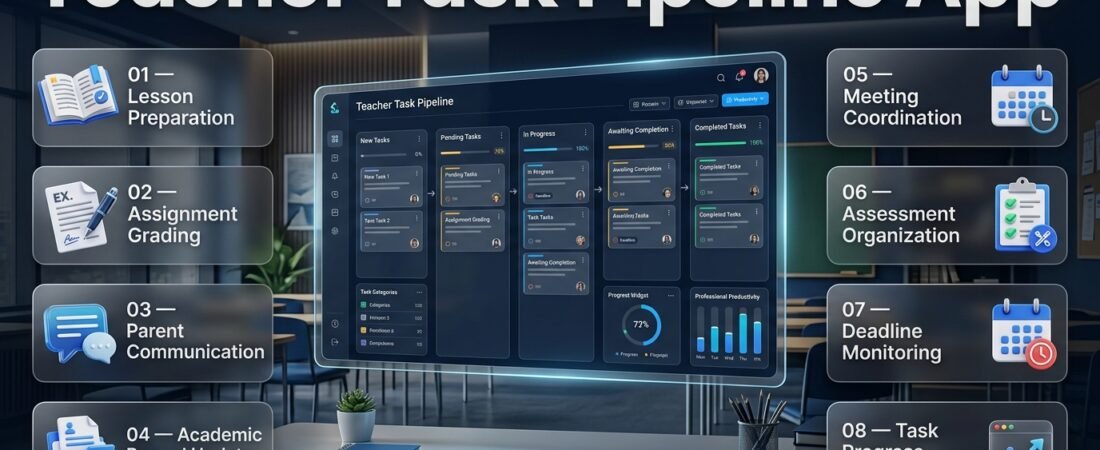
Teacher Task Pipeline App | A teacher’s working day rarely ends when the classroom becomes empty. After delivering lessons, educators still need to prepare instructional materials, evaluate student assignments, respond to parents, update academic records, attend meetings, organize assessments, and complete administrative responsibilities. When these activities arrive from different directions, managing everything can become a serious challenge.
The real difficulty isn’t always the amount of work. It is knowing which responsibility needs attention first, which activity is already underway, what is waiting for completion, and which deadline is approaching. Without an organized process, teachers can spend valuable time searching through notebooks, checking messages, updating separate lists, and trying to remember unfinished responsibilities.
This is where a Teacher Task Pipeline App becomes valuable. It provides a structured way to organize teaching responsibilities, move individual tasks through different stages, monitor progress, and maintain a clearer picture of everyday workloads.
Instead of depending entirely on memory or maintaining several disconnected task lists, teachers can establish a consistent workflow that follows their responsibilities from the moment they are created until they are completed.
Modern educational planning also requires teachers to understand how their daily activities connect with classroom schedules, academic calendars, assessment periods, and school deadlines. Resources available through RTI Scheduler can help readers explore the wider educational planning and scheduling environment surrounding these responsibilities.
A well-designed teacher task pipeline is not simply another digital checklist. It is an organizational approach that helps educators manage different types of work without losing track of important activities.
In this comprehensive guide, we’ll explain what a teacher task pipeline app is, how it works, which features matter most, how to organize responsibilities, how to manage multiple classes, and how to create a practical teaching workflow. We’ll also examine common mistakes, selection criteria, realistic examples, and professional strategies for improving everyday productivity.
What Is a Teacher Task Pipeline App?
A Teacher Task Pipeline App is a digital task management solution that allows educators to organize their professional responsibilities into clearly defined stages. It helps teachers record new activities, assign priorities, establish deadlines, monitor progress, and identify which responsibilities still require attention.
Unlike a traditional to-do list, a pipeline focuses on the movement of work. A task doesn’t simply appear as unfinished or completed. It can move through several stages depending on the actions required to finish it.
For example, preparing a science examination may involve reviewing the syllabus, selecting questions, preparing the marking scheme, checking the final paper, and submitting the material. A task pipeline allows the teacher to monitor these stages rather than treating the entire responsibility as one unfinished item.
The main purpose is to make work visible, manageable, and easier to organize.
How Does a Teacher Task Pipeline Work?
A teacher task pipeline works by placing responsibilities into a sequence of stages. Each stage represents a different point in the completion process.
A practical workflow may include:
| Pipeline Stage | Purpose | Teaching Example |
|---|---|---|
| New Tasks | Record newly received responsibilities | Prepare a mathematics worksheet |
| Planned | Organize tasks with dates and priorities | Schedule worksheet preparation |
| In Progress | Begin working on the responsibility | Create questions and exercises |
| Waiting | Identify tasks requiring information | Wait for departmental approval |
| Under Review | Check the completed work | Review worksheet accuracy |
| Completed | Confirm the responsibility is finished | Share the final worksheet |
These stages give teachers a better understanding of their workload.
For example, if a teacher has 20 responsibilities, a conventional list may show 20 unfinished items. A pipeline can reveal that five are planned, six are in progress, three are waiting for feedback, and six are not yet started.
That distinction makes it easier to decide what should happen next.
Why Is a Task Pipeline Different From a Basic To-Do List?
A basic to-do list is designed to record activities that need to be completed. A task pipeline provides additional structure by showing how responsibilities progress through different stages.
Both approaches are useful, but their suitability depends on the complexity of the teacher’s workload.
| Comparison | Basic To-Do List | Teacher Task Pipeline |
|---|---|---|
| Record responsibilities | Yes | Yes |
| Set priorities | Sometimes | Usually supported |
| Track progress stages | Limited | Central purpose |
| Organize ongoing projects | Basic | More structured |
| Monitor waiting tasks | Limited | Can be included |
| Review unfinished work | Yes | Yes |
| Manage collaborative activities | Depends on tool | Depends on tool |
| Reuse workflows | Limited | Possible with suitable software |
A basic list may be sufficient for a teacher managing a small number of daily responsibilities. A pipeline becomes more useful when activities involve multiple steps, deadlines, reviews, or coordination with other people.
Why Do Teachers Need a Task Pipeline Management System?
Teachers need an organized task management system because their responsibilities are interconnected and frequently compete for attention.
A single day may involve delivering several lessons, reviewing student work, preparing classroom resources, communicating with parents, and completing administrative documentation. Some responsibilities are urgent, while others require consistent progress over several days.
Without a reliable process, educators can struggle to maintain visibility across their workload.
1. Preventing Important Responsibilities From Being Forgotten
One of the most common organizational challenges in teaching is remembering every responsibility while handling classroom activities.
A teacher may remember to prepare tomorrow’s lesson but forget to submit an academic report due later in the week. Another educator may complete assignment grading but overlook a student follow-up that requires additional attention.
A task pipeline provides a central place to record these activities.
Teachers can:
- Add responsibilities as soon as they receive them.
- Record important deadlines.
- Separate unfinished work from completed activities.
- Identify tasks that require additional information.
- Review pending responsibilities regularly.
Practical example: A teacher receives instructions to prepare a classroom presentation, evaluate assignments, and submit student progress information. Instead of keeping these instructions in separate notebooks, the teacher records all three activities in the pipeline and assigns suitable deadlines.
This makes responsibilities easier to review and reduces dependence on memory.
2. Improving Daily Work Prioritization
Not every teaching responsibility deserves the same level of attention.
Preparing a lesson for tomorrow may require immediate action, while organizing resources for a classroom activity next month can be scheduled later.
A task pipeline helps teachers organize activities according to urgency, importance, and expected completion time.
| Priority | Description | Example |
|---|---|---|
| Critical | Requires immediate attention | Submit an examination report due today |
| High | Important and time-sensitive | Complete lesson preparation |
| Medium | Important but less urgent | Review next week’s learning materials |
| Low | Flexible responsibility | Organize supplementary resources |
The purpose is not to label every task as urgent. It is to identify which responsibilities genuinely deserve attention first.
Professional advice: At the beginning of each working day, identify two or three essential responsibilities. This provides direction without creating an unrealistic expectation that every unfinished task must be completed immediately.
3. Creating Consistent Teaching Routines
Many teaching activities repeat throughout the academic year.
Lesson preparation, grading, attendance reviews, classroom assessments, and progress reporting often follow predictable schedules.
A task pipeline helps teachers organize these recurring activities into repeatable workflows.
For example, a weekly teaching routine could include:
- Monday: Review learning objectives and prepare lesson materials.
- Tuesday: Organize classroom exercises and supplementary resources.
- Wednesday: Review student assignments.
- Thursday: Evaluate learning progress and identify follow-up activities.
- Friday: Complete weekly reporting and prepare the following week’s responsibilities.
The exact schedule will depend on the teacher’s timetable and institutional requirements.
However, having a repeatable process reduces the need to organize every responsibility from the beginning each week.
4. Reducing Administrative Overload
Administrative work can consume a significant amount of a teacher’s available preparation time.
Reports, attendance documentation, assessment records, parent communication, meeting preparation, and departmental requests may arrive alongside regular instructional responsibilities.
When these activities are spread across multiple systems, teachers can waste time searching for information and repeating the same organizational steps.
A task pipeline helps establish a consistent place to track:
- Student progress reporting.
- Attendance-related follow-ups.
- Assignment evaluation.
- Parent communication.
- Departmental documentation.
- Meeting preparation.
- Academic submissions.
Teachers managing wider administrative responsibilities can also explore the Educator Administrative Workflow App as a related educational planning topic.
5. Improving Accountability
A clear task record helps educators understand what needs to be completed, when it should happen, and who is responsible.
This is particularly important when several teachers work together.
For example, preparing a departmental examination may involve one teacher preparing questions, another reviewing the marking scheme, and a coordinator checking the final document.
When responsibilities are clearly assigned, the team can identify unfinished activities more easily.
Essential Features of a Good Teacher Task Pipeline App
The value of a teacher task pipeline app depends on how well its features support real educational responsibilities.
A useful solution should simplify task organization rather than overwhelm educators with unnecessary controls.
1. Centralized Task Creation
Centralized task creation allows teachers to record different responsibilities in one organized location.
Instead of maintaining separate lists for lesson planning, grading, meetings, and administrative work, educators can use a shared task management environment.
Important task information may include:
- Task title.
- Detailed description.
- Assigned subject or class.
- Creation date.
- Due date.
- Priority.
- Responsible person.
- Supporting notes.
- Related resources.
For example, a teacher could create a task called “Prepare Science Chapter 7 Assessment” and include the class name, assessment date, required materials, and preparation deadline.
This provides a clear record of the responsibility and reduces confusion when reviewing unfinished activities.
2. Customizable Workflow Stages
Workflow stages allow teachers to separate responsibilities according to their current progress.
A suitable pipeline might include:
| Stage | Meaning |
|---|---|
| New | Recently recorded activity |
| Planned | Assigned a working date |
| In Progress | Currently being completed |
| Waiting | Requires information or action from someone else |
| Review | Needs checking or approval |
| Completed | Successfully finished |
Not every teacher requires six stages.
An educator managing individual classroom responsibilities may only need four stages. A department coordinator managing shared projects may benefit from additional review and waiting stages.
Expert tip: Keep the workflow simple enough that updating a task takes only a few seconds. A pipeline that requires too much administration can become another source of unnecessary work.
3. Deadline and Due-Date Management
Teaching responsibilities frequently involve fixed deadlines.
Examination preparation, assignment evaluation, academic reports, lesson submissions, and departmental meetings all require timely completion.
A deadline management feature helps teachers identify when individual activities should receive attention.
Useful functions include:
- Individual task due dates.
- Upcoming deadline views.
- Overdue task identification.
- Daily and weekly scheduling.
- Reminder settings.
- Recurring task support, where available.
For example, a teacher evaluating 60 student assignments can divide the work into smaller batches and schedule them across several days.
This is more manageable than leaving the entire evaluation process until the final submission date.
Teachers managing several academic commitments may also find Academic Deadline Management relevant to the wider process of organizing important educational deadlines.
4. Task Priority and Categorization
Priority settings help teachers distinguish between activities that need immediate attention and responsibilities that can be scheduled for later.
A useful system can include critical, high, medium, and low priority levels.
Categorization adds another level of organization.
For example:
| Category | Responsibilities |
|---|---|
| Lesson Planning | Teaching materials and lesson preparation |
| Assessment | Tests, grading, and feedback |
| Student Support | Academic follow-ups |
| Administration | Reports and documentation |
| Meetings | Parent and departmental meetings |
| Academic Planning | Curriculum and term preparation |
Combining categories with priorities makes it easier to filter responsibilities and identify important activities.
5. Calendar and Schedule Integration
A calendar view helps teachers understand how their responsibilities fit into existing academic schedules.
A task may be important, but its completion date should also be realistic.
For example, scheduling extensive grading during a day already filled with examinations and meetings may create unnecessary pressure.
Useful calendar capabilities include:
- Daily task views.
- Weekly planning.
- Monthly deadline overviews.
- Recurring activities.
- Important academic dates.
- Scheduled meetings.
Teachers can explore Academic Planning and Scheduling Tools for a broader understanding of how academic planning connects with everyday responsibilities.
6. Progress Tracking and Task History
Progress tracking helps teachers understand whether responsibilities are moving toward completion.
Instead of reviewing a list of task titles without context, educators can identify what has started, what remains unfinished, and what requires follow-up.
Useful progress information may include:
- Total recorded tasks.
- Completed responsibilities.
- Tasks currently in progress.
- Overdue activities.
- Waiting tasks.
- Recently updated responsibilities.
Task history can also help teachers identify recurring workload problems.
For example, if assignment evaluation regularly becomes delayed during examination weeks, the educator can allocate additional grading time in future schedules.
7. Notifications and Reminders
Reminders help teachers stay aware of important deadlines without constantly checking their task lists.
However, notifications should be configured carefully.
Too many alerts can interrupt classroom instruction and make it harder to concentrate.
Useful reminder settings may include:
- Upcoming submission alerts.
- Meeting reminders.
- Assessment deadlines.
- Follow-up notifications.
- Overdue task alerts.
Before choosing an application, check whether these functions are actually supported and whether notification settings can be adjusted.
8. Collaboration and Task Assignment
Some teaching responsibilities involve multiple educators and school administrators.
Preparing an examination schedule, organizing a school event, or reviewing departmental documentation may require several people to contribute.
A collaborative task management solution can help identify individual responsibilities.
Useful capabilities may include task assignment, shared updates, comments, feedback, and progress visibility.
However, collaboration features should be selected according to actual institutional needs. Individual teachers do not necessarily require the same level of functionality as school management teams.
9. Mobile and Desktop Accessibility
Teachers may need to review responsibilities from different working environments.
They might check a deadline between classes, update a task after a meeting, or review the following week’s activities at home.
Mobile and desktop accessibility can make task management more convenient.
Before selecting software, examine:
- Mobile interface quality.
- Desktop accessibility.
- Ease of editing tasks.
- Synchronization capabilities, if offered.
- Navigation and readability.
- Account security.
A complicated interface can discourage regular use, even when the software provides useful features.
10. Data Security and Access Management
Educational responsibilities may involve information about students, assessments, and institutional activities.
Teachers should understand how an application handles stored information before introducing it into their working environment.
Important considerations include account protection, access permissions, data storage, privacy policies, and institutional approval.
Avoid placing sensitive student information into an application unless its use is permitted by school policies and appropriate privacy requirements.
Types of Teaching Responsibilities You Can Manage With a Task Pipeline
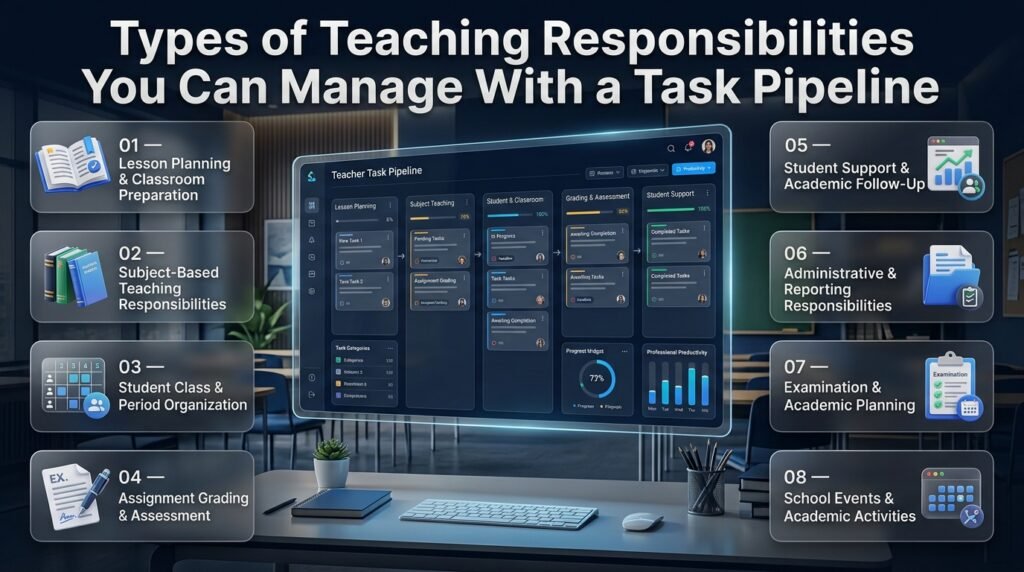
A teacher task pipeline becomes more useful when it supports different categories of educational work.
Teachers should avoid treating every responsibility as an identical task. Lesson preparation, assessment, student support, and administration often require different processes.
1. Lesson Planning and Classroom Preparation
Lesson planning requires preparation before students enter the classroom.
Teachers need to review learning objectives, select suitable resources, organize classroom activities, and determine how student understanding will be evaluated.
A task pipeline can divide this process into manageable activities:
- Review curriculum requirements.
- Identify learning objectives.
- Prepare lesson materials.
- Organize classroom exercises.
- Select assessment methods.
- Finalize instructional resources.
Teachers managing several lessons each week can use a Weekly Lesson Period Planner as a related resource for organizing teaching periods and lesson responsibilities.
The important distinction is that a lesson planner organizes instructional time, while a task pipeline tracks the work required to prepare and deliver those lessons.
2. Subject-Based Teaching Responsibilities
Teachers handling multiple subjects often need to organize different materials, assessments, and preparation activities.
For example, a teacher responsible for mathematics, science, and general studies may have different preparation requirements for each subject.
A task pipeline can organize activities using subject labels.
This makes it easier to identify which responsibilities belong to which subject and prevents unrelated activities from becoming mixed together.
A Subject Timetable Maker is another related resource when educators need to organize subject periods and academic schedules.
3. Student Class and Period Organization
Managing several classes requires teachers to remember different lesson requirements, classroom activities, student needs, and assessment responsibilities.
A task management system can help educators create separate responsibilities for each class.
For example:
- Prepare Class 7 mathematics exercises.
- Review Class 8 science assignments.
- Prepare Class 9 examination questions.
- Follow up on Class 10 student progress.
When these activities are clearly labeled, teachers can review their responsibilities without confusing one class with another.
Resources such as the Student Class Period Organizer and Class Timetable Grid Builder relate to the scheduling side of classroom organization.
4. Assignment Grading and Student Assessment
Assessment work often involves several connected activities.
Teachers receive student submissions, evaluate their work, provide feedback, record results, and identify students who need additional support.
A pipeline can organize these responsibilities into separate stages.
For example, an English teacher may create the following workflow:
- Collect student essays.
- Divide submissions into manageable groups.
- Review writing quality.
- Record marks.
- Prepare individual feedback.
- Identify students requiring additional support.
- Complete the assessment record.
This structure helps educators monitor assessment progress without treating every submission as one large responsibility.
5. Student Support and Academic Follow-Up
Some students need additional guidance, academic support, or follow-up after assessments.
These responsibilities should be organized carefully so important actions are not overlooked.
Teachers may record tasks such as reviewing student performance, preparing supplementary learning materials, arranging support sessions, communicating with parents, and monitoring progress.
The purpose is to help educators maintain an organized record of actions they need to take while continuing to use professional judgment when supporting individual students.
6. Administrative and Reporting Responsibilities
Administrative responsibilities frequently occur alongside classroom teaching.
These activities may include preparing reports, updating attendance records, completing documentation, organizing meetings, and submitting academic information.
A separate administrative category helps teachers distinguish these responsibilities from instructional preparation.
Teachers can also explore the Teacher Daily Operations App for a related perspective on organizing routine teaching and administrative activities.
7. Examination and Academic Planning
Examination periods introduce additional responsibilities.
Teachers may need to prepare question papers, review assessment instructions, organize materials, evaluate answer sheets, and submit results.
These activities usually involve strict deadlines and several connected steps.
A pipeline helps educators divide examination preparation into manageable responsibilities.
For broader examination planning, Exam Schedule Planning provides a related academic scheduling topic.
8. School Events and Academic Activities
School events create responsibilities that may involve several teachers and departments.
For example, preparing an annual academic event may require arranging resources, confirming schedules, coordinating participants, and reviewing final arrangements.
A task pipeline can track these activities while an academic calendar provides an overview of important dates.
The School Year Event Calendar is relevant when teachers need to consider school-wide activities and events.
How to Organize a Teacher Task Pipeline Step by Step
Creating a useful pipeline does not require a complicated management strategy.
Teachers can start with a simple structure and improve it gradually as they understand their actual workload.
Step 1: Identify Your Teaching Responsibilities
Begin by listing the activities you regularly manage.
Do not immediately create complicated categories or workflow stages. First, understand what your workload includes.
A secondary school teacher might identify:
- Daily lesson preparation.
- Student attendance.
- Assignment grading.
- Classroom assessments.
- Parent communication.
- Department meetings.
- Weekly reports.
- Examination preparation.
- Student progress reviews.
Why it matters: You cannot organize responsibilities effectively without understanding which activities need to be managed.
Professional advice: Review one complete working week before designing your pipeline. This helps you identify daily, weekly, monthly, and occasional responsibilities.
Step 2: Divide Responsibilities Into Meaningful Categories
Once you understand your workload, organize responsibilities into a manageable number of groups.
For example:
| Category | Included Activities |
|---|---|
| Teaching | Lesson preparation and classroom activities |
| Assessment | Tests, grading, and feedback |
| Student Support | Academic follow-ups |
| Administration | Reports and documentation |
| Meetings | Department and parent meetings |
| Planning | Weekly and monthly preparation |
| School Activities | Events and academic activities |
Avoid creating a separate category for every small activity.
The objective is to make responsibilities easier to find, not to introduce another layer of complexity.
Step 3: Create Your Workflow Stages
Decide how responsibilities will move from creation to completion.
A practical starting structure is:
New → Planned → In Progress → Under Review → Completed
Introduce a waiting stage if your responsibilities frequently depend on feedback, information, or approval from another person.
For example, a departmental document may remain in the waiting stage until the coordinator provides feedback.
Step 4: Set Realistic Deadlines
Every important responsibility should have a realistic completion date.
Before setting a deadline, consider the time required, other scheduled activities, and the consequences of delay.
A task that takes several hours should not automatically receive the same completion date as a task that takes ten minutes.
For larger responsibilities, divide the work into smaller activities and schedule each part separately.
Step 5: Assign Priorities
Use priority levels to distinguish important responsibilities from flexible activities.
Consider:
- Is the task urgent?
- Does it affect student learning?
- Is another person depending on its completion?
- What happens if it is delayed?
- Does it require preparation from other people?
This makes prioritization more practical than simply marking every task as high priority.
Step 6: Break Large Responsibilities Into Smaller Activities
Large projects can become difficult to manage because they contain several different responsibilities.
For example, preparing an examination may involve reviewing the syllabus, selecting topics, preparing questions, checking the marking scheme, finalizing the paper, and submitting the document.
Instead of creating one large task, divide it into separate steps.
This improves progress visibility and makes it easier to identify where delays occur.
Step 7: Review the Pipeline Daily
A task management system is only useful when its information remains accurate.
Spend a few minutes reviewing the pipeline before beginning the working day.
Check which tasks are due, which responsibilities are unfinished, and which activities require immediate attention.
At the end of the day, update task statuses and prepare priorities for the following day.
Step 8: Evaluate and Improve the Workflow
After using the system for a few weeks, review how effectively it supports your responsibilities.
Look for recurring problems.
Perhaps too many tasks remain in progress, deadlines are unrealistic, or administrative activities are consuming more time than expected.
Adjust your categories, workflow stages, and scheduling habits according to what you discover.
A useful pipeline should evolve with your workload instead of forcing you into a complicated routine.
Practical Example: How a Teacher Uses a Task Pipeline
Consider a science teacher responsible for three different classes.
During the same week, the teacher needs to prepare lessons, evaluate assignments, organize a laboratory activity, and submit examination-related documentation.
Without a structured workflow, these responsibilities may become difficult to track.
The teacher creates the following task pipeline:
| Responsibility | Priority | Deadline | Current Stage |
|---|---|---|---|
| Prepare Chapter 6 lesson | High | Monday | Completed |
| Evaluate Class 8 assignments | High | Tuesday | In Progress |
| Prepare laboratory activity | Medium | Wednesday | Planned |
| Review student progress | Medium | Thursday | New |
| Submit assessment report | High | Friday | Planned |
| Prepare additional exercises | Low | Friday | New |
This overview makes the teacher’s workload easier to understand.
If assignment grading takes longer than expected, the teacher can review upcoming deadlines and adjust the schedule before other responsibilities become delayed.
The teacher can also divide assignment evaluation into smaller tasks.
For example, instead of evaluating all 40 assignments in one sitting, the teacher may schedule 10 submissions per working session.
This creates manageable work periods and makes progress easier to measure.
The important point is that a task pipeline does not magically reduce the number of responsibilities. It provides a better method of organizing and monitoring them.
Managing Multiple Classes Without Creating Confusion
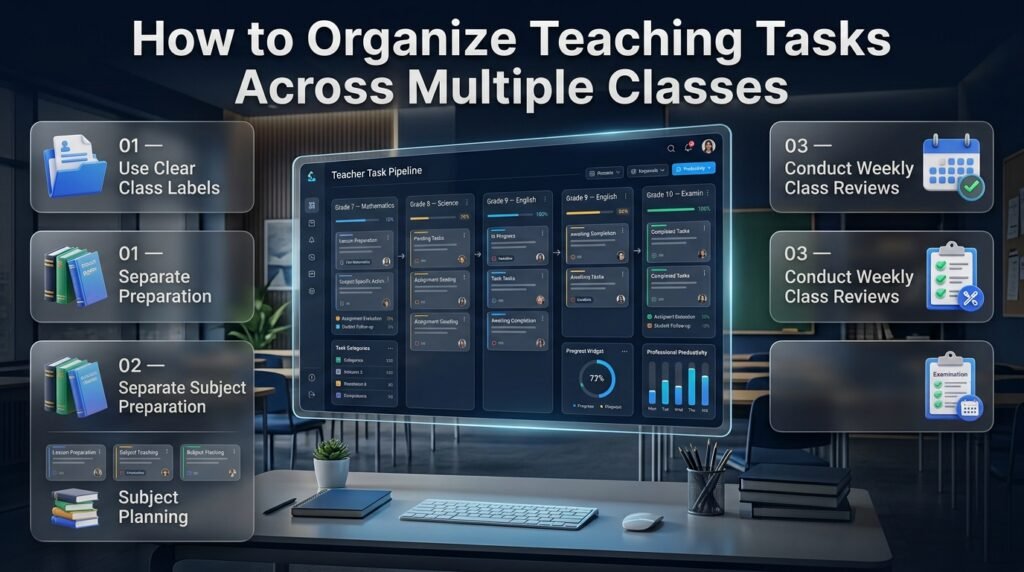
Teachers responsible for multiple classes need a system that clearly separates classroom-related responsibilities.
A single task list may become difficult to understand when activities from different subjects and student groups are mixed together.
Use Class Labels
Create meaningful labels for each class or section.
For example:
- Grade 7 – Mathematics.
- Grade 8 – Science.
- Grade 9 – English.
- Grade 10 – Examination Preparation.
This makes filtering and reviewing responsibilities easier.
Separate Subject Preparation From Class Activities
A subject may be taught across multiple classes, but preparation requirements can differ.
A mathematics teacher may use one teaching resource for Grade 7 and a more advanced exercise for Grade 9.
Keep these responsibilities separate when their deadlines or preparation requirements differ.
Create a Weekly Class Review
At the end of each week, review the responsibilities associated with every class.
Check whether lesson preparation is complete, assignments have been evaluated, and important student follow-ups have been recorded.
This prevents one class from receiving less attention simply because another class has more visible unfinished tasks.
Connecting Task Management With Academic Calendars and School Schedules
A teacher’s responsibilities do not exist separately from the academic calendar.
School holidays, examination periods, semester milestones, rotating timetables, and special events can all affect when tasks should be completed.
A useful task management approach should therefore consider the wider academic schedule.
Academic Calendar Planning
An academic calendar provides an overview of important dates throughout the school year.
Teachers can use it to identify teaching periods, reporting dates, examination windows, holidays, and school activities.
The Academic Calendar Planning resource relates to organizing these wider academic commitments.
Academic Holiday Planning
School holidays affect teaching schedules and the time available for preparation.
Teachers may need to complete certain responsibilities before a holiday begins or organize activities around changes in the academic calendar.
An Academic Holiday Calendar Builder is a relevant resource for understanding holiday-related academic scheduling.
Semester Milestones
Semester-based responsibilities often involve several important stages, including curriculum progress reviews, assessment preparation, student reporting, and final evaluations.
A Semester Milestone Calendar relates to organizing these academic milestones.
Teachers can use milestone dates to plan the smaller responsibilities that must be completed before each important academic stage.
School Rotation Scheduling
Some schools use rotating schedules rather than following an identical timetable every day.
This can affect lesson preparation, classroom responsibilities, and the timing of recurring activities.
Teachers working in these environments should make sure their task deadlines reflect the actual teaching schedule.
The School Rotation Scheduling resource provides a related perspective on managing rotating academic schedules.
Why Calendar Awareness Matters
Consider a teacher who needs to prepare examination materials, complete assignment grading, and submit academic reports.
If the teacher schedules all three responsibilities during an examination week without reviewing the school calendar, the workload may become unrealistic.
Checking academic dates before assigning task deadlines helps prevent this problem.
Benefits of Using a Teacher Task Pipeline App
A properly organized task pipeline can improve the way educators manage their responsibilities.
Its greatest value comes from making unfinished work visible and establishing a repeatable process for completing important activities.
Better Time Management
Teachers can identify upcoming responsibilities and allocate time according to their importance.
This helps balance lesson preparation, assessment, and administrative activities.
Improved Accountability
A clear task record helps teachers understand what needs to be completed and when.
For collaborative environments, task assignment can also make individual responsibilities more visible.
Fewer Missed Deadlines
Deadline tracking helps educators identify approaching commitments before they become urgent.
Reminders, where supported, provide additional assistance.
Better Workload Visibility
A pipeline provides a clearer picture of pending, active, waiting, and completed responsibilities.
Teachers can recognize periods of heavy workload and adjust their planning accordingly.
More Organized Academic Records
Maintaining task information in a consistent system makes it easier to review previous responsibilities and identify unfinished follow-up activities.
Reduced Mental Pressure
Teachers do not need to depend entirely on memory to track every responsibility.
A structured process allows educators to focus more attention on instruction and student support.
More Consistent Weekly Planning
Recurring responsibilities can follow repeatable workflows, making preparation more predictable.
Limitations and Challenges of Teacher Task Pipeline Software
Although a task pipeline offers several organizational advantages, it is important to understand its limitations.
Digital task management is not automatically effective simply because an application is available.
Initial Setup Requires Time
Teachers may need to organize categories, workflow stages, and existing responsibilities before the system becomes useful.
The setup process should remain simple.
Begin with the most important activities and introduce additional structure only when necessary.
Regular Updates Are Essential
An outdated task pipeline can create confusion.
If completed activities remain marked as unfinished, or overdue responsibilities are not updated, the information becomes less reliable.
A short daily review can help maintain accuracy.
Not Every Teaching Activity Needs a Separate Task
Creating an individual task for every small classroom action can make the system unnecessarily complicated.
Focus on responsibilities that require planning, follow-up, deadlines, or progress monitoring.
Routine actions that are already part of the teaching schedule may not need separate task records.
Software Cannot Replace Professional Judgment
A task management system can organize responsibilities, but it cannot decide how a teacher should respond to every classroom situation.
Educators still need to evaluate student needs, adjust instructional methods, and make professional decisions.
Technology Should Not Create More Work
If teachers spend more time updating the pipeline than completing their responsibilities, the system needs improvement.
Choose a solution that fits existing routines instead of introducing unnecessary administrative steps.
Common Mistakes Teachers Should Avoid
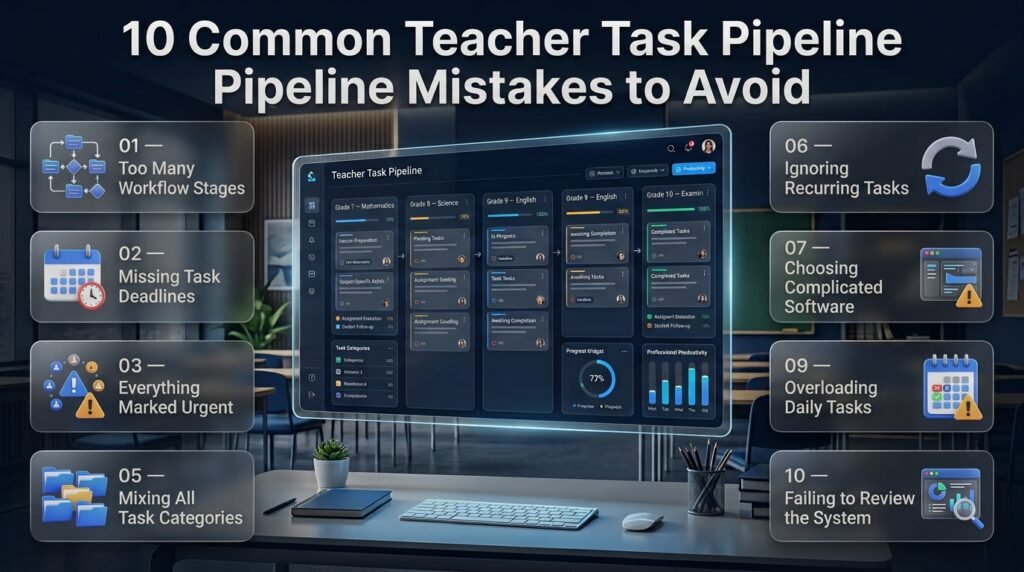
Even suitable software can become ineffective when it is introduced without a clear organizational strategy.
Understanding common mistakes helps teachers build a system that supports their actual responsibilities.
1. Creating Too Many Workflow Stages
Why it happens: Teachers sometimes believe that more stages automatically provide better control.
Why it is harmful: Too many stages make task updates confusing and increase unnecessary administrative effort.
How to avoid it: Start with a small number of stages and introduce additional categories only when they solve a genuine problem.
For example, an individual teacher may only need New, Planned, In Progress, and Completed.
2. Adding Tasks Without Setting Deadlines
Why it happens: Teachers record responsibilities but forget to establish realistic completion dates.
Why it is harmful: Tasks remain in the pipeline without a clear indication of when they should receive attention.
How to avoid it: Assign a deadline or planned completion date when recording important responsibilities.
3. Treating Every Responsibility as Urgent
Why it happens: Teachers with busy schedules may assign high priority to almost everything.
Why it is harmful: The priority system loses its usefulness, making it difficult to identify genuinely important activities.
How to avoid it: Evaluate responsibilities according to urgency, importance, and the consequences of delay.
4. Forgetting to Update Task Progress
Why it happens: Teachers become occupied with classroom activities and forget to update task statuses.
Why it is harmful: The pipeline gradually becomes inaccurate.
How to avoid it: Establish a short daily review routine and update important tasks after completing them.
5. Putting Every Responsibility Into One Category
Why it happens: One general task list initially seems easier to maintain.
Why it is harmful: Lesson preparation, grading, administrative work, and student support become mixed together.
How to avoid it: Create a small number of meaningful categories based on your actual teaching responsibilities.
6. Ignoring Recurring Responsibilities
Why it happens: Teachers focus on individual tasks without organizing activities that happen repeatedly.
Why it is harmful: They must recreate and reorganize the same responsibilities, increasing the possibility of forgetting something.
How to avoid it: Use recurring task functionality when available or maintain reusable weekly planning routines.
7. Choosing Software With Unnecessary Complexity
Why it happens: Teachers select an application because it advertises numerous advanced features.
Why it is harmful: Complicated navigation and unnecessary controls make everyday task management more difficult.
How to avoid it: Prioritize ease of use, deadline management, workflow stages, and accessibility.
8. Ignoring Existing Academic Schedules
Why it happens: Teachers organize tasks without considering examinations, holidays, school events, or rotating schedules.
Why it is harmful: Responsibilities may be assigned unrealistic deadlines.
How to avoid it: Review the academic calendar before finalizing important task dates.
9. Overloading the Daily Task List
Why it happens: Teachers try to schedule every unfinished responsibility for the same day.
Why it is harmful: An unrealistic plan creates unnecessary pressure and makes it difficult to identify essential activities.
How to avoid it: Consider available preparation time and choose a manageable number of important responsibilities.
10. Failing to Review the System
Why it happens: Teachers create a pipeline but never evaluate whether its structure remains useful.
Why it is harmful: Unnecessary stages and outdated categories remain in place.
How to avoid it: Review the system weekly and remove features that do not support actual teaching requirements.
Expert Advice: How to Build a More Effective Teacher Task Pipeline
An effective task pipeline depends on good organizational habits as much as it depends on software.
The following professional recommendations can help teachers establish a sustainable system.
Keep Daily and Long-Term Responsibilities Separate
Daily responsibilities and long-term academic projects require different planning approaches.
Checking attendance is a recurring daily responsibility, while preparing semester examinations may involve several weeks of preparation.
Keep both types of work visible without treating them as identical activities.
Use Time Estimates for Larger Responsibilities
A task’s deadline does not indicate how much time it requires.
Evaluating 40 assignments may take several hours, while preparing a short classroom exercise may take only a few minutes.
Estimate the time required for major activities before scheduling them.
This helps prevent unrealistic daily plans.
Batch Similar Responsibilities Together
Task batching involves completing similar activities during a planned working period.
For example, teachers may organize grading into dedicated sessions instead of switching between marking, lesson preparation, and administrative reporting repeatedly.
This can reduce unnecessary task switching.
However, batching should remain flexible. Urgent student needs and unexpected school responsibilities may require changes to the plan.
Protect Preparation Time
Planning periods are valuable because they provide opportunities to complete responsibilities outside direct classroom instruction.
Teachers should identify the most important work before these periods begin.
For example, a 40-minute preparation period might be allocated to completing assessment feedback rather than deciding what to do after the period has already started.
Create a Weekly Review Routine
A weekly review helps teachers examine their upcoming responsibilities before the next working week begins.
During this review:
- Check unfinished tasks.
- Identify upcoming deadlines.
- Review delayed responsibilities.
- Prepare important lesson materials.
- Organize meetings and academic activities.
- Set priorities for the coming week.
- Adjust tasks that no longer have realistic deadlines.
This small habit can prevent several organizational problems.
Avoid Unnecessary Notifications
Notifications should remind teachers about important responsibilities rather than interrupting every classroom activity.
Configure alerts according to genuine deadlines and follow-up requirements.
Where possible, schedule reminders outside instructional periods.
Protect Student and School Information
Task management systems may contain information about students, assignments, and institutional responsibilities.
Teachers should follow their institution’s data protection policies when choosing and using an application.
Consider account security, access permissions, data storage practices, and student information confidentiality.
Choose a System That Can Grow With Your Responsibilities
A teacher’s workload can change throughout the academic year.
Examination periods, school events, reporting deadlines, and additional classroom responsibilities can introduce new organizational requirements.
Choose a system that can accommodate changing priorities and workflows without requiring a complete redesign every few weeks.
How to Choose the Right Teacher Task Pipeline App
Selecting the right application requires understanding your needs before comparing available solutions.
Some educators only need a simple task organizer, while others require more advanced workflow management and collaboration.
Use the following criteria to evaluate different options.
| Selection Criteria | What to Look For |
|---|---|
| Ease of Use | Simple navigation and task creation |
| Workflow Management | Clear and customizable stages |
| Deadline Tracking | Due dates and overdue visibility |
| Prioritization | Different priority levels |
| Calendar Access | Daily, weekly, and monthly views |
| Collaboration | Task assignment and shared updates |
| Accessibility | Mobile and desktop support |
| Security | Appropriate data protection |
| Flexibility | Ability to adjust workflows |
| Cost | Pricing that fits your requirements |
Basic Task Organizer vs. Advanced Pipeline
| Requirement | Basic Organizer | Advanced Pipeline |
|---|---|---|
| Individual task lists | Suitable | Suitable |
| Simple reminders | Often suitable | Often suitable |
| Multiple workflow stages | Limited | More flexible |
| Team responsibilities | May be limited | Potentially more suitable |
| Progress monitoring | Basic | More detailed |
| Complex academic projects | Less suitable | More suitable |
Neither option is automatically better.
A basic organizer may be the right choice for an educator with a small number of responsibilities. An advanced pipeline becomes more useful when activities involve multiple stages, deadlines, and people.
Questions to Ask Before Selecting Software
Before adopting a solution, consider:
- Can I organize all my important teaching responsibilities?
- Can I create and update tasks quickly?
- Does it support realistic deadlines?
- Can I distinguish pending work from completed activities?
- Is the interface easy to understand?
- Does it work on the devices I regularly use?
- Does it meet my school’s security requirements?
- Can I organize multiple subjects and classes?
- Will I actually use it consistently?
A short practical trial can help answer these questions more accurately than relying only on feature descriptions.
How RTI Scheduler Connects With the Wider Teacher Planning Process
A teacher task pipeline is one part of a larger educational organization system.
Teachers also need to consider academic calendars, class schedules, examination periods, student routines, and school-wide responsibilities.
RTI Scheduler provides an educational planning and scheduling context that readers can explore alongside their task management approach.
Different educational planning resources address different organizational requirements.
For example, Educational Productivity Apps relates to the broader use of digital productivity solutions in education.
Teachers can also explore Student Productivity Apps to understand how student organization and teacher responsibilities connect within an academic environment.
For educators interested in managing their own professional routines, Teacher Workflow Apps provides a related topic focused on organizing teaching activities.
A Teacher Workflow Management App is another relevant subject when examining how multiple responsibilities can be arranged into structured processes.
These educational planning topics complement the teacher task pipeline concept. They should not be confused with one another: a task pipeline tracks the progress of responsibilities, while calendars and timetables organize when academic activities take place.
The most practical approach is to understand how these different planning areas work together without expecting one tool to solve every educational challenge.
How Can a Teacher Task Pipeline App Help Teachers Manage Multiple Responsibilities Efficiently?
A teacher task pipeline app helps educators manage multiple responsibilities by organizing their work into clear stages, making it easier to understand what needs attention, what is currently in progress, and what has already been completed. Instead of maintaining separate notes for lesson preparation, assignment grading, classroom activities, and administrative duties, teachers can manage these responsibilities through one structured workflow.
For example, a teacher handling three different classes may need to prepare weekly lessons, evaluate student assignments, organize assessments, and submit progress reports. A task pipeline allows the teacher to record each responsibility, assign a deadline, set its priority, and monitor its progress without mixing unrelated activities.
Important ways it helps:
Organizes teaching responsibilities in one place.
Separates urgent tasks from routine activities.
Makes unfinished responsibilities easier to identify.
Helps teachers manage multiple subjects and classes.
Improves visibility into daily and weekly workloads.
What Features Should Teachers Look for in a Teacher Task Pipeline App?
Teachers should prioritize features that make everyday responsibilities easier to organize and complete. A useful application should offer more than a basic checklist. It should provide task creation, customizable workflow stages, deadline tracking, priority management, and progress monitoring.
For instance, when preparing an examination, a teacher may need to review the syllabus, prepare questions, check the marking scheme, and submit the final paper. Workflow stages make it possible to track each part of this responsibility rather than treating the entire examination preparation process as one unfinished task.
Essential features to consider:
Task management: Create, edit, and organize teaching responsibilities.
Workflow stages: Separate new, planned, in-progress, and completed tasks.
Deadline tracking: Monitor upcoming and overdue activities.
Priority settings: Identify important responsibilities.
Calendar integration: Connect tasks with academic schedules.
Progress tracking: Understand how much work remains.
Mobile accessibility: Review responsibilities from different devices.
Security: Protect sensitive educational information.
The best application is not necessarily the one with the most features. It is the one that supports a teacher’s actual working routine without creating unnecessary complexity.
How Can Teachers Use a Task Pipeline to Track Lesson Planning, Assignments, and Academic Deadlines?
Teachers can use a task pipeline to divide their educational responsibilities into manageable activities and monitor each one separately. This is particularly useful when lesson preparation, assignment evaluation, and academic submissions happen during the same working week.
For example, a teacher preparing a weekly science lesson can create individual tasks for reviewing learning objectives, preparing instructional materials, organizing classroom exercises, and checking assessment requirements. Similarly, assignment grading can be divided into collecting submissions, evaluating student work, preparing feedback, and recording results.
A practical organization structure includes:
Lesson planning: Organize teaching materials and classroom preparation.
Assignments: Track submission, evaluation, and feedback.
Academic deadlines: Record important submission dates and reporting requirements.
Assessments: Manage examination preparation and result evaluation.
Follow-ups: Monitor responsibilities that require additional attention.
Teachers should also review their academic calendars before assigning deadlines. This helps prevent examination periods, school events, and other scheduled activities from creating unrealistic workloads.
Is a Teacher Task Pipeline App Useful for Managing Multiple Classes and Collaborative Teaching Responsibilities?
A teacher task pipeline app can be useful for educators handling multiple classes, subjects, and collaborative responsibilities because it provides a structured way to separate individual activities while maintaining an overall workload view.
For example, a teacher responsible for mathematics in Grade 7 and Grade 8 may have different lesson preparation deadlines, assignment evaluation requirements, and classroom activities for each group. Using class labels and subject categories makes these responsibilities easier to distinguish.
In collaborative teaching environments, applications with task assignment and shared progress features can also help department members coordinate their responsibilities.
Useful organizational practices include:
Create separate labels for different classes.
Organize responsibilities according to subjects.
Assign individual tasks to responsible team members when supported.
Record feedback and follow-up requirements.
Review shared deadlines before important academic activities.
Maintain appropriate access permissions for educational records.
This approach helps reduce confusion, particularly when several educators contribute to the same academic project.
How Can Teachers Build an Effective Daily Workflow Using a Teacher Task Pipeline App?
Teachers can build an effective daily workflow by combining task prioritization, realistic scheduling, and regular progress reviews. The objective should be to create a manageable routine that supports teaching responsibilities rather than adding unnecessary administrative work.
A practical approach begins with reviewing pending tasks before the school day starts. Teachers can identify urgent responsibilities, select the activities that require the most attention, and schedule other work around their classroom timetable.
For example, an educator might prioritize preparing the next day’s lesson, reviewing student assignments, and completing an important academic report. Less urgent activities can be scheduled for available preparation periods.
A productive daily workflow should include:
Morning review: Check deadlines and unfinished responsibilities.
Priority selection: Identify the most important tasks for the day.
Time allocation: Assign realistic working periods to major activities.
Progress updates: Move tasks through the appropriate workflow stages.
End-of-day review: Mark completed responsibilities and identify unfinished work.
Next-day preparation: Organize priorities for the following working day.
Consistency is more important than creating a complicated system. A simple pipeline that teachers update regularly will generally be more useful than an advanced system that they struggle to maintain.
Conclusion
A teacher task pipeline app can make everyday teaching responsibilities more organized, manageable, and easier to track. Instead of handling lesson planning, grading, classroom preparation, student communication, and academic deadlines through disconnected systems, teachers can bring their work into one structured workflow. This makes it easier to understand what needs attention, prioritize important responsibilities, and complete tasks without losing track of unfinished work.
The real value of a task pipeline is not simply storing to-do lists; it is creating a clear process for moving each responsibility from planning to completion. When teachers organize tasks by priority, deadlines, classes, and progress, they can manage their workload more confidently and reduce unnecessary administrative pressure.
Whether managing one classroom or multiple teaching responsibilities, the right approach combines practical task organization, consistent scheduling, and regular progress reviews. With a well-structured system, teachers can spend less time managing scattered administrative work and more time focusing on lesson quality, student engagement, and effective teaching.