
Introduction
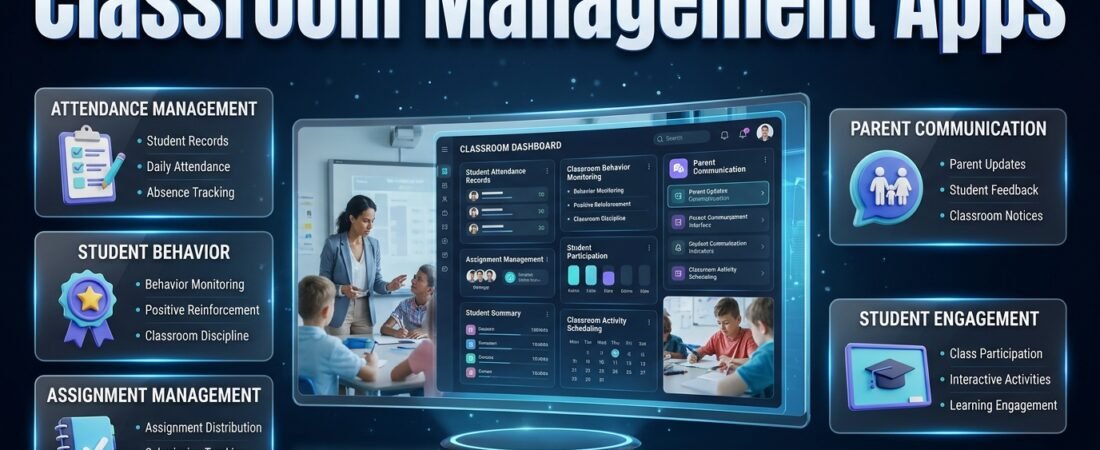
Classroom Management Apps| Managing a classroom is one of the most demanding responsibilities in education. A teacher may have to explain lessons, maintain student discipline, record attendance, distribute assignments, monitor participation, communicate with parents, and prepare upcoming classroom activities, all within a limited amount of time. When these responsibilities are managed through separate notebooks, spreadsheets, and disconnected applications, keeping everything organized becomes increasingly difficult.
This is why Classroom Management Apps have become an important part of modern education. These digital tools help teachers organize classroom activities, establish consistent routines, monitor student behavior, manage communication, and create a more structured learning environment. Instead of spending unnecessary time handling repetitive administrative work, teachers can focus more attention on students and their educational development.
For teachers who also need a better way to coordinate academic responsibilities, RTI Scheduler offers an additional educational planning resource that connects with broader classroom and school organization needs.
However, selecting the right classroom management application requires careful consideration. Some platforms specialize in student behavior and positive reinforcement, while others focus on attendance, assignments, parent communication, or digital learning. A tool that works well for an elementary classroom may not provide everything required by a secondary school teacher or educational administrator.
The important question is not simply which application has the most features. It is which application can solve the problems that teachers experience every day.
In this comprehensive guide, we’ll explore how classroom management applications work, the features worth considering, different types of available tools, practical implementation strategies, student engagement, privacy considerations, and common mistakes. You’ll also learn how to connect classroom organization with academic scheduling and teacher productivity without creating an unnecessarily complicated digital system.
What Are Classroom Management Apps?
Classroom management apps are digital tools designed to help teachers organize classroom activities, monitor student participation, manage behavior, coordinate assignments, and maintain communication with students and parents.
They provide an organized environment for handling responsibilities that would otherwise require multiple paper records, spreadsheets, or separate digital platforms.
A classroom management application may include attendance tracking, behavior records, classroom announcements, assignment organization, student progress monitoring, and daily activity planning. The available functionality depends on the platform and its intended educational purpose.
For example, imagine a teacher managing 30 students across several subjects. Every morning, the teacher needs to record attendance, communicate lesson objectives, collect homework, and organize activities for the day. Without a consistent system, these responsibilities can become difficult to coordinate.
A suitable application provides a structured way to maintain this information and access it when needed.
How Do Classroom Management Apps Work?
Most classroom management applications operate through a teacher dashboard, mobile application, or web-based interface. Teachers create a digital classroom, configure their preferred settings, and select the features that match their teaching requirements.
A typical setup involves the following activities:
- Classroom creation: The teacher creates a classroom or learning group.
- Student organization: Student accounts or records are added according to the platform’s supported methods.
- Classroom configuration: Teachers establish expectations, routines, categories, and permissions.
- Daily management: Attendance, assignments, announcements, and selected student activities are organized.
- Progress review: Teachers examine relevant records and identify areas requiring attention.
- Communication: Appropriate information is shared with students, parents, or authorized school staff.
The application provides organizational support, but the teacher remains responsible for interpreting information and making educational decisions.
Who Can Benefit From Classroom Management Applications?
These applications are not limited to one type of educational institution.
Elementary school teachers can use them to establish daily routines, recognize positive participation, and maintain communication with families.
Middle and high school teachers may benefit from assignment management, subject-based organization, attendance records, and student participation monitoring.
Private tutors can organize individual student schedules, homework responsibilities, learning progress, and communication.
School administrators can use suitable platforms to coordinate classroom procedures and improve consistency across teaching teams.
Online educators may use digital classroom tools to organize remote lessons, share instructions, and maintain student engagement.
The best solution depends on the responsibilities of the person using it and the size of the learning environment.
Why Are Classroom Management Apps Important in Modern Education?
Classroom management involves several connected responsibilities. Even when teachers prepare excellent lessons, disorganized routines and inconsistent communication can make classroom activities less effective.
Digital management applications help create a more predictable working environment.
1. They Reduce Everyday Administrative Pressure
Teachers frequently switch between instructional and administrative activities.
For example, a teacher may begin a lesson, respond to a student’s question, record an absence, check an assignment, and communicate an important update within a short period.
When every responsibility requires a different record or application, unnecessary interruptions become common.
A centralized management system can reduce this complexity by keeping frequently used information organized.
Teachers can establish a consistent process for recording attendance, updating assignments, and reviewing classroom information instead of repeatedly searching through different documents.
2. They Support Consistent Classroom Expectations
Students need clear expectations to understand how a classroom operates.
Teachers must communicate rules, explain responsibilities, and apply classroom procedures consistently.
Some applications provide behavior tracking and positive recognition features that help educators document participation and reinforce appropriate behavior.
For instance, a teacher may recognize students who consistently arrive prepared, contribute to group discussions, or complete their classroom responsibilities.
The purpose should be to encourage positive development rather than compare students or create unnecessary competition.
3. They Improve Communication Between Teachers and Families
Parents often want to understand what their children are learning and whether important classroom responsibilities are being completed.
Communication-focused applications can help teachers distribute announcements, assignment reminders, schedule updates, and appropriate progress information.
This can reduce misunderstandings caused by relying entirely on handwritten notes or informal communication.
However, schools should establish clear communication policies so teachers are not expected to respond to messages continuously outside working hours.
4. They Make Classroom Information Easier to Review
When attendance, assignments, and participation records are organized consistently, teachers can identify useful patterns.
For example, repeated missing assignments may indicate that a student needs additional instructions, academic support, or help managing responsibilities.
Similarly, attendance records may help teachers recognize when a student needs follow-up.
Digital records should support professional judgment, not replace individual conversations or classroom observations.
5. They Help Teachers Maintain Predictable Routines
A consistent classroom routine reduces uncertainty for students.
Teachers can prepare daily instructions, organize lesson activities, share responsibilities, and establish regular procedures for starting and ending classes.
When students know what happens next, classroom transitions can become easier to manage.
Pro Tip: Introduce digital classroom procedures gradually. Begin with attendance, announcements, and assignment organization before adding more advanced features.
Essential Features to Look for in Classroom Management Apps
Not every application needs to provide every available function. The most important consideration is whether its features solve genuine classroom problems.
Before selecting a platform, understand the following capabilities.
1. Student Attendance Management
Attendance tracking helps teachers maintain accurate records of student presence, absence, and late arrival.
A useful attendance system should make daily recording straightforward and allow authorized users to review previous records.
Important capabilities include:
- Daily attendance entries.
- Absence and late-arrival records.
- Student attendance history.
- Class-level attendance summaries.
- Exportable records where supported.
- Integration with existing school systems.
For example, a teacher responsible for several classes can use an organized attendance process to avoid maintaining separate handwritten lists.
Attendance records should also follow school procedures for correcting mistakes and documenting authorized absences.
2. Student Behavior Monitoring
Behavior management is an important part of maintaining a productive learning environment.
Some applications allow teachers to document positive participation, classroom concerns, and behavioral observations.
Useful capabilities may include:
- Positive behavior recognition.
- Participation records.
- Individual student notes.
- Behavior incident documentation.
- Progress summaries.
- Custom classroom expectations.
Teachers should use these features carefully.
A student who struggles with classroom behavior may be experiencing difficulties that require additional support. Digital records should help educators understand patterns rather than permanently label students.
3. Assignment and Homework Organization
Assignment management becomes particularly important when teachers manage different subjects, student groups, and submission deadlines.
An appropriate platform may allow teachers to create assignments, share instructions, organize due dates, and review completed work.
Look for:
- Assignment creation.
- Homework instructions.
- Submission tracking.
- Deadline reminders.
- Student feedback.
- Missing assignment identification.
For example, a science teacher can distribute weekly activities, communicate submission expectations, and review outstanding work without depending entirely on individual paper records.
Schools with broader academic deadline requirements can also explore Academic Deadline Management as part of their wider planning approach.
4. Parent and Student Communication
Communication tools help teachers share relevant classroom information through organized channels.
Depending on the platform, available features may include group announcements, direct messaging, notifications, and parent access.
Before choosing an application, determine whether it supports your communication requirements.
For instance, a primary school teacher may need regular parent updates, while a secondary school teacher may mainly need to communicate assignment instructions and classroom announcements.
Important considerations include message privacy, account permissions, notification settings, and school communication policies.
5. Digital Classroom Scheduling
A classroom timetable provides a clear structure for lessons, subjects, and daily activities.
Teachers working across multiple classes may need to coordinate different periods and subject arrangements.
A scheduling feature can help users understand which activities are planned and when they should take place.
However, not every classroom management application provides advanced timetable creation.
Schools may need a separate academic planning solution for managing weekly lessons, subject arrangements, and class periods.
6. Student Progress Monitoring
Progress monitoring helps teachers review student participation and academic responsibilities over time.
Useful records may include:
- Assignment completion.
- Attendance history.
- Classroom participation.
- Assessment results.
- Individual learning observations.
- Areas requiring additional support.
These records become more useful when teachers review them regularly rather than collecting information without a clear purpose.
For example, if a student repeatedly misses assignments, the teacher can investigate whether the issue relates to understanding the material, time management, or other circumstances.
7. Notifications and Reminders
Notifications can help teachers remember important classroom activities.
They may include assignment deadlines, upcoming events, attendance reminders, or schedule changes.
However, excessive notifications can become distracting.
A practical application should allow users to control which alerts they receive and how frequently they appear.
8. Reporting and Record Management
Reporting tools allow teachers and authorized administrators to review selected classroom information.
Reports may provide summaries of attendance, assignment completion, behavior observations, or participation.
Before relying on these features, confirm that the platform provides the required export options and appropriate access controls.
9. Mobile and Desktop Compatibility
Teachers may use different devices throughout the school day.
A good application should provide a usable experience on supported smartphones, tablets, and computers.
Check whether the mobile version includes the functions you actually need. Some applications provide limited functionality on smaller devices.
Also consider accessibility, synchronization, internet requirements, and offline capabilities where relevant.
10. Privacy and Access Permissions
Student records can contain personal and educational information.
A classroom management application should provide appropriate controls over who can view, edit, and share this information.
Before adoption, review:
- Account permissions.
- Data collection practices.
- Storage and security arrangements.
- Data retention policies.
- Student and parent access.
- Available deletion and export procedures.
Schools should also review applicable legal requirements and institutional policies.
Different Types of Classroom Management Apps
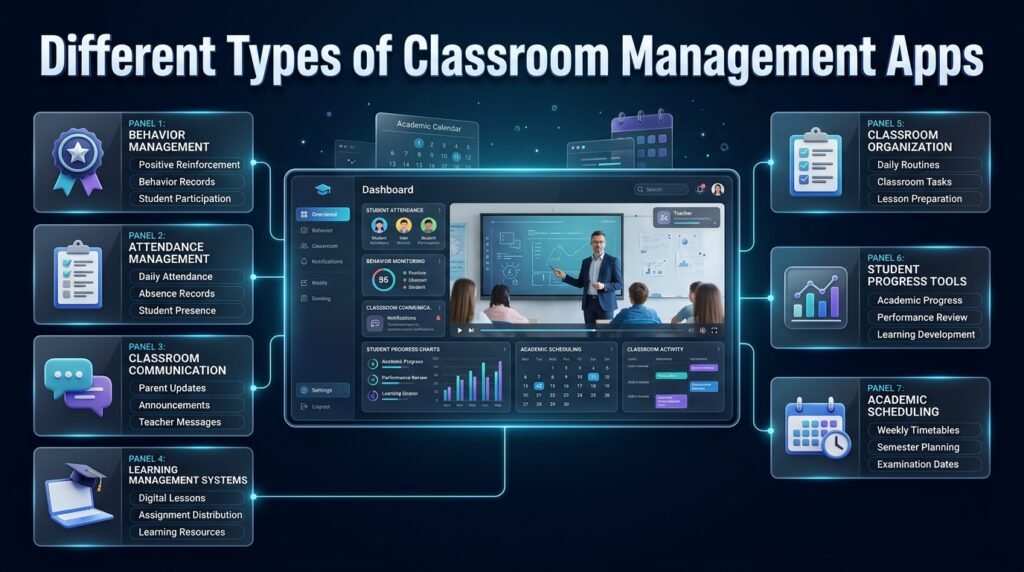
Classroom management is a broad category. Understanding the different types of educational applications helps teachers select the right solution.
| Application category | Primary purpose | Suitable users |
|---|---|---|
| Behavior management | Encourage positive behavior and document observations | Classroom teachers |
| Attendance management | Record student presence and absence | Teachers and administrators |
| Communication platforms | Share classroom updates and messages | Teachers and families |
| Learning management systems | Distribute lessons and manage assignments | Schools and educators |
| Classroom organization tools | Coordinate routines and activities | Teachers |
| Student progress tools | Review academic development | Teachers and support staff |
| Scheduling applications | Organize lessons and academic periods | Teachers and school planners |
Behavior Management Applications
These platforms focus on classroom expectations, student participation, and positive reinforcement.
They can be useful when teachers need a consistent way to document behavior and encourage improvement.
A good behavior management approach should be fair, understandable, and appropriate for the students’ ages.
Learning Management Systems
Learning management systems organize digital learning activities.
They may support course materials, assignments, student submissions, grading, and educational resources.
Their main purpose is to support teaching and learning processes rather than exclusively managing classroom discipline.
Classroom Communication Applications
Communication-focused platforms help teachers share updates with students and parents.
They are useful for distributing announcements, reminders, and selected classroom information.
Schools should choose platforms that support their communication policies and privacy requirements.
Classroom Organization Applications
These tools concentrate on daily classroom responsibilities.
They may provide checklists, task management, classroom routines, lesson preparation, and activity organization.
They are particularly helpful for teachers who want to maintain a structured daily workflow.
Academic Scheduling Applications
Academic scheduling tools manage responsibilities that extend beyond individual classroom activities.
They can help organize weekly timetables, school calendars, semester milestones, examination dates, and academic events.
These systems complement classroom management by providing a wider organizational structure.
Best Classroom Management Apps and Educational Platforms to Consider
Several established platforms provide features that can support different aspects of classroom management.
Their capabilities and available plans can change, so teachers should evaluate the current product options before adopting any platform.
1. ClassDojo
ClassDojo is a classroom community and communication platform associated with student engagement, positive behavior recognition, and family communication.
It can help teachers create a structured classroom environment and share selected updates with parents.
Useful capabilities:
- Student behavior feedback.
- Classroom community features.
- Parent communication.
- Classroom updates.
- Student portfolios.
Best suited for: Elementary classrooms and teachers interested in positive reinforcement and family engagement.
Important consideration: Teachers should establish clear behavior expectations and avoid using recognition systems in ways that publicly embarrass or unfairly compare students.
2. Google Classroom
Google Classroom is an educational platform designed to organize digital learning activities.
Teachers can use it to distribute assignments, share resources, communicate classroom information, and manage student submissions.
Useful capabilities:
- Assignment distribution.
- Classroom announcements.
- Student submissions.
- Feedback and grading workflows.
- Integration with supported Google services.
Best suited for: Schools and teachers managing digital assignments and learning materials.
Important consideration: Its primary focus is educational organization. Teachers may need additional tools for specialized behavior management or attendance requirements.
3. Microsoft Teams for Education
Microsoft Teams for Education provides communication, collaboration, and digital classroom functionality.
It can support online lessons, group activities, assignment workflows, and educational communication.
Useful capabilities:
- Classroom communication.
- Online meetings.
- Collaboration spaces.
- Assignment workflows.
- Microsoft 365 integration.
Best suited for: Educational institutions already using Microsoft services.
Important consideration: Teachers should receive suitable training because the platform offers several functions that may initially seem complicated.
4. Remind
Remind is a communication-focused educational platform.
It can help teachers and school communities distribute updates and maintain organized communication with families and students.
Useful capabilities:
- Announcements.
- Messaging.
- Group communication.
- Classroom updates.
- Family engagement.
Best suited for: Teachers who want to improve communication and reduce dependence on scattered messages.
Important consideration: Communication tools alone do not replace attendance systems, academic planning platforms, or comprehensive classroom management processes.
5. Classcraft
Classcraft is associated with game-inspired learning and classroom engagement.
Its approach uses motivational elements to encourage participation and support collaborative learning experiences.
Useful capabilities may include:
- Gamified learning experiences.
- Student engagement activities.
- Classroom participation systems.
- Collaborative activities.
Best suited for: Teachers interested in structured engagement and game-based educational experiences.
Important consideration: Teachers should evaluate whether gamification supports their actual learning objectives and classroom culture.
How to Compare Classroom Management Platforms
A comparison should focus on practical requirements rather than the number of available features.
| Evaluation factor | What teachers should consider |
|---|---|
| Ease of use | Can teachers learn the platform quickly? |
| Student capacity | Does it support the classroom size? |
| Attendance | Are required attendance features available? |
| Behavior management | Can relevant records be maintained? |
| Communication | Does it support appropriate parent and student contact? |
| Assignment management | Can teachers organize academic responsibilities? |
| Privacy | Are student records protected? |
| Device compatibility | Does it work on available school devices? |
| Reporting | Can teachers review useful information? |
| Cost | Does the available plan fit the school’s budget? |
A platform that solves three important classroom problems may be more useful than one offering twenty features that teachers rarely use.
How to Choose the Right Classroom Management App
Selecting an application should begin with a clear understanding of your classroom requirements.
The following process helps teachers make a practical decision.
Step 1: Identify Your Main Classroom Problems
Start by reviewing the responsibilities that consume the most time.
For example, you may experience:
- Difficulty recording attendance.
- Repeated classroom interruptions.
- Poor parent communication.
- Disorganized assignments.
- Inconsistent student routines.
- Difficulty reviewing participation.
- Too many separate administrative records.
Write down the three problems that affect your daily teaching routine most significantly.
This prevents you from choosing an application simply because it is popular.
Step 2: Understand Your Students and Classroom Size
Different classrooms have different requirements.
An elementary teacher may need simple visual instructions, basic communication, and positive behavior recognition.
A high school teacher may require assignment organization, subject-based classroom records, and more detailed progress monitoring.
A teacher responsible for several sections may need a platform that supports multiple classes and organized student lists.
Consider the students’ ages, digital experience, available devices, and accessibility requirements.
Step 3: Separate Essential Features From Optional Features
Not every available feature deserves equal priority.
Create two categories.
Essential features:
- Attendance records.
- Classroom announcements.
- Assignment organization.
- Appropriate student records.
- Basic reporting.
Optional features:
- Advanced analytics.
- Gamification.
- Additional integrations.
- Custom dashboards.
- Specialized automation.
Your essential list should determine whether an application is suitable.
Step 4: Evaluate Privacy and Security
Review the platform’s privacy information before entering real student data.
Pay attention to the information collected, account permissions, storage practices, data retention, and available security controls.
Schools in the United States may need to consider FERPA and COPPA requirements, depending on the users, platform, and circumstances.
Other educational environments should follow their applicable privacy laws and institutional rules.
Never assume that a platform is suitable for student information simply because it is marketed for education.
Step 5: Test Real Classroom Activities
A product demonstration may show an attractive dashboard, but teachers need to understand how the application performs during normal classroom responsibilities.
Test a few realistic activities:
- Create a sample classroom.
- Add test student records.
- Record attendance.
- Create an announcement.
- Organize an assignment.
- Review the available reports.
- Check mobile accessibility.
Notice how many steps are required to complete each activity.
If simple tasks require excessive navigation, the application may create more work than it saves.
Step 6: Check Pricing and Long-Term Requirements
Some platforms offer free access, while others provide paid plans or institution-based subscriptions.
Review the complete pricing structure.
Consider whether charges depend on the number of teachers, students, classrooms, or available features.
Also check whether advanced reports, integrations, storage, or parent communication require additional payment.
Step 7: Introduce the Application Gradually
Start with one classroom or a small group of teachers.
Use the initial period to identify technical problems, training requirements, and student usability concerns.
Once the basic system works consistently, introduce it more widely.
Expert Tip: A successful implementation depends on teacher acceptance. Ask teachers which functions genuinely improve their daily work instead of forcing everyone to use every available feature.
How Classroom Management Apps Improve Student Engagement
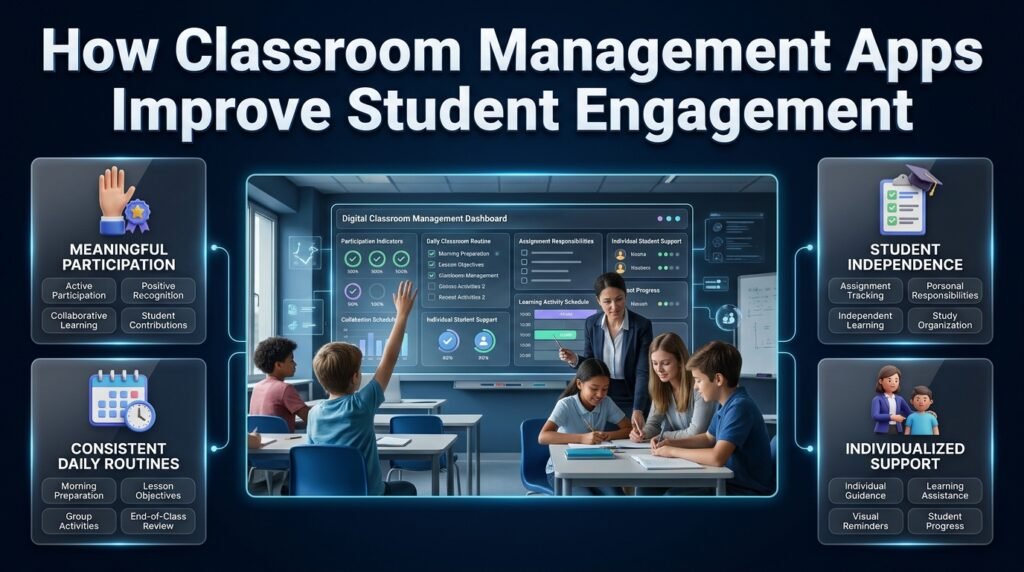
Student engagement is influenced by the classroom environment, teaching methods, relationships, and learning activities.
Technology can support engagement by making expectations clearer and classroom communication more consistent.
Encourage Meaningful Participation
Some applications allow teachers to document student contributions and recognize positive classroom involvement.
For example, a teacher can recognize a student who helps classmates, asks thoughtful questions, completes group responsibilities, or demonstrates improvement.
Recognition should be connected to meaningful behavior rather than simply rewarding students who speak most frequently.
Establish Consistent Daily Routines
Students benefit from knowing how lessons begin, how activities are organized, and what responsibilities they need to complete.
A consistent classroom routine may include:
- Morning preparation.
- Attendance.
- Lesson objectives.
- Individual learning activities.
- Group discussions.
- Homework instructions.
- End-of-class review.
A digital system can help teachers communicate these steps consistently.
Support Student Independence
Classroom management applications can help students understand their responsibilities.
For example, an organized assignment list makes it easier to identify upcoming tasks and submission requirements.
Over time, students can develop better habits related to planning, responsibility, and independent learning.
Teachers should still provide guidance to students who need additional support.
Provide Individualized Support
Students have different learning needs and classroom experiences.
Some benefit from visual reminders, while others require additional explanations or more time to complete activities.
Teachers can use appropriate individual records to identify where additional assistance may be necessary.
Digital information should never be used as the only basis for judging a student’s learning ability or behavior.
Practical Example: Managing a Classroom With a Digital System
Consider a middle-school teacher responsible for 28 students.
Before introducing a classroom management application, the teacher maintains separate notebooks for attendance, student participation, assignments, and parent communication.
Whenever an assignment is missing or an important update needs to be shared, the teacher must search through different records.
This creates unnecessary administrative pressure.
After introducing a suitable digital system, the teacher organizes the daily routine around a consistent process.
| Classroom period | Responsibility | Organizational approach |
|---|---|---|
| Morning arrival | Attendance | Digital attendance record |
| Lesson opening | Instructions | Classroom announcement |
| Teaching period | Student participation | Appropriate activity records |
| Independent work | Assignment completion | Task organization |
| Group activity | Student collaboration | Participation observations |
| End of lesson | Homework instructions | Assignment reminders |
| Weekly review | Student progress | Organized records |
The teacher does not need to perform every activity digitally.
Paper materials, direct conversations, and traditional teaching methods remain valuable.
The improvement comes from having a reliable system for responsibilities that benefit from digital organization.
How to Connect Classroom Management With Academic Scheduling
Classroom management and academic scheduling are closely related, but they serve different purposes.
Classroom management focuses on the daily learning environment, student behavior, communication, and classroom responsibilities.
Academic scheduling focuses on the wider educational structure, including lesson periods, school calendars, subject arrangements, semester milestones, examinations, and institutional events.
Teachers benefit when these systems work together.
Organize the Academic Year
A classroom routine becomes easier to maintain when teachers understand the larger school calendar.
Academic calendars help educators identify important dates, school activities, holidays, and major educational milestones.
A well-organized academic year can reduce unexpected scheduling conflicts and improve preparation.
Teachers and planners can explore:
- Academic Calendar Planning for organizing important academic dates and school-year responsibilities.
- Academic Holiday Calendar Builder for considering holidays and non-instructional periods.
- Semester Milestone Calendar for organizing important semester activities and milestones.
- School Year Event Calendar for maintaining a structured view of school events.
These planning areas provide context for classroom activities throughout the academic year.
Coordinate Weekly Lessons and Subject Periods
Teachers often manage several subjects and classroom groups.
A structured timetable helps them prepare for each lesson and understand how teaching periods are distributed.
For example, a teacher may need to organize mathematics, science, language, and social studies across different days.
The following resources address specific timetable organization needs:
- Weekly Lesson Period Planner for organizing weekly teaching periods.
- Subject Timetable Maker for arranging subjects within a structured timetable.
- Student Class Period Organizer for organizing student class periods.
- Class Timetable Grid Builder for creating a clearer timetable structure.
The benefit is not simply having a digital schedule. It is reducing confusion about when subjects, lessons, and classroom responsibilities should take place.
Plan Examinations and Academic Activities
Examination periods create additional responsibilities for teachers.
They may need to prepare students, communicate assessment instructions, coordinate examination dates, and manage classroom availability.
A wider academic planning approach can make these responsibilities easier to coordinate.
The Exam Schedule Planning resource can be considered when organizing examination-related responsibilities.
Teachers should also connect examination planning with regular classroom activities so students receive clear information about preparation periods and important dates.
Improve Overall Educational Organization
Classroom management becomes more effective when teachers are not working with disconnected academic plans.
A wider educational organization system can connect daily classroom activities with longer-term responsibilities.
The Academic Planning and Scheduling Tools section provides a broader context for organizing educational schedules and academic activities.
This distinction is important: a classroom application may manage everyday activities, but school-wide planning requires a broader organizational approach.
Connecting Classroom Management With Teacher Productivity
Teachers perform many responsibilities outside their scheduled classroom periods.
They prepare lessons, grade assignments, communicate with families, attend meetings, maintain student records, and complete administrative work.
These activities require a separate organizational approach.
Organize Daily Teacher Responsibilities
A teacher’s working day may involve several tasks that are not directly connected to classroom instruction.
For example, lesson preparation may need to be completed before the school day, while grading and administrative records may require dedicated time afterward.
A teacher workflow system can help organize these responsibilities.
The Teacher Workflow Apps resource provides a broader perspective on managing teaching-related activities.
Coordinate Teaching and Administrative Work
Teachers frequently need to balance lesson preparation with institutional responsibilities.
A structured workflow can help organize recurring duties, important tasks, and administrative processes.
Relevant resources include:
- Teacher Workflow Management App for broader teacher workflow organization.
- Teacher Daily Operations App for understanding daily teaching operations.
- Educator Administrative Workflow App for organizing administrative responsibilities.
- Teacher Task Pipeline App for structuring teaching-related tasks.
- Teaching Workflow Organizer App for connecting different teaching responsibilities within an organized workflow.
These resources address different aspects of teacher productivity rather than replacing classroom management applications.
Understand the Wider Educational Productivity System
Educational productivity includes more than completing assignments or maintaining classroom discipline.
It involves coordinating academic schedules, student responsibilities, teaching workflows, and institutional activities.
Teachers who want to explore the broader topic can review Educational Productivity Apps.
The important principle is to organize connected responsibilities without making the digital system unnecessarily complicated.
For example, classroom attendance may be managed through one approved application, while academic deadlines and weekly teaching periods may be organized through a separate planning system.
The goal is consistency, not using one application for everything.
Common Mistakes Teachers Should Avoid
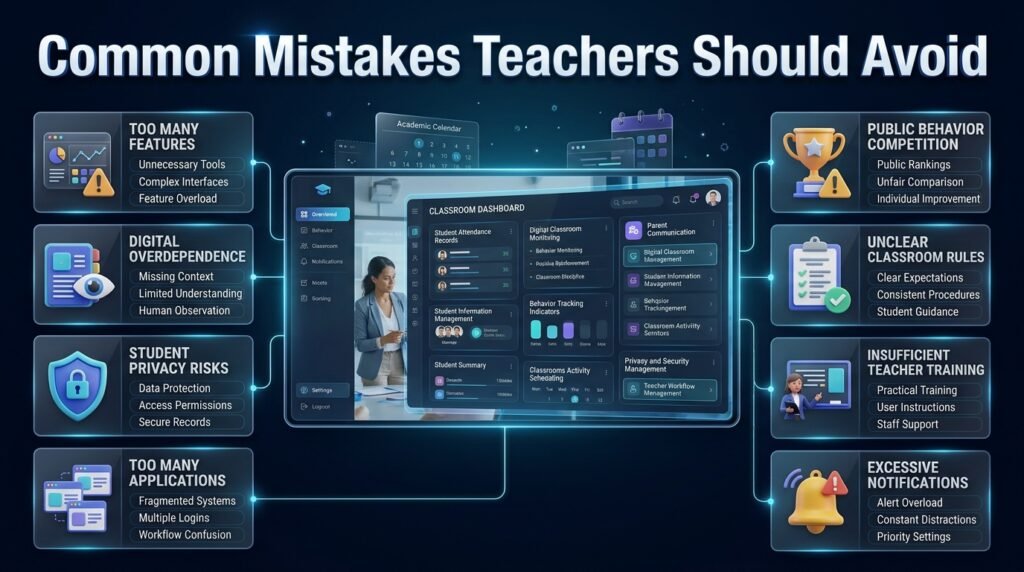
Even a well-designed application can become ineffective when teachers introduce it without considering classroom requirements.
Understanding common mistakes can help educators avoid unnecessary complications.
1. Choosing an Application Because It Has Too Many Features
A feature-rich application may look impressive during a demonstration.
However, teachers may not need advanced analytics, complex dashboards, or specialized automation for their daily responsibilities.
Why it happens: Teachers sometimes associate a larger feature list with better functionality.
Why it is harmful: Unnecessary features increase the learning process and may make simple tasks difficult.
How to avoid it: Identify essential classroom requirements before comparing applications.
2. Depending Entirely on Digital Records
Digital records are useful, but they cannot fully explain student behavior or learning difficulties.
A student who misses assignments may need additional guidance rather than another automated reminder.
Why it happens: Teachers may assume that recorded information provides a complete understanding of student performance.
Why it is harmful: Important personal and educational circumstances may be overlooked.
How to avoid it: Combine digital information with classroom observations and direct communication.
3. Ignoring Student Privacy
Classroom applications may contain attendance information, personal records, and educational progress details.
Why it happens: Teachers may focus on usability without examining data protection.
Why it is harmful: Inappropriate access or sharing can expose sensitive student information.
How to avoid it: Use institution-approved platforms, review permissions, and follow relevant privacy requirements.
4. Introducing Too Many Applications
Using separate platforms for every classroom responsibility can make the educational workflow difficult to maintain.
Why it happens: Different applications may appear attractive when considered individually.
Why it is harmful: Teachers must manage more passwords, notifications, records, and training requirements.
How to avoid it: Select a small number of compatible tools that cover essential responsibilities.
5. Turning Behavior Tracking Into Public Competition
Some teachers may use digital recognition systems without considering how students experience them.
Why it happens: Points and rankings can seem like an easy way to motivate participation.
Why it is harmful: Public comparison may discourage students who need additional support.
How to avoid it: Focus on individual improvement, constructive feedback, and positive classroom relationships.
6. Failing to Establish Classroom Rules
An application cannot create a successful classroom environment without clear expectations.
Why it happens: Teachers may assume that digital features automatically improve discipline.
Why it is harmful: Students may not understand how the system should be used.
How to avoid it: Explain classroom expectations and procedures before introducing digital management features.
7. Ignoring Teacher Training
Even a simple application requires some initial learning.
Why it happens: Schools may introduce a platform without allowing teachers enough time to understand it.
Why it is harmful: Inconsistent use creates confusion and reduces the value of the system.
How to avoid it: Provide practical demonstrations, basic instructions, and time for teachers to become comfortable.
8. Sending Too Many Notifications
Constant reminders can distract both teachers and students.
Why it happens: Users may enable every available alert.
Why it is harmful: Important notifications become difficult to distinguish from ordinary updates.
How to avoid it: Configure notifications according to urgency and classroom requirements.
Expert Advice for Building an Effective Digital Classroom Management System
The most successful classroom management systems are built around consistent routines rather than complicated technology.
The following professional recommendations can help teachers introduce digital organization more effectively.
Begin With the Classroom Routine
Before choosing an application, document how your classroom currently operates.
Identify when attendance is recorded, how assignments are distributed, how students receive instructions, and how important information is communicated.
This creates a clear picture of where digital support can make a difference.
Establish Clear Responsibility for Records
Teachers should understand who is responsible for updating classroom information.
For example, attendance should be recorded according to a consistent procedure, while assignment updates should follow established classroom expectations.
When responsibilities are unclear, records become incomplete.
Use Behavior Information Constructively
Behavior tracking should support student development.
If a student repeatedly struggles with a particular classroom responsibility, investigate the situation before deciding what action is appropriate.
The purpose is to identify support needs and encourage positive change.
Maintain a Consistent Assignment Process
Students should know where assignments are shared, how instructions are communicated, and when completed work must be submitted.
Avoid distributing different instructions through several unrelated channels.
A consistent process reduces misunderstandings and makes academic responsibilities easier to manage.
Protect Teaching Time
Teachers should not spend entire lessons updating digital records or responding to unnecessary notifications.
Set appropriate times for administrative updates and use technology only when it supports the teaching process.
Review Results Regularly
After introducing an application, evaluate whether it actually improves classroom organization.
Ask practical questions:
- Are attendance records easier to maintain?
- Has assignment communication improved?
- Do teachers spend less time searching for information?
- Are students following classroom routines?
- Are notifications manageable?
- Is the platform easy to use consistently?
If the application creates more work than it removes, reconsider its configuration or suitability.
Keep Human Interaction at the Center
Technology can support classroom management, but positive teacher-student relationships remain essential.
Students need encouragement, understanding, constructive feedback, and opportunities to communicate their concerns.
Digital tools should strengthen these relationships rather than replace them.
What Features Should Teachers Look for in the Best Classroom Management Apps?
genuinely improve everyday teaching activities. A useful platform should make classroom responsibilities easier to organize rather than introduce additional administrative work. Teachers should prioritize applications that combine essential management functions with a simple interface, reliable performance, and flexible classroom settings.
The most valuable features usually include attendance tracking, student behavior monitoring, assignment organization, classroom announcements, progress reports, and parent communication. For teachers managing multiple classes, the ability to maintain separate student records and organize different classroom activities is equally important.
Before selecting an application, consider these essential features:
Attendance Management: Quickly record student attendance, absences, and late arrivals while maintaining organized records.
Behavior Tracking: Document positive participation and identify recurring classroom challenges.
Assignment Management: Organize homework, submission deadlines, and student responsibilities.
Parent Communication: Share important classroom updates and relevant student information through appropriate channels.
Progress Monitoring: Review attendance, assignment completion, and participation patterns.
Mobile Accessibility: Access important classroom information through supported smartphones, tablets, and computers.
Data Privacy: Protect student information through appropriate permissions and security controls.
A common mistake is selecting an application simply because it offers numerous advanced features. Teachers should instead choose a platform that addresses their most important classroom challenges and can be used consistently throughout the academic year.
How Can AI-Powered Classroom Management Apps Improve Teachers’ Daily Work?
AI-powered classroom management applications are becoming an important development in educational technology because they can help teachers organize repetitive responsibilities and work with classroom information more efficiently. Depending on the platform, AI-supported features may assist with preparing lesson activities, organizing information, generating reminders, analyzing selected student records, and drafting routine communication.
For example, a teacher managing several classes may spend considerable time preparing announcements, organizing assignments, and reviewing student progress. Suitable AI features can help prepare these materials, allowing the teacher to spend more time checking student understanding and supporting individual learning needs.
Some useful applications of AI in classroom management include:
Administrative Assistance: Help prepare routine classroom instructions, announcements, and task lists.
Progress Analysis: Identify patterns in available attendance or assignment records for teacher review.
Lesson Preparation: Assist with organizing lesson ideas, classroom activities, and instructional materials.
Communication Support: Prepare drafts of parent announcements and classroom updates.
Task Organization: Help structure daily responsibilities and upcoming academic activities.
Personalized Support: Assist teachers in identifying students who may require additional attention.
However, AI-generated information should always be reviewed by a qualified teacher before it influences important educational decisions. Student information must also be handled according to school privacy policies.
The most effective approach is to use AI as an assistant rather than allowing automated systems to replace professional teaching judgment.
How Do Classroom Management Apps Help Teachers Manage Student Behavior and Classroom Discipline?
Managing student behavior requires consistency, clear expectations, and an understanding of individual student needs. Classroom management applications can support this process by helping teachers document behavior patterns, recognize positive participation, and maintain organized records of classroom observations.
For example, a teacher may notice that certain students regularly participate in group activities but struggle with independent assignments. Maintaining appropriate records can help the teacher understand these patterns and decide whether additional guidance or a different teaching approach is needed.
Useful behavior management capabilities include:
Positive Reinforcement: Recognize students who demonstrate responsibility, cooperation, and consistent effort.
Behavior Records: Document relevant classroom incidents and observations.
Participation Monitoring: Maintain records of student involvement in discussions and activities.
Individual Progress Notes: Record improvements and areas requiring additional support.
Classroom Expectations: Communicate clear rules and responsibilities to students.
Progress Reviews: Examine behavior patterns over time rather than making decisions based on isolated incidents.
Teachers should avoid using behavior tracking as a public punishment system. Displaying negative records or comparing students through public rankings can damage confidence and classroom relationships.
Instead, behavior information should be used privately and constructively. When teachers combine digital records with personal conversations, positive reinforcement, and consistent expectations, classroom management becomes more supportive and effective.
Are Classroom Management Apps Compatible With Learning Management Systems and Academic Scheduling Tools?
Classroom management applications and learning management systems serve related but different educational purposes. Classroom management tools generally focus on student behavior, classroom routines, communication, and daily responsibilities, while learning management systems concentrate on lessons, assignments, learning materials, assessments, and student submissions.
Some platforms provide overlapping features or integrations that allow teachers to coordinate selected activities across different educational systems. However, compatibility varies between applications, so teachers should confirm which integrations are actually supported before choosing a platform.
Combining classroom organization with academic scheduling can be particularly useful for teachers managing several subjects, classes, and academic responsibilities.
For example:
Classroom Management: Organize attendance, behavior records, and daily classroom activities.
Learning Management: Distribute assignments, share educational materials, and review submissions.
Academic Scheduling: Coordinate weekly lessons, subject periods, and classroom timetables.
Calendar Planning: Maintain important school dates, holidays, and semester milestones.
Teacher Workflow Organization: Coordinate lesson preparation, administrative tasks, and upcoming responsibilities.
Before introducing multiple platforms, check whether they support data synchronization, single sign-on, approved integrations, or compatible record exports.
The goal should be to establish a connected educational workflow without creating duplicate records or requiring teachers to update the same information in several places.
How Can Schools Choose the Right Classroom Management App for Different Grade Levels and Classroom Sizes?
Selecting a classroom management application for an entire school requires more consideration than choosing one for an individual teacher. Different grade levels, student numbers, teaching methods, and administrative requirements can significantly influence which features are most useful.
For example, elementary teachers may prioritize visual classroom routines, positive behavior recognition, and parent communication. Middle and high school teachers may require more advanced assignment organization, subject-based records, attendance management, and student progress monitoring.
Schools should evaluate the following factors before making a decision:
Grade-Level Requirements: Ensure that the interface and available features are appropriate for the students’ ages.
Classroom Capacity: Check whether the platform can support the required number of students, teachers, and classroom groups.
Ease of Use: Choose an application that teachers can learn without extensive technical training.
Essential Features: Prioritize attendance, communication, behavior management, and assignment organization according to actual requirements.
Privacy and Security: Review student data protection, account permissions, and institutional compliance requirements.
Device Compatibility: Confirm that the application works with the smartphones, tablets, and computers available at school.
Pricing Structure: Compare subscription costs, user limits, available plans, and additional charges.
Technical Support: Consider the availability of training materials and assistance when problems occur.
A practical approach is to introduce the selected application through a small pilot program involving a few teachers and classrooms. During this period, evaluate how easily teachers complete everyday activities, whether students understand the system, and whether the application reduces administrative pressure.
Once the school confirms that the platform meets its requirements, it can gradually expand implementation across additional classrooms.
Ultimately, the best classroom management application is not necessarily the most expensive or feature-rich option. It is the one that supports teachers, fits the school’s educational environment, protects student information, and makes classroom responsibilities easier to manage.
Conclusion
Classroom management apps have become valuable tools for creating more organized, productive, and engaging learning environments. They help teachers manage student behavior, monitor classroom activities, communicate with parents, organize assignments, track attendance, and maintain better control over everyday responsibilities. Instead of depending entirely on paper records and separate communication channels, teachers can use digital tools to manage important classroom activities through a more structured system.
However, choosing the right classroom management app requires more than looking at its popularity or the number of features it offers. Schools and educators should consider their teaching requirements, students’ age groups, classroom size, technology access, privacy standards, and compatibility with existing educational systems. A simple application with reliable behavior tracking, communication, and classroom organization features may be more useful than a complicated platform that teachers struggle to use consistently.
Classroom management also works best when technology supports effective teaching practices rather than replacing them. Teachers still need to build positive relationships with students, establish clear expectations, encourage participation, and respond to individual learning needs. Digital tools can make these responsibilities easier to organize, but meaningful classroom management depends on thoughtful decisions and consistent communication.
For schools looking to improve their wider academic organization, classroom management should also connect with lesson planning, academic calendars, teacher workflows, student productivity, and examination schedules. A coordinated approach helps teachers manage daily classroom activities while keeping them aligned with broader academic responsibilities.
Ultimately, the best classroom management app is one that saves teachers time, reduces unnecessary administrative work, improves communication, and creates a better learning experience for students. When selected carefully and used consistently, these applications can help schools build more organized classrooms, support teachers in their daily work, and create an environment where students have more opportunities to learn and succeed.