
Introduction
Student Productivity App | Managing academic responsibilities is not always as simple as attending classes and completing homework. Students have to balance multiple subjects, assignments, examinations, presentations, personal commitments, and independent study sessions. When these responsibilities overlap, even well-organized learners can find it difficult to decide what needs attention first.
A student may remember an important examination but forget an assignment submission date. Another may have enough time to study but struggle to organize different subjects into a realistic weekly routine. These problems are not always caused by a lack of motivation. Often, students simply need a better way to organize their academic responsibilities.
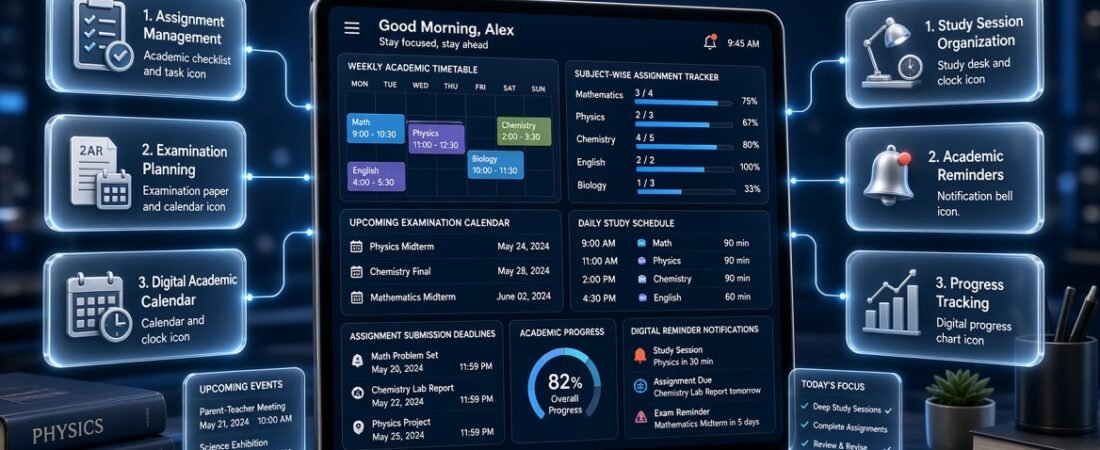
A student productivity app provides a practical solution by helping learners manage their academic activities through digital planning, task organization, reminders, calendars, and progress tracking. Instead of keeping important information scattered across notebooks, messages, and separate applications, students can create a more organized system for managing their education.
The growing importance of digital academic planning has also made platforms such as RTI Scheduler relevant to discussions about educational productivity and scheduling. A connected planning approach helps students understand how individual study sessions, assignments, examinations, and academic events fit into the wider school or university calendar.
However, choosing a productivity application requires more than looking at its number of features. Students need to understand their actual challenges, identify the tools that can solve them, and develop consistent habits around those tools.
This guide explores the essential features of student productivity applications, their practical benefits, different types of digital planning tools, and the best ways to use them. It also explains how students can organize academic deadlines, build realistic study routines, prepare for examinations, and avoid common mistakes that reduce productivity.
Whether you are a school student, college learner, university student, or independent learner, understanding these tools can help you manage academic work with greater clarity and confidence.
What Is a Student Productivity App and How Does It Help Learners?
A student productivity app is a digital application designed to help learners organize academic responsibilities, manage available time, track assignments, schedule study sessions, and monitor educational progress.
These applications can provide different combinations of task management, calendar organization, reminders, digital notes, scheduling, and collaboration features. Their main purpose is to make academic responsibilities easier to manage without requiring students to remember every detail independently.
For example, a university student taking five courses might have weekly assignments, laboratory sessions, presentations, reading requirements, and upcoming examinations. A productivity application can help organize these activities according to their subjects, priorities, and deadlines.
Instead of checking several notebooks or messages, the student can review an organized list of responsibilities and decide what needs to be completed next.
How Does a Student Productivity App Work?
Most student productivity applications follow a relatively simple process.
1. Information entry
Students enter academic responsibilities such as assignments, examination dates, projects, reading activities, and scheduled classes.
2. Task organization
Activities are organized into categories based on subjects, priorities, deadlines, or academic requirements.
3. Schedule creation
Students allocate suitable periods for completing assignments, reviewing lessons, and preparing for examinations.
4. Reminder management
Notifications help learners remember upcoming deadlines and important academic activities.
5. Progress monitoring
Students update completed tasks and review remaining responsibilities to understand their academic progress.
The exact process depends on the application. Some tools concentrate on personal productivity, while others provide broader academic scheduling and institutional planning functions.
Who Can Benefit From Student Productivity Applications?
Different learners can benefit from productivity tools in different ways.
- School students: Can organize homework, classroom activities, examination preparation, and subject revision.
- College students: Can manage coursework, practical sessions, presentations, and multiple academic deadlines.
- University students: Can organize independent study, research projects, assignments, lectures, and examination schedules.
- Online learners: Can manage course modules, recorded lessons, reading activities, and submission dates.
- Part-time students: Can coordinate academic responsibilities with employment and personal commitments.
- Independent learners: Can create self-directed learning plans and track progress without following a traditional classroom timetable.
The most useful application is one that supports the learner’s actual academic routine.
Why Are Student Productivity Apps Becoming Important in Modern Education?
Modern education involves more than attending scheduled classes. Students regularly work with digital learning platforms, online assignments, electronic documents, academic calendars, and communication systems.
Although these resources provide flexibility, they can also make academic organization more complicated.
A student might receive an assignment announcement through a learning platform, an examination update through a classroom message, and a project deadline through an email. When information is spread across different channels, remembering every responsibility becomes difficult.
Productivity applications help learners create a more consistent planning process.
Managing Increasing Academic Responsibilities
As students move from school to college and university, their responsibilities generally become more varied.
They may need to manage:
- Multiple subjects and course modules.
- Weekly assignments and independent reading.
- Group projects and presentations.
- Laboratory and practical sessions.
- Examination preparation.
- Research activities.
- Academic events and institutional deadlines.
A structured productivity system makes it easier to see how these responsibilities relate to one another.
Supporting Independent Learning
Independent learning requires students to take greater responsibility for their progress.
Unlike a traditional classroom activity, independent study may not have a teacher reminding learners about every step.
A productivity application can help students establish their own study schedules, set learning objectives, and review completed activities.
For example, someone taking an online programming course might divide a module into lessons, practical exercises, revision sessions, and a final project.
This creates a clearer learning path.
Improving Coordination Between Academic Activities
Academic responsibilities are connected.
An examination date affects revision planning. An assignment deadline affects weekly workload. A holiday changes available study time. A semester milestone may determine when a project or assessment needs to be completed.
Students benefit when they understand these relationships rather than treating every activity as an unrelated task.
An organized academic system makes these connections easier to recognize.
How to Create and Maintain an Organized Student Workspace
A properly organized workspace allows students to manage their academic materials, assignments, lecture notes, research documents, and study resources without unnecessary confusion. Start by creating separate folders for each subject, organizing files according to topics or semesters, and using clear names that make important documents easy to find. Students should also keep frequently used resources accessible, remove outdated files, and regularly review their digital study environment. Maintaining this structure saves time, reduces distractions, and makes it easier to focus on learning activities rather than searching for misplaced information.
To simplify digital study organization, explore this resource 👉 Student Workspace Organizer App
It helps students organize academic documents, manage study resources, arrange subject-based materials, and maintain a structured digital workspace throughout the academic year.
What Features Should the Best Student Productivity App Include?
The most useful productivity applications provide features that solve genuine academic problems. A complicated interface with dozens of unnecessary functions does not automatically make a tool better.
Students should focus on practical capabilities that support daily learning and long-term academic planning.
1. Smart Task and Assignment Management
Task management is one of the most important features because students regularly handle several responsibilities with different deadlines.
A useful task management system should allow learners to:
- Create individual academic tasks.
- Add assignment descriptions.
- Set submission deadlines.
- Organize work by subject.
- Assign priority levels.
- Divide larger projects into smaller activities.
- Mark completed responsibilities.
- Review unfinished work.
For example, a student working on a history research project might create separate tasks for topic selection, information collection, outline preparation, writing, editing, and submission.
This approach makes a large responsibility easier to manage.
A professional planning system should also make unfinished tasks visible without overwhelming the student with unnecessary information.
2. Academic Calendar Management
A calendar helps students understand when academic activities take place.
It can display:
- Class dates.
- Examination schedules.
- Assignment deadlines.
- Academic holidays.
- Semester milestones.
- Presentations.
- Institutional events.
A well-organized academic calendar planning approach provides a broader picture of the academic year.
For example, students can review their examination dates alongside assignment submissions to identify weeks that require additional preparation.
This is especially useful when several academic responsibilities are scheduled close together.
3. Personalized Study Scheduling
Study scheduling allows students to allocate available time to particular subjects and learning activities.
Instead of writing a general instruction such as “study chemistry,” learners can schedule specific activities.
For example:
| Time | Academic activity | Expected outcome |
|---|---|---|
| 3:00 PM–3:30 PM | Mathematics | Complete practice questions |
| 3:30 PM–4:00 PM | Science | Review one topic |
| 4:00 PM–4:15 PM | Break | Rest and refresh |
| 4:15 PM–4:45 PM | English | Complete writing practice |
| 4:45 PM–5:00 PM | Daily review | Check completed tasks |
The schedule should reflect actual availability rather than an unrealistic expectation of continuous studying.
4. Assignment Deadline Reminders
Missing an assignment deadline can affect academic performance even when a student understands the subject.
Reminder features help prevent these situations by notifying learners before important dates.
Useful reminders include:
- Assignment submission alerts.
- Examination preparation notifications.
- Project milestone reminders.
- Upcoming presentation dates.
- Scheduled study sessions.
- Coursework review notifications.
Students should configure reminders carefully. Receiving too many unnecessary notifications can become distracting.
5. Digital Note Organization
Digital note-taking features help students organize information collected during lectures, research, and independent study.
Useful capabilities include subject folders, searchable notes, topic labels, document attachments, and organized study summaries.
For example, a biology student can maintain separate notes for cell structure, genetics, human physiology, and environmental science.
Organized notes make revision easier because students can locate relevant information without searching through unrelated documents.
6. Time Tracking and Focus Management
Time tracking helps students understand how they distribute their available study hours.
A learner may believe that mathematics receives most of their attention, but reviewing actual study records might reveal that another subject consumes more time.
Focus tools can also help students organize dedicated working sessions.
A simple approach is to study for 25–40 minutes, take a short break, and then begin another session.
The appropriate duration depends on the student’s concentration and the difficulty of the activity.
7. Progress Tracking and Performance Reviews
Progress tracking provides information about completed academic responsibilities.
Students can review:
- Completed assignments.
- Remaining coursework.
- Study sessions.
- Subject preparation.
- Examination revision.
- Weekly productivity.
The objective is not to create pressure through numbers. It is to identify what is working and where additional attention is required.
Managing Daily Academic Responsibilities with a Digital Routine
Students often have to balance classroom learning, homework, independent revision, extracurricular activities, and personal commitments within a limited amount of time. Without a clear daily structure, important tasks can easily be overlooked, study sessions may become inconsistent, and assignments can accumulate near their deadlines. A digital student routine offers a practical way to organize these responsibilities by turning daily academic goals into manageable activities. Students can plan their study periods around class hours, allocate additional time to challenging subjects, schedule assignment work, and set reminders for important academic tasks. Keeping these activities organized in a single routine also makes it easier to identify unproductive gaps and adjust the schedule when priorities change. Rather than creating an unnecessarily strict timetable, students should build a realistic routine that includes short breaks, revision periods, and enough flexibility for unexpected responsibilities. Over time, this approach can encourage greater independence, improve time management, and make academic progress easier to track.
For a practical way to structure everyday study activities and academic commitments, explore 👉 Digital Student Routine App
This resource helps students organize their daily schedules, manage study responsibilities, and develop a more consistent approach to academic planning.
Different Types of Student Productivity Apps and Their Uses
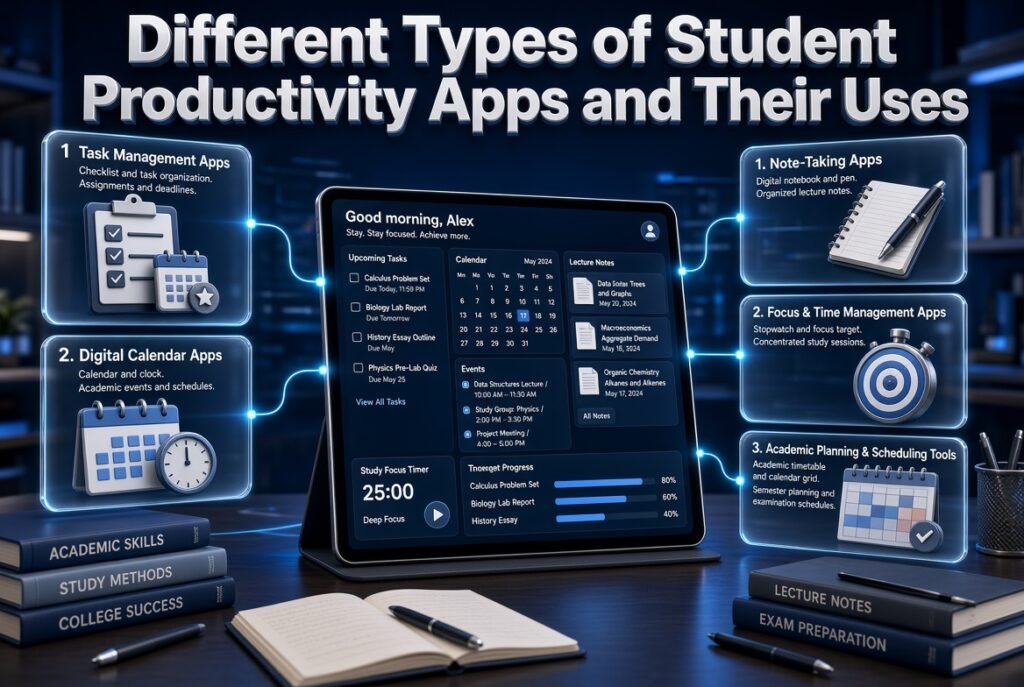
Not every student requires the same type of productivity application. Understanding the differences between application categories helps learners choose tools that match their academic requirements.
Task Management Applications
Task management applications focus on individual responsibilities.
They help students create to-do lists, organize assignments, set deadlines, and monitor unfinished activities.
Best suited for: Learners who frequently forget assignments or struggle to manage several academic responsibilities.
Main limitation: Basic task managers may not provide detailed academic timetables or complete calendar planning.
Digital Calendar Applications
Calendar applications focus on dates, events, and scheduled activities.
Students can use them to manage lectures, examination dates, assignment submissions, and personal commitments.
Best suited for: Students who need a clear overview of their daily, weekly, and monthly schedules.
Main limitation: A calendar may not provide advanced assignment breakdowns or detailed study progress tracking.
Note-Taking Applications
These applications help learners collect and organize educational information.
They are useful for students who handle extensive reading materials, lecture notes, research documents, and revision summaries.
Best suited for: Students who need structured digital study materials.
Main limitation: Note-taking alone does not solve scheduling or deadline management problems.
Focus and Time Management Applications
Focus applications support concentration through timers, dedicated study sessions, and activity tracking.
They can help students reduce unnecessary interruptions and develop consistent study habits.
Best suited for: Learners who struggle with distractions or maintaining attention.
Main limitation: They cannot replace academic planning or subject-specific study strategies.
Academic Planning and Scheduling Tools
Academic planning tools concentrate on coordinating educational activities across longer periods.
They can support semester schedules, examination dates, academic events, classroom timetables, and institutional planning.
Students who want to understand how different planning functions work together can explore Academic Planning and Scheduling Tools.
Best suited for: Learners, teachers, and educational administrators who need a more connected approach to academic organization.
How to Choose the Right Student Productivity App for Your Needs
Choosing the right application starts with identifying the problem you want to solve.
Students should not select software simply because it is popular or contains advanced features. A practical application should make an existing responsibility easier to manage.
Step 1: Identify Your Main Productivity Challenge
Begin by reviewing your current academic routine.
Consider the following questions:
- Do I frequently forget assignment deadlines?
- Do I struggle to organize multiple subjects?
- Is my study schedule inconsistent?
- Do I spend too much time deciding what to study?
- Do I find it difficult to prepare for examinations?
- Are my notes and academic information scattered?
Write down the two or three biggest problems.
These answers will help narrow the available choices.
Step 2: Identify the Features You Actually Need
Different problems require different solutions.
For example:
| Main challenge | Most useful feature |
|---|---|
| Forgotten assignments | Task reminders |
| Unorganized study hours | Study scheduling |
| Missed examination dates | Academic calendar |
| Scattered notes | Digital note organization |
| Poor concentration | Focus management |
| Unclear academic progress | Progress tracking |
| Conflicting class activities | Timetable management |
This prevents students from paying for unnecessary functions.
Step 3: Check the Application Interface
An application should be easy to understand and operate.
Students should be able to add a task, locate an upcoming deadline, and review their schedule without navigating through complicated menus.
A simple interface generally makes consistent use easier.
Step 4: Compare Free and Paid Versions
Many productivity applications offer free versions with basic task management, calendars, and reminders.
Paid plans may include additional storage, advanced customization, collaboration, or automation.
Before purchasing a subscription, compare the features with your actual requirements.
A student who only needs assignment reminders may not benefit from an expensive advanced plan.
Step 5: Review Device Compatibility
Students often use different devices throughout the day.
They might create a schedule on a laptop, check reminders on a smartphone, and review notes on a tablet.
If using multiple devices is important, check whether the application supports synchronization and whether the required features are available across those devices.
Step 6: Consider Privacy and Data Protection
Academic applications may store personal schedules, study notes, uploaded documents, and account information.
Before using an unfamiliar service, review its privacy policy and security options.
Students should pay attention to:
- Account protection.
- Data storage practices.
- Permission requirements.
- Sharing controls.
- Backup options.
- Data deletion procedures.
Avoid storing sensitive personal information in applications that have unclear security practices.
How to Improve Daily Academic Organization and Task Management
A well-organized daily routine helps students handle lectures, homework, assignments, revision, and personal responsibilities without losing track of important activities. The best approach is to divide the day into manageable time blocks, assign priorities to academic tasks, and set realistic completion targets. Students should also review their schedules regularly, adjust unfinished activities, and prepare for upcoming classes or examinations in advance. Keeping daily responsibilities organized makes it easier to maintain consistency, reduce unnecessary distractions, and use available study time more effectively.
For a more structured approach to everyday academic activities, explore this resource 👉 Student Daily Workflow App
It helps students organize daily tasks, manage study activities, track important responsibilities, and develop a more consistent academic workflow.
How to Build an Effective Student Productivity System
Installing a productivity application is only the beginning. Students need a practical routine that connects their academic responsibilities with their available time.
The following process can help establish a manageable system.
Step 1: Collect All Academic Information
Start by gathering important information from your current academic environment.
This may include:
- Class schedules.
- Assignment instructions.
- Examination dates.
- Project deadlines.
- Course outlines.
- Reading requirements.
- Important academic announcements.
The purpose is to establish a reliable starting point.
Students should use official institutional information when entering examination dates and assignment deadlines.
Step 2: Organize Responsibilities by Subject
Create separate categories for each subject or course.
For example, a student taking mathematics, physics, chemistry, and English can organize academic activities under these four categories.
This makes it easier to identify subjects with heavier workloads.
Step 3: Enter Deadlines Before Creating Study Sessions
Major deadlines should be recorded before allocating study time.
This helps students understand which responsibilities require early preparation.
For example, if a science project is due in three weeks, the student can divide the work into smaller weekly activities rather than leaving everything until the final days.
Step 4: Assign Priorities
Not all activities require the same level of attention.
A useful priority system includes:
High priority: Examinations, urgent assignments, and approaching submission dates.
Medium priority: Regular coursework, scheduled revision, and ongoing projects.
Low priority: Flexible reading, optional practice, and activities without immediate deadlines.
Priorities should be reviewed as deadlines approach.
Step 5: Build a Realistic Weekly Study Plan
A weekly plan should include classes, study sessions, assignments, revision, breaks, and personal activities.
For example:
| Day | Main academic responsibility | Additional activity |
|---|---|---|
| Monday | Mathematics revision | Complete exercises |
| Tuesday | Science study | Review classroom notes |
| Wednesday | English coursework | Writing practice |
| Thursday | Mathematics practice | Correct mistakes |
| Friday | Science revision | Prepare questions |
| Saturday | Project work | Review weekly progress |
| Sunday | General revision | Plan the next week |
Students should adjust this schedule according to their actual workload.
Step 6: Divide Large Projects Into Smaller Activities
Large projects can become difficult when students do not have a clear starting point.
Consider a research assignment with a three-week deadline.
Instead of creating one task called “Complete research project,” divide it into:
- Select the research topic.
- Collect relevant information.
- Prepare the project outline.
- Write the first draft.
- Review and correct the content.
- Prepare the final submission.
Each activity can receive its own target date.
Step 7: Review Progress Every Evening
Spend a few minutes checking completed and unfinished responsibilities.
Update task statuses and move unfinished work to realistic future periods.
This prevents old tasks from disappearing from the planning system.
Step 8: Perform a Weekly Academic Review
At the end of each week, review upcoming deadlines, examination dates, and unfinished assignments.
Identify subjects that need additional attention and adjust the following week’s schedule.
A weekly review keeps the productivity system connected to actual academic requirements.
How Can Students Manage Academic Calendars More Effectively?
Academic calendars are important because they provide a wider view of educational responsibilities.
A daily task list shows what needs to be completed today. An academic calendar helps students understand how activities are distributed across an entire semester or school year.
Understand the Difference Between Daily and Academic Planning
Daily planning concentrates on immediate responsibilities.
Academic planning covers longer periods, including semesters, holidays, examinations, institutional events, and major milestones.
Both are necessary.
For example, a student may complete today’s mathematics assignment while also preparing for a final examination scheduled several weeks later.
The two activities should be visible within the wider planning system.
Organize Academic Holidays and Study Breaks
Holidays influence the amount of time students have available for academic work.
Some learners use breaks for revision, while others need time to recover from demanding academic periods.
A properly organized Academic Holiday Calendar Builder approach helps make holiday periods visible within the academic year.
Students can use this information to plan revision periods, assignment work, and personal activities without overlooking important dates.
Track Semester Milestones
Semesters usually contain several important stages.
These may include course registration, teaching periods, assessment activities, project submissions, examinations, and final results.
A Semester Milestone Calendar can help organize these stages into a clearer timeline.
For students, milestone planning is useful because it highlights responsibilities that need preparation before their final deadlines.
Coordinate School-Year Events
Academic events can affect regular study schedules.
For example, sports activities, school functions, practical sessions, and institutional events may change normal classroom arrangements.
A structured School Year Event Calendar provides a way to keep these activities visible alongside other academic responsibilities.
This helps students avoid scheduling important study activities during conflicting commitments.
How Can Students Organize Class Timetables and Weekly Lessons?
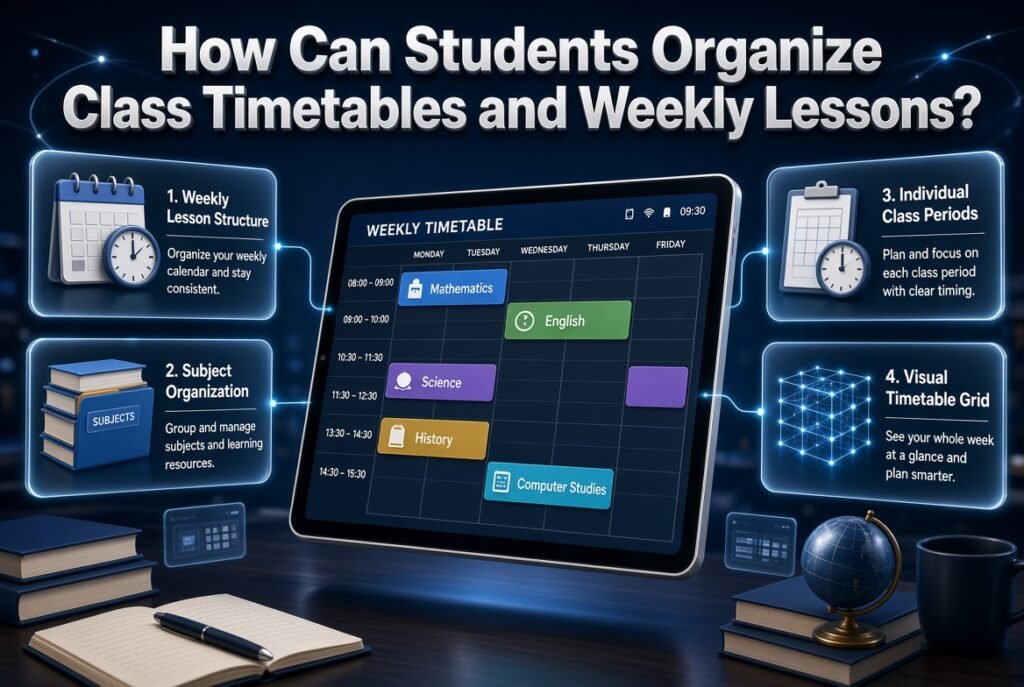
A class timetable provides the foundation for daily academic planning.
Without knowing when classes take place, students may create study schedules that conflict with lectures or practical sessions.
Create a Weekly Lesson Structure
Students should first record their regular class periods.
For example:
| Time | Monday | Tuesday | Wednesday |
|---|---|---|---|
| 8:00 AM | Mathematics | English | Science |
| 9:00 AM | Science | Mathematics | English |
| 10:00 AM | English | Computer Studies | Mathematics |
| 11:00 AM | History | Science | Computer Studies |
The actual schedule will depend on the institution and course structure.
A Weekly Lesson Period Planner can help organize teaching periods and understand how weekly lessons are distributed.
Organize Different Subjects
When students study multiple subjects, it is useful to maintain a clear view of which subjects require attention on particular days.
A Subject Timetable Maker approach helps organize subjects into an understandable timetable.
This is particularly useful for learners who have different classroom periods throughout the week.
Manage Individual Class Periods
A daily class period organizer helps students understand the sequence of their lessons.
For example, a learner may have mathematics first, followed by science, English, and computer studies.
A Student Class Period Organizer can support a more structured view of these individual periods.
Students can then plan independent study around their classroom commitments.
Use a Visual Timetable Grid
Some learners find it easier to understand schedules through a grid rather than a long list of activities.
A timetable grid displays days and class periods in a structured format.
A Class Timetable Grid Builder is relevant when students need to arrange subjects and periods into a clear weekly layout.
The main advantage is visibility. Students can quickly identify available periods and potential schedule conflicts.
How Can a Student Productivity App Support Examination Preparation?
Examination preparation requires more than knowing the examination date.
Students must understand the subjects included, the available preparation time, and the topics that require additional revision.
A productivity application can help coordinate these responsibilities.
Organize Examination Dates in Advance
The first step is to record confirmed examination dates.
Students should verify dates through official institutional announcements rather than relying on old schedules or unofficial messages.
An Exam Schedule Generator approach is useful for organizing multiple examination dates into a structured overview.
Create a Subject-Based Revision Plan
After recording examination dates, divide preparation into individual subjects and topics.
For example:
| Subject | Preparation activity | Priority |
|---|---|---|
| Mathematics | Practice problem solving | High |
| Physics | Review formulas and concepts | High |
| English | Writing and reading practice | Medium |
| Biology | Revise diagrams and terminology | Medium |
The priority should depend on examination dates, subject difficulty, and individual preparation needs.
Plan Individual Test Dates
Students sometimes have smaller assessments before final examinations.
These tests should also be recorded because they can affect the weekly study workload.
A Test Date Timetable Planner approach helps organize assessment dates and related preparation activities.
Students can use this information to distribute revision rather than preparing for several tests at the last minute.
Organize Examination Sessions
An examination session includes more than the date of an assessment.
It may involve a particular time, subject, candidate group, location, and other examination arrangements.
An Exam Session Calendar Builder provides a useful planning concept for organizing these details.
For example, students can distinguish between morning and afternoon examination sessions and identify where they need to be at particular times.
Understand Assessment Sitting Arrangements
Some examinations involve multiple groups, venues, and supervised sessions.
In such situations, the actual sitting arrangement matters as much as the examination date.
An Assessment Sitting Schedule can help organize detailed examination arrangements, including candidate groups and individual sessions.
This type of planning is particularly relevant to institutions managing several examinations at the same time.
Keep the Complete Examination Timetable Organized
A complete examination timetable should make it easy to understand which assessment takes place on each date and time.
Students should check the subject, examination duration, location, and any special instructions.
An Examination Timetable Organizer approach helps present examination activities in an organized structure.
Students should still follow the official timetable issued by their educational institution.
How Can Students Manage Assignment and Coursework Deadlines?
Assignment management becomes difficult when students have several submissions approaching at the same time.
A practical productivity system should make deadlines visible and provide enough time for completing each activity.
Build a Clear Academic Deadline Overview
Students should record every important deadline as soon as it is announced.
This includes coursework, research submissions, presentations, practical reports, and online assessments.
Academic Deadline Management provides a relevant planning approach for organizing academic responsibilities according to their due dates.
The objective is to prevent smaller deadlines from being overlooked while students concentrate on larger projects.
Manage Coursework With Individual Due Dates
Coursework often involves multiple activities rather than one simple submission.
For example, a university assignment may require reading, research, data collection, drafting, and final editing.
A Coursework Due Date Manager approach helps organize coursework responsibilities around their individual deadlines.
Students can divide complex academic work into manageable stages.
Create an Assignment Submission Calendar
A submission calendar provides a broader view of upcoming academic tasks.
It is particularly useful when several subjects have different submission dates.
For example, a student might have a history essay due on Monday, a mathematics assignment due on Wednesday, and a science report due on Friday.
An Assignment Submission Calendar helps organize these dates in one planning structure.
Students can then identify busy periods and begin important work earlier.
Use Milestone Reminders for Long-Term Projects
Some academic activities have deadlines several weeks or months away.
Waiting until the final submission date is not a reliable strategy.
Students can establish intermediate milestones, such as completing research, preparing an outline, writing a draft, and reviewing the final document.
An Academic Milestone Reminder Planner approach helps make these smaller targets visible.
Review All Upcoming School Deadlines
Students managing multiple courses may need a wider overview of their academic responsibilities.
A School Deadline Overview Tool is relevant when several deadlines need to be reviewed together.
The benefit is better workload visibility. Students can identify weeks with multiple submissions and distribute their work more carefully.
How Do Rotating Timetables Affect Student Productivity?
Not every school follows a traditional Monday-to-Friday timetable.
Some institutions use rotating schedules in which subjects change according to a recurring sequence of school days.
Students following these systems need a planning approach that accounts for the rotation.
Understand School Rotation Scheduling
A rotating timetable changes the arrangement of lessons according to a predefined sequence.
For example, a school might follow one subject pattern on the first day and a different pattern on the next.
A School Rotation Scheduling approach helps explain how these recurring academic arrangements can be organized.
Students should understand the rotation before preparing personal study schedules.
Generate a Rotational Schedule
Some institutions need to organize recurring lesson patterns across multiple weeks.
A School Rotation Schedule Generator is relevant when schools want to structure these repeated arrangements.
Students can use the published timetable to identify which subjects require preparation on particular days.
Understand Rotating School-Day Calendars
A rotating school-day calendar provides a clearer view of how different day types fit into the academic cycle.
For example, a school might use a repeating sequence that does not restart in the same way after every weekend or holiday.
A Rotating School Day Calendar helps make these changing patterns easier to understand.
Manage A/B Day Schedules
Some schools use A/B schedules in which students follow one timetable on A days and another on B days.
This can create confusion when students assume that every weekday follows the same lesson pattern.
An A/B Day Schedule Maker is useful for understanding how these two schedules alternate.
Students should check the official day designation before preparing their school materials.
Organize Six-Day School Cycles
Some educational institutions follow a six-day academic cycle.
The sequence may continue independently of the usual calendar week, which means students need to understand the correct cycle day.
A Six Day School Cycle Planner provides a relevant approach to organizing such schedules.
Build Rotational Timetable Sequences
A rotational timetable sequence defines how subjects and classroom activities repeat over time.
This can be particularly useful when students attend different lessons according to a repeating schedule.
A Rotational Timetable Sequence Builder helps explain how recurring academic periods can be arranged.
Understanding these patterns reduces timetable confusion and helps students prepare for the correct lessons.
How Can Educational Productivity Apps Support Students and Teachers?
Student productivity is closely connected to the educational environment in which learning takes place.
Students need accurate schedules, teachers need organized lesson plans, and administrators need reliable academic calendars.
Educational productivity applications can support these connected responsibilities.
Connect Classroom Activities With Academic Planning
Classroom schedules should work alongside assignment deadlines, examinations, and academic events.
For example, a teacher planning a science assessment should consider the teaching schedule and the topics students have already covered.
This helps prevent unrealistic academic expectations.
The broader category of Educational Productivity Apps covers digital tools that support different educational planning and organizational activities.
Improve Communication About Academic Responsibilities
Students often receive academic updates from different sources.
A more organized educational environment makes important information easier to locate and understand.
Teachers and administrators should ensure that official deadlines, examination dates, and schedule changes are communicated clearly.
Productivity applications can support organization, but accurate communication remains an institutional responsibility.
Coordinate Student and Institutional Schedules
Individual student schedules and institutional academic calendars should not operate independently.
For example, a school holiday affects classroom activities, examination preparation, and assignment planning.
Similarly, a change in the weekly timetable may require students to adjust their personal study routines.
A connected approach helps reduce scheduling confusion.
Students can explore the broader collection of Student Productivity Apps to understand how different digital productivity functions relate to academic organization.
For a wider planning perspective, the RTI Scheduler platform also provides a relevant starting point for exploring academic scheduling concepts and connected educational planning.
What Are the Most Common Mistakes Students Make When Using Productivity Apps?
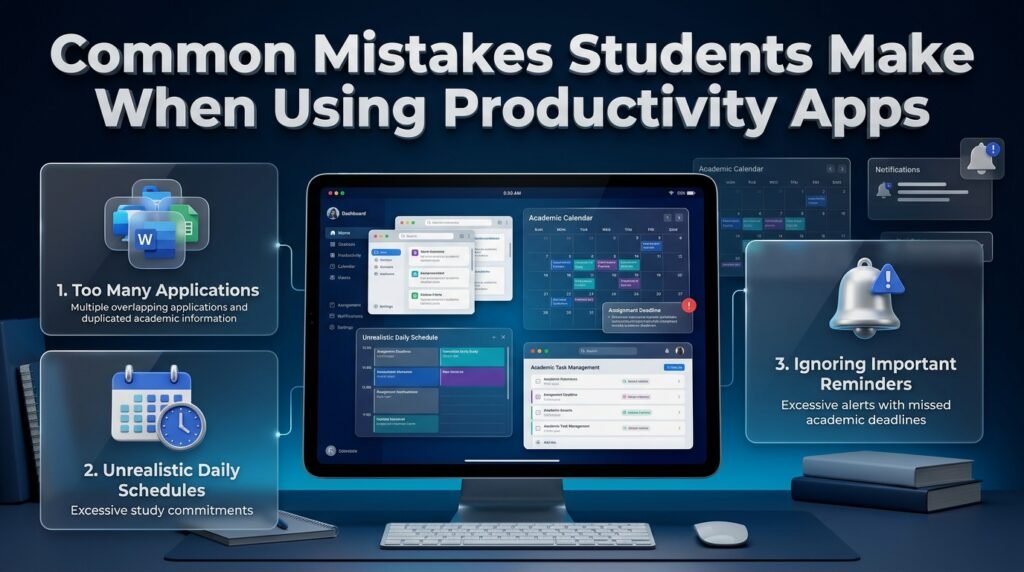
Productivity applications can become less useful when students spend more time managing digital tools than completing academic work.
Recognizing common mistakes helps learners create a system that remains practical over time.
Downloading Too Many Applications
Installing several applications for similar purposes can divide information across different platforms.
A student might record assignments in one task manager, examination dates in another calendar, and study reminders in a separate application.
This creates unnecessary duplication.
How to avoid it:
- Select one primary planning application.
- Use additional tools only when they provide a necessary function.
- Keep important academic dates in one reliable location.
- Avoid recording identical information repeatedly.
Creating Unrealistic Daily Schedules
Some students fill every available hour with study activities.
Although this may initially appear productive, such schedules often ignore breaks, personal responsibilities, and unexpected changes.
Why it happens: Students sometimes confuse a full calendar with an effective study plan.
How to avoid it:
- Begin with manageable study sessions.
- Include regular breaks.
- Leave flexibility for unexpected activities.
- Adjust the workload according to subject difficulty.
Ignoring Important Reminders
Students sometimes enable too many notifications and eventually stop paying attention to them.
This reduces the usefulness of reminders.
How to avoid it:
Configure notifications for important deadlines, examinations, and scheduled activities. Disable alerts that do not support meaningful academic responsibilities.
Spending Too Much Time Customizing Applications
Changing colors, layouts, icons, and themes can become an unnecessary distraction.
Customization may improve visual organization, but it should not replace actual study time.
How to avoid it:
Choose a simple layout and concentrate on accurate task entry, priority management, and completing academic responsibilities.
Failing to Update Completed Tasks
A productivity system becomes unreliable when students complete activities but leave their digital records unchanged.
This creates an inaccurate picture of unfinished work.
How to avoid it:
Update task statuses immediately after completing important activities. Review remaining responsibilities at the end of each day.
Depending Completely on Digital Tools
Applications can experience technical problems, synchronization issues, or temporary service interruptions.
Students should not assume that digital systems are always available.
How to avoid it:
Keep important academic information backed up and follow official institutional announcements. Maintain access to essential examination and assignment details.
Expert Advice: How to Make Student Productivity Apps More Effective
The best productivity systems are usually built around a few consistent habits rather than complicated digital arrangements.
The following recommendations can help students use productivity applications more effectively.
Follow the One Main Calendar Principle
Maintain one primary calendar for important academic dates.
This reduces the risk of recording an examination in one application and forgetting to check it.
Other tools can still support note-taking or task management, but major academic dates should remain easy to locate.
Plan According to Energy and Difficulty
Not every student performs equally well throughout the day.
Some learners concentrate better in the morning, while others prefer afternoon or evening study sessions.
Schedule difficult subjects during periods when concentration is usually stronger.
Use shorter or lighter activities during less productive periods.
Separate Planning Time From Study Time
Students should avoid repeatedly changing their schedules during a focused study session.
A better approach is to prepare the plan beforehand, complete the selected activity, and update the application afterward.
This reduces unnecessary interruptions.
Use Weekly Workload Balancing
A student may have three major assignments due during the same week.
Rather than beginning all three projects at the last minute, distribute the work across available days.
For example, complete research for one assignment early in the week, draft another project in the middle, and reserve later periods for editing and final preparation.
Keep Study Goals Measurable
A useful study goal describes what the student intends to complete.
Instead of writing “study physics,” use a specific objective such as “review Newton’s laws and complete ten practice questions.”
Measurable goals make progress easier to evaluate.
Review Weak Subjects Regularly
Students sometimes spend too much time on subjects they already understand because these activities feel easier.
Use progress reviews to identify subjects that need additional practice.
The purpose of productivity tracking is to support better academic decisions, not simply to count completed activities.
How Can Students Balance Productivity, Rest, and Personal Responsibilities?
Academic productivity should not mean studying continuously.
Students also need time for rest, meals, physical activity, family responsibilities, and personal interests.
A schedule that ignores these needs can become difficult to maintain.
Include Breaks in the Study Schedule
Breaks help students change activities and recover their attention.
For example, after a focused study session, a student can take a short break before beginning another subject.
The duration should depend on the student’s needs and the nature of the work.
Avoid Overloading Weekends
Weekends can provide valuable time for revision and assignment completion.
However, filling every weekend hour with academic responsibilities may reduce motivation.
Students should prioritize important work and reserve some time for recovery.
Establish a Consistent Daily Routine
A predictable routine makes academic responsibilities easier to manage.
Students can establish regular periods for waking up, attending classes, studying, taking breaks, and preparing for the next day.
The routine does not need to be identical every day, but consistency can make planning more manageable.
Review Personal Commitments Alongside Academic Work
Students who participate in sports, family activities, part-time employment, or other commitments should include these activities in their schedules.
Ignoring personal responsibilities creates conflicts that can make an academic plan unrealistic.
A balanced productivity system should reflect the student’s complete routine.
What Is the Best Student Productivity App for Managing Assignments, Study Schedules, and Academic Deadlines?
The best student productivity app is one that helps learners manage their academic responsibilities without making everyday planning complicated. Students should look for an application that combines assignment tracking, study scheduling, calendar organization, deadline reminders, and progress monitoring. These features make it easier to understand upcoming responsibilities and organize study time according to academic priorities.
A school student may need a simple homework planner, while a university student managing multiple courses may require more advanced scheduling and coursework management features. Therefore, the right choice depends on academic workload, personal study habits, and the level of organization required.
Important features to consider:
Assignment management: Create tasks, organize coursework, and track submission dates.
Study scheduling: Allocate specific periods to different subjects and learning activities.
Academic calendar: Keep examination dates, classes, holidays, and important events organized.
Deadline reminders: Receive timely notifications before important submissions.
Progress tracking: Identify completed activities and subjects that need additional attention.
How Can a Student Productivity App Improve Academic Performance and Time Management?
A student productivity app can support better academic performance by helping learners organize their responsibilities, use study time more effectively, and prepare for important academic activities in advance. When students have a clear understanding of their upcoming assignments and examinations, they can distribute their workload instead of depending on last-minute preparation.
For example, a student preparing for three examinations can divide revision activities across several days, prioritize difficult subjects, and reserve additional time for practice questions. This creates a more manageable learning routine and reduces the chances of overlooking important topics.
However, productivity software does not automatically improve grades. Students must combine digital planning with consistent revision, classroom participation, practice, and effective learning strategies.
Practical ways to improve academic productivity:
Set daily and weekly study objectives.
Divide large assignments into smaller activities.
Prioritize subjects according to difficulty and examination dates.
Review completed tasks to monitor progress.
Schedule regular revision instead of relying on last-minute studying.
Include breaks to maintain concentration throughout the day.
Which Features Should Students Look for When Choosing a Productivity App for School or University?
Students should choose productivity applications according to their actual academic requirements rather than selecting software simply because it offers many advanced features. A useful application should make everyday responsibilities easier to organize, provide a clear overview of deadlines, and support a realistic study routine.
For school students, simple assignment tracking, class schedules, and examination reminders may be sufficient. University students may need additional functions for managing multiple courses, research projects, presentations, coursework submissions, and independent study sessions.
Before choosing an application, learners should also consider ease of use, device compatibility, subscription costs, and data privacy.
Essential features worth prioritizing:
Task management: Organizes assignments, projects, and daily responsibilities.
Calendar integration: Displays academic events and important dates.
Custom reminders: Helps students remember approaching deadlines.
Digital note organization: Keeps subject-related information accessible.
Time management: Supports structured study sessions and breaks.
Progress monitoring: Makes academic workload and completed activities easier to review.
Device synchronization: Keeps information accessible across supported devices.
How Can Students Manage Multiple Assignments, Examinations, and Study Deadlines Without Feeling Overwhelmed?
Managing several academic responsibilities becomes easier when students stop treating every assignment as one large task. Instead, they should organize their workload according to deadlines, importance, and the amount of time required for completion.
For example, a student may have a mathematics assignment due on Monday, a science examination on Wednesday, and an English presentation on Friday. Trying to complete everything at the last minute can create unnecessary pressure. A better approach is to record all three responsibilities, divide them into smaller activities, and assign each activity a realistic time slot.
A productivity application can support this process by displaying upcoming deadlines and helping students identify particularly busy academic periods.
A practical workload management approach:
Record all assignment and examination dates immediately.
Identify responsibilities with the nearest deadlines.
Divide large projects into smaller tasks.
Allocate study periods according to subject difficulty.
Set reminders before important submission dates.
Review unfinished activities every evening.
Adjust the weekly schedule when new responsibilities appear.
This approach helps students maintain better control over their workload while leaving enough time for revision and personal activities.
Are Student Productivity Apps Useful for Both Daily Study Planning and Long-Term Academic Scheduling?
Student productivity applications can support both daily study planning and long-term academic scheduling when the selected tools provide suitable organizational features. Daily planning helps students decide which assignments, lessons, and revision activities need attention, while long-term planning provides a wider overview of semester milestones, examination periods, academic holidays, and major submission dates.
For example, a university student may use a daily task list to complete coursework while following a semester calendar to prepare for final examinations several weeks in advance. Connecting these two planning levels helps prevent short-term activities from interfering with important academic goals.
Students should therefore consider more than basic to-do lists when developing a complete academic productivity system.
Important elements of connected academic planning:
Daily planning: Organize lessons, assignments, and study sessions.
Weekly scheduling: Distribute academic responsibilities across available days.
Semester planning: Track major academic milestones and coursework periods.
Examination scheduling: Organize assessment dates and preparation activities.
Holiday planning: Adjust study routines around academic breaks.
Deadline management: Monitor important submissions and upcoming academic requirements.
A connected approach makes academic responsibilities easier to understand and helps students maintain a consistent learning routine throughout the school or university year.
Conclusion
A student productivity app can make academic life more organized by bringing study schedules, assignments, examination dates, academic deadlines, and daily responsibilities into one manageable system. Instead of relying on memory or switching between disconnected planning methods, students can use structured digital tools to understand their priorities, manage their available time, and prepare for important academic activities more effectively.
The real value of a productivity app is not simply the number of features it offers. Its usefulness depends on how well it supports a student’s learning routine and helps turn academic responsibilities into realistic, achievable tasks. When students combine clear scheduling, timely reminders, assignment tracking, and consistent study habits, they can reduce unnecessary stress and maintain better control over their workload.
For schools and educational institutions, connected planning tools can also improve coordination between academic calendars, classroom timetables, examination schedules, and student deadlines. A well-organized system makes important information easier to manage and helps students, teachers, and administrators work toward the same academic goals.
Ultimately, productivity apps should support learning rather than create another responsibility to manage. Choosing a suitable tool, keeping schedules realistic, reviewing progress regularly, and allowing enough time for rest can help students build sustainable habits. With the right approach, a student productivity app becomes more than a digital planner: it becomes a practical part of a more focused, balanced, and organized academic experience.